AI & Workflow Automation
AI tools and automations that take repeated admin off your team: reminders, follow-ups, reports, data entry and document drafting, with a person signing off.
- A fixed price for the build
- AI and provider costs shown separately
- A person signs off what matters
Sounds familiar?
Someone copies the same details between systems every day.
Leads wait hours for a reply because nobody saw them.
A report takes a morning to put together, every week.
If your team does the same task by hand every week, software can probably do most of it. We automate the repetition and keep people in charge of the decisions.
What we build.
Form sent
Website
Rules
New client?
Done
Task + email
09:41:02 form · Lerato, new client
09:41:02 task created for Sipho
09:41:03 welcome email sent
Workflows that start themselves
A form, an email or a new record kicks off the next steps, without anyone pressing go.
Scheduled
TodayVisit reminder to Thandi08:00 · WhatsAppSentDeposit still due · Naidoo10:30 · EmailSentFeedback request · 3 guests16:00 · SMSQueuedReminders and follow-ups
The right message to the right person at the right time, on WhatsApp, email or SMS.
Every Thursday, 09:00
Your week: 58 bookings, 6 more than last week
Written from your booking data. Friday is filling fastest.
Scheduled reports
Your numbers pulled together and written up in plain language, every week or month.
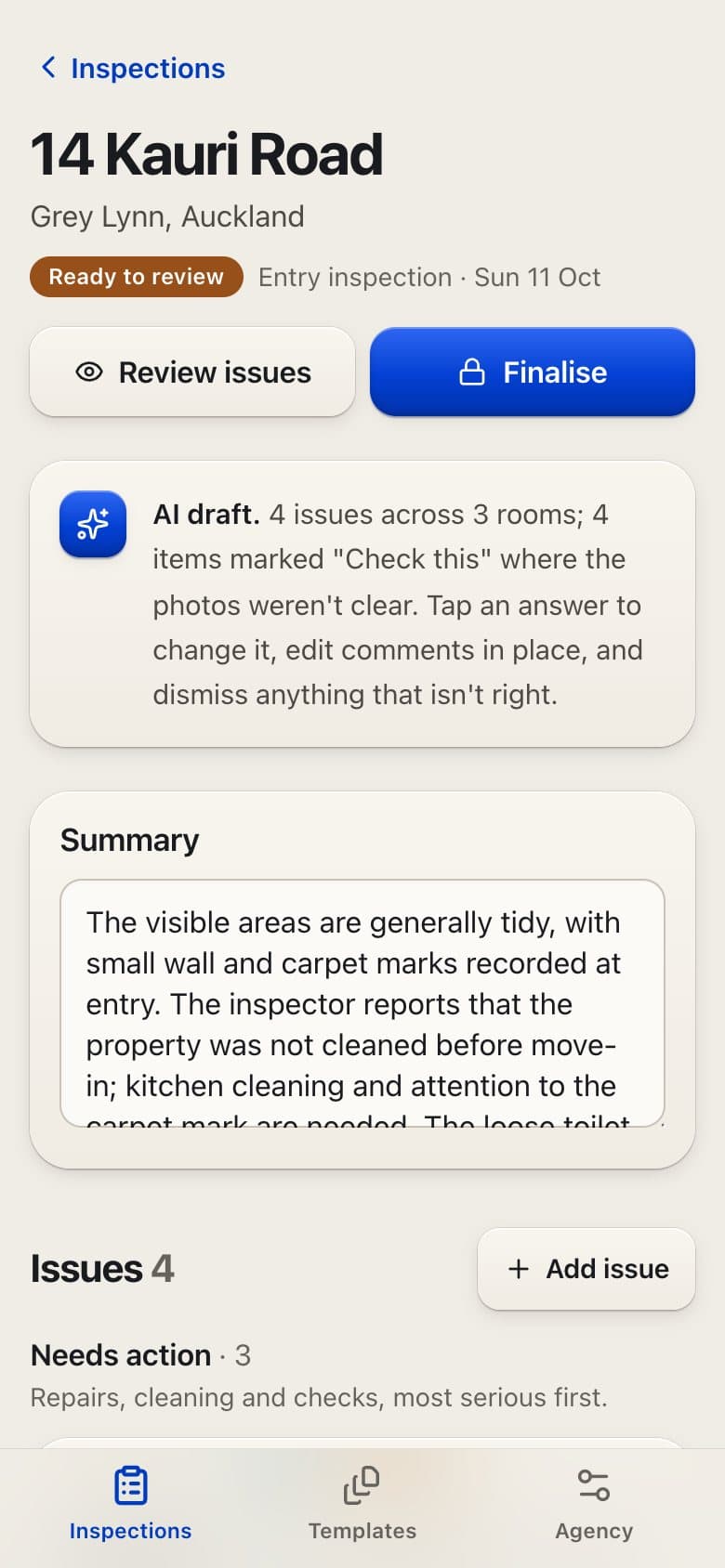
AI that reads and drafts
AI that reads documents and photos, sorts what comes in and drafts the reply or the report.
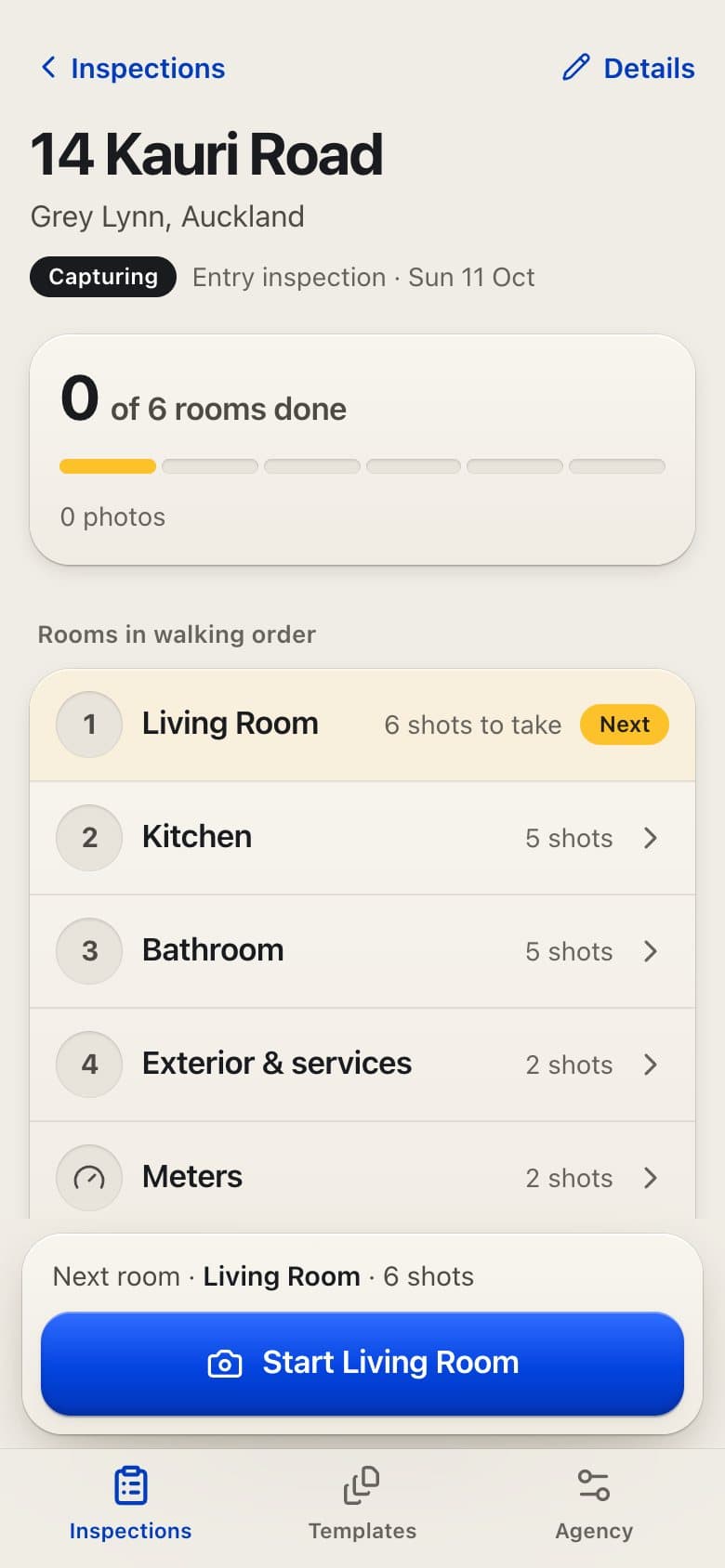
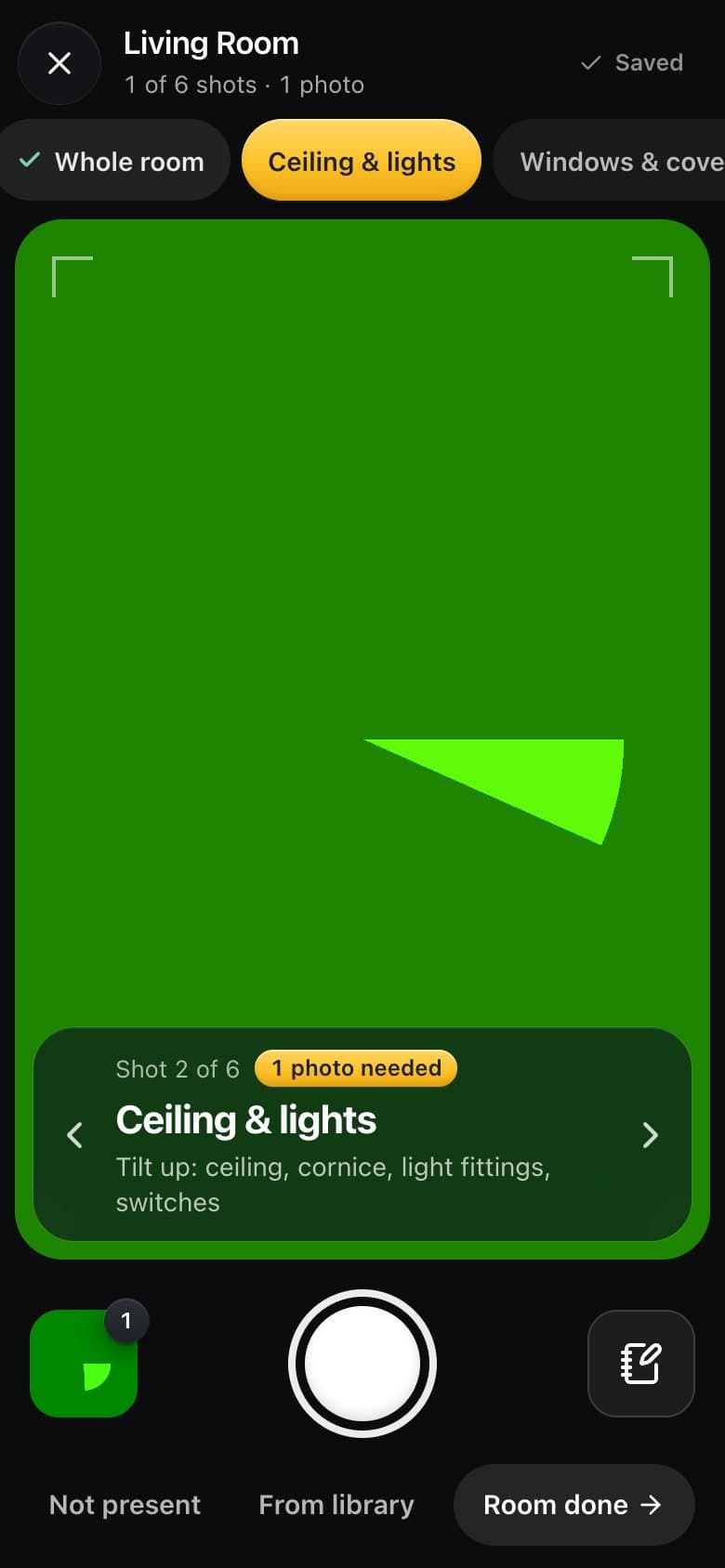
Screen from Roomwise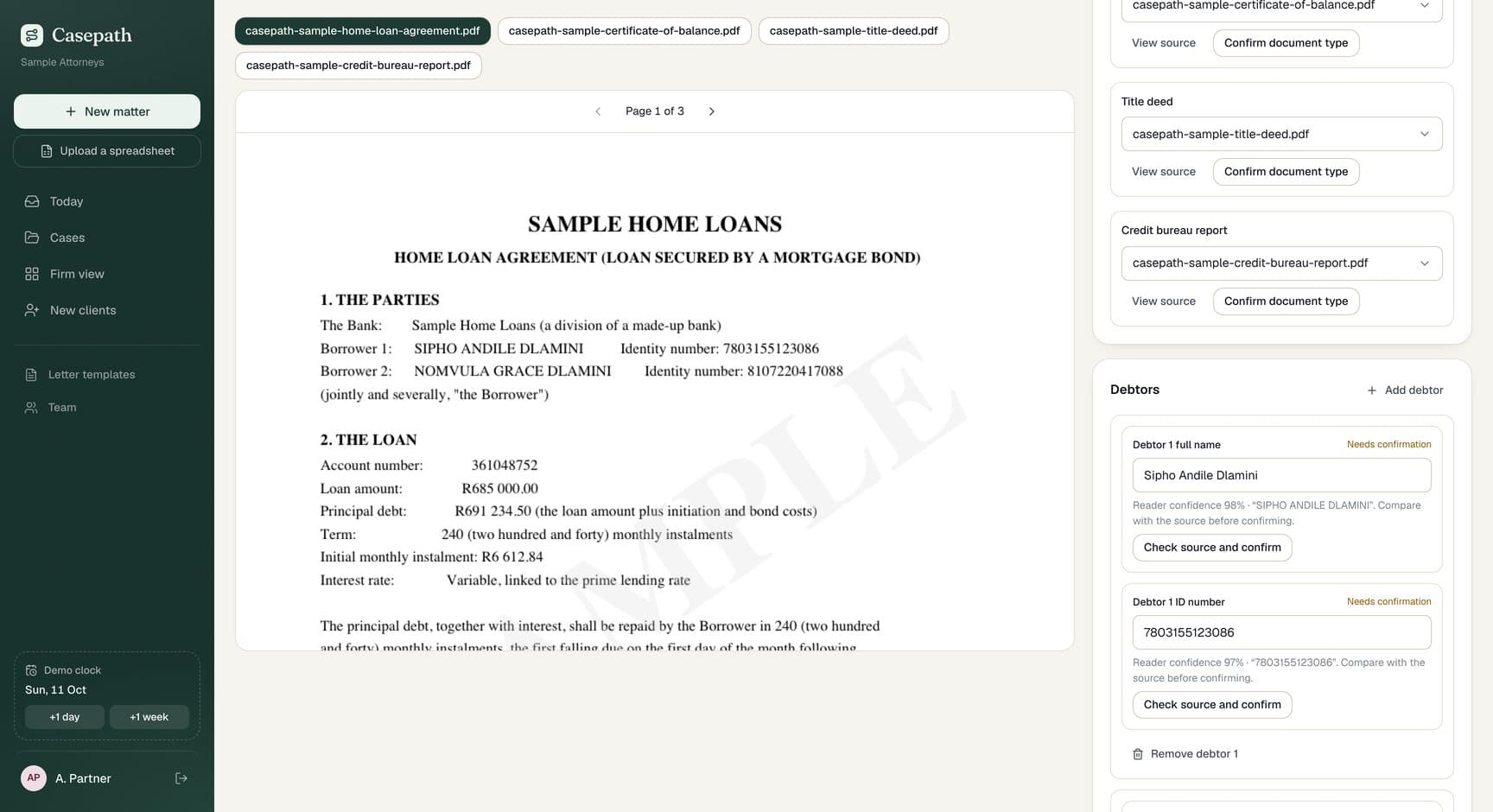
Review queues and alerts
Anything unusual goes to a person to check, with a record of what ran and what failed.
Screen from Casepath
How it works.
Start
Step 1: A call
Pick one task your team repeats every week. We ask where it comes in, who touches it and what goes wrong.
Before any work
Step 2: Brief and fixed price
We choose plain rules, an existing tool, an AI step or a mix. Fixed price for the build; AI and provider costs estimated separately.
Day 0
Step 3: Agreement and deposit
You sign and pay the deposit. We set it up in accounts you own.
About a week later
Step 4: First working run
The automation running on test data, with the log so you can see every step it took.
While we build
Step 5: Tune it
Send the odd cases by voice note or screenshot. We adjust the rules and prompts, often the same day.
On your date
Step 6: Switched on
AI agents test it on real examples, including the strange ones. You choose the day it starts running.
Then, your choice.
Handover
It runs in your accounts. You get the docs and the log.
Monthly plan
We watch the runs, fix failures and adjust it as your process changes.
Product partnership
For a bigger system: we keep automating the next task with you each month.
Real projects. Real screens.
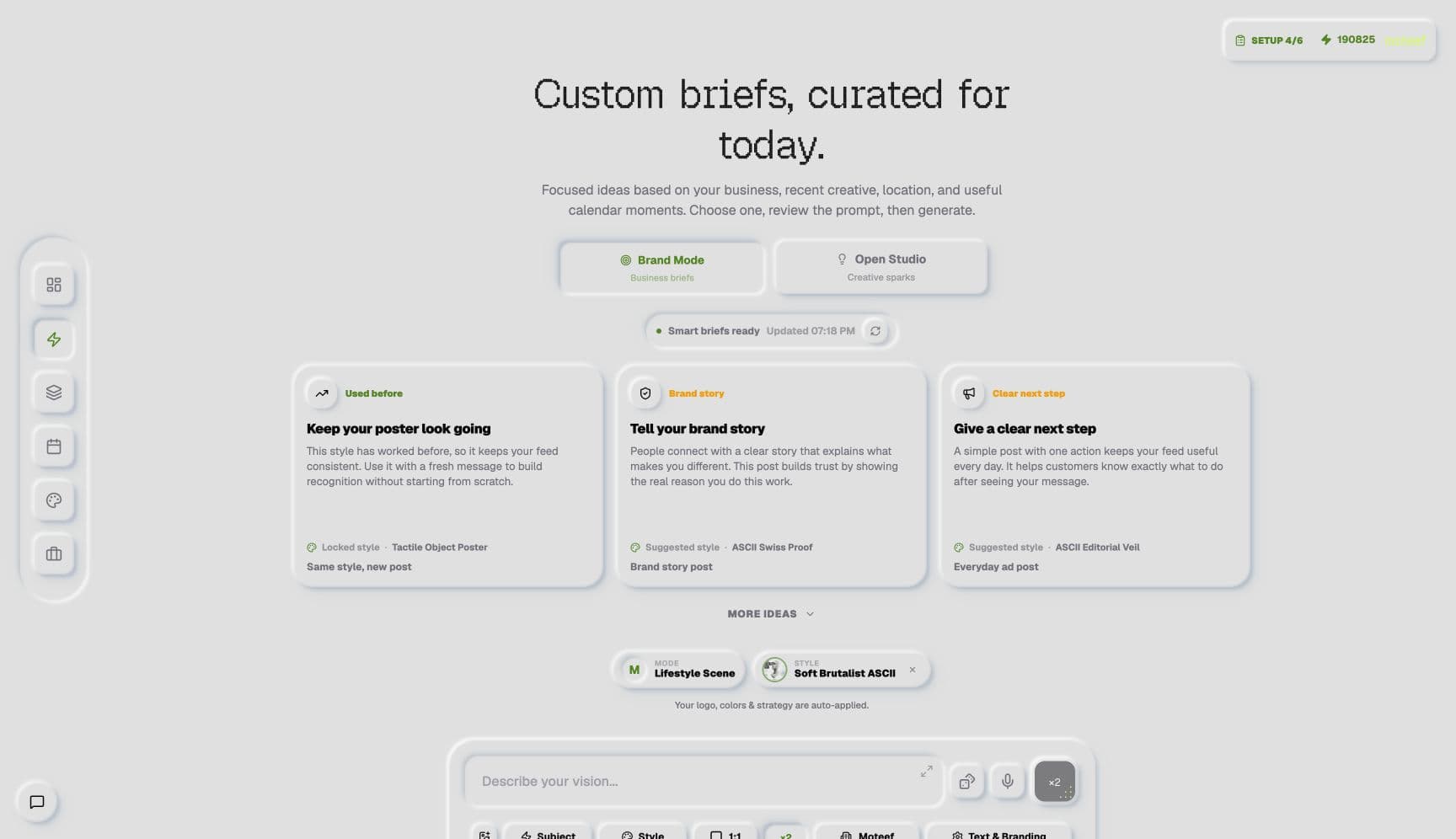
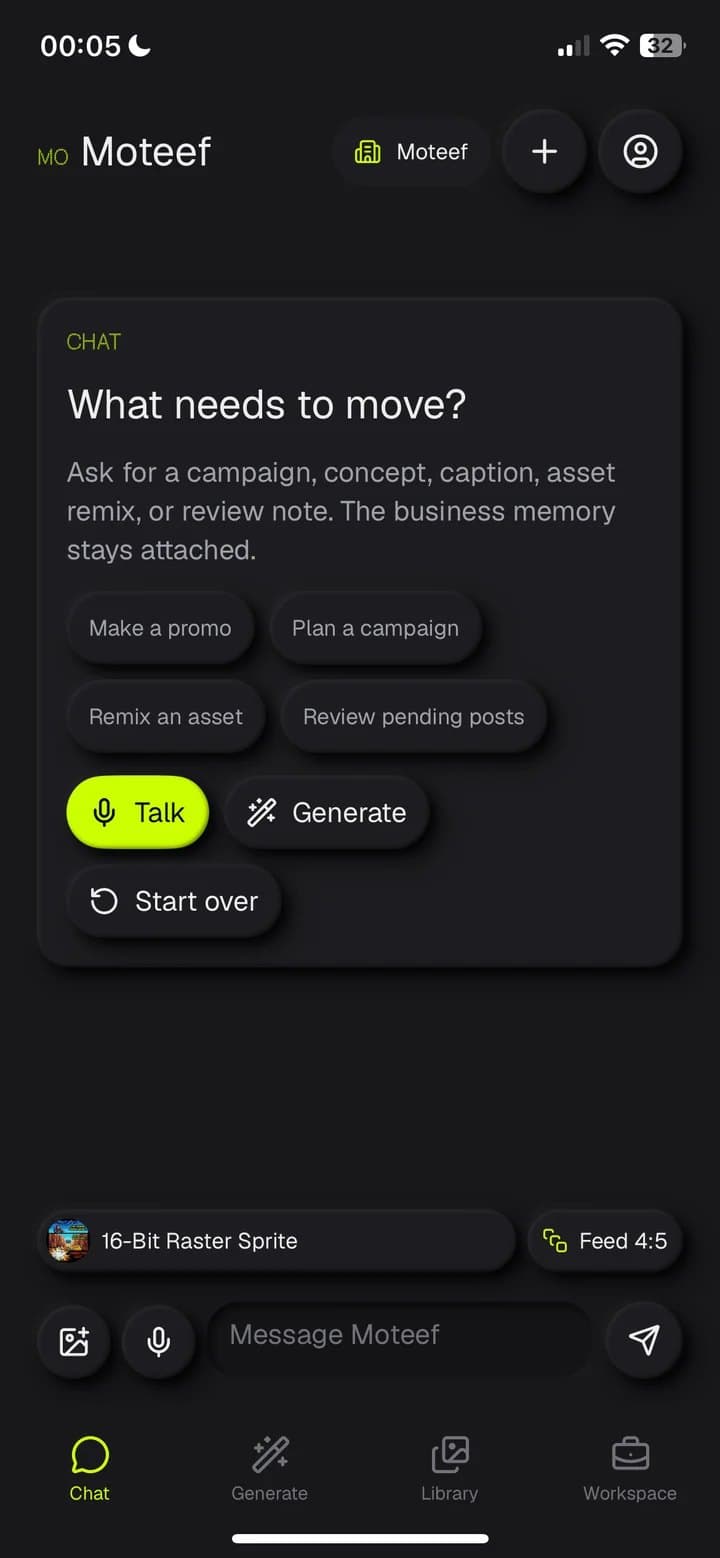
AI we run in our own products every day: inspection reports, marketing and voice typing.
All our work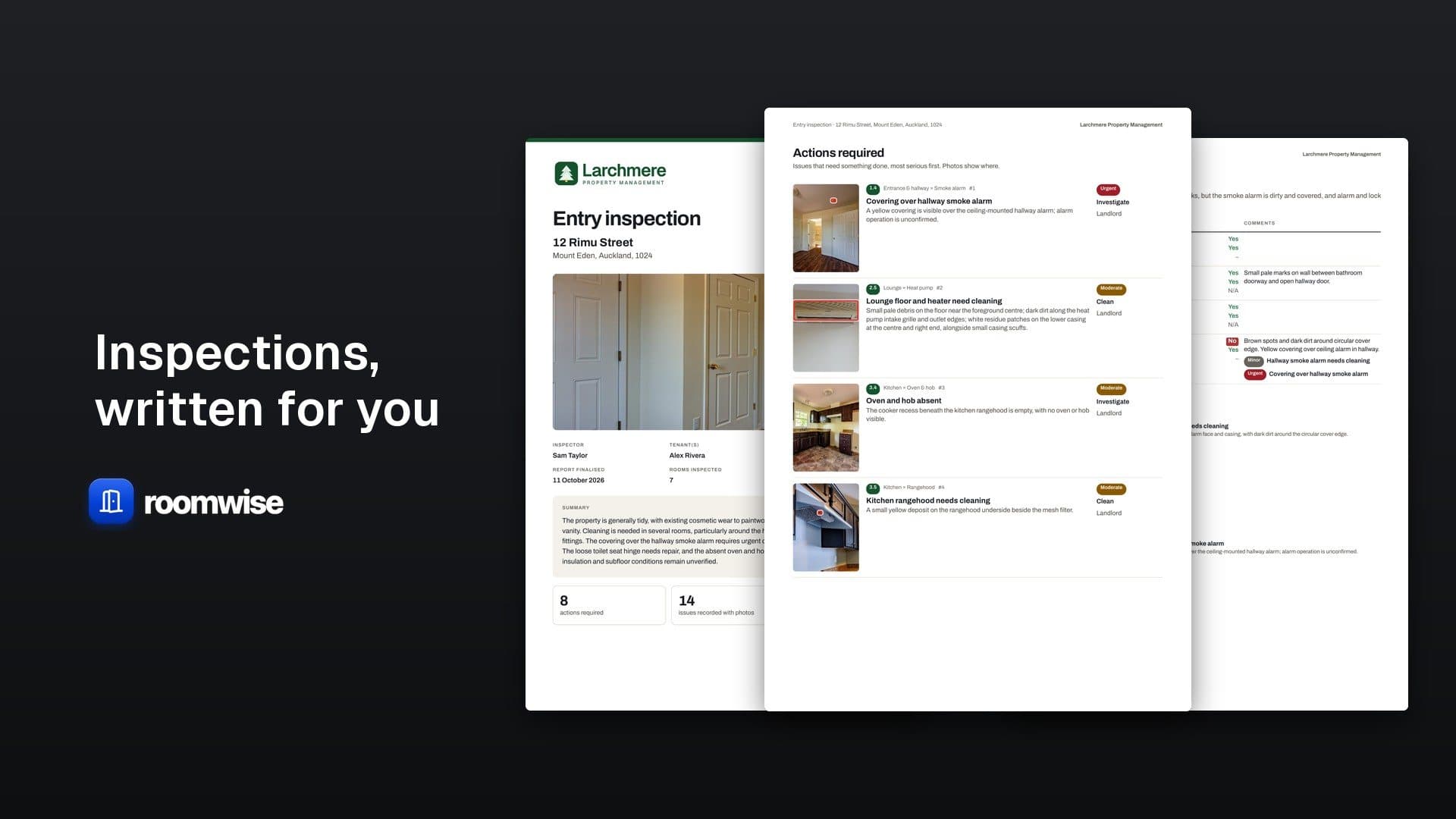
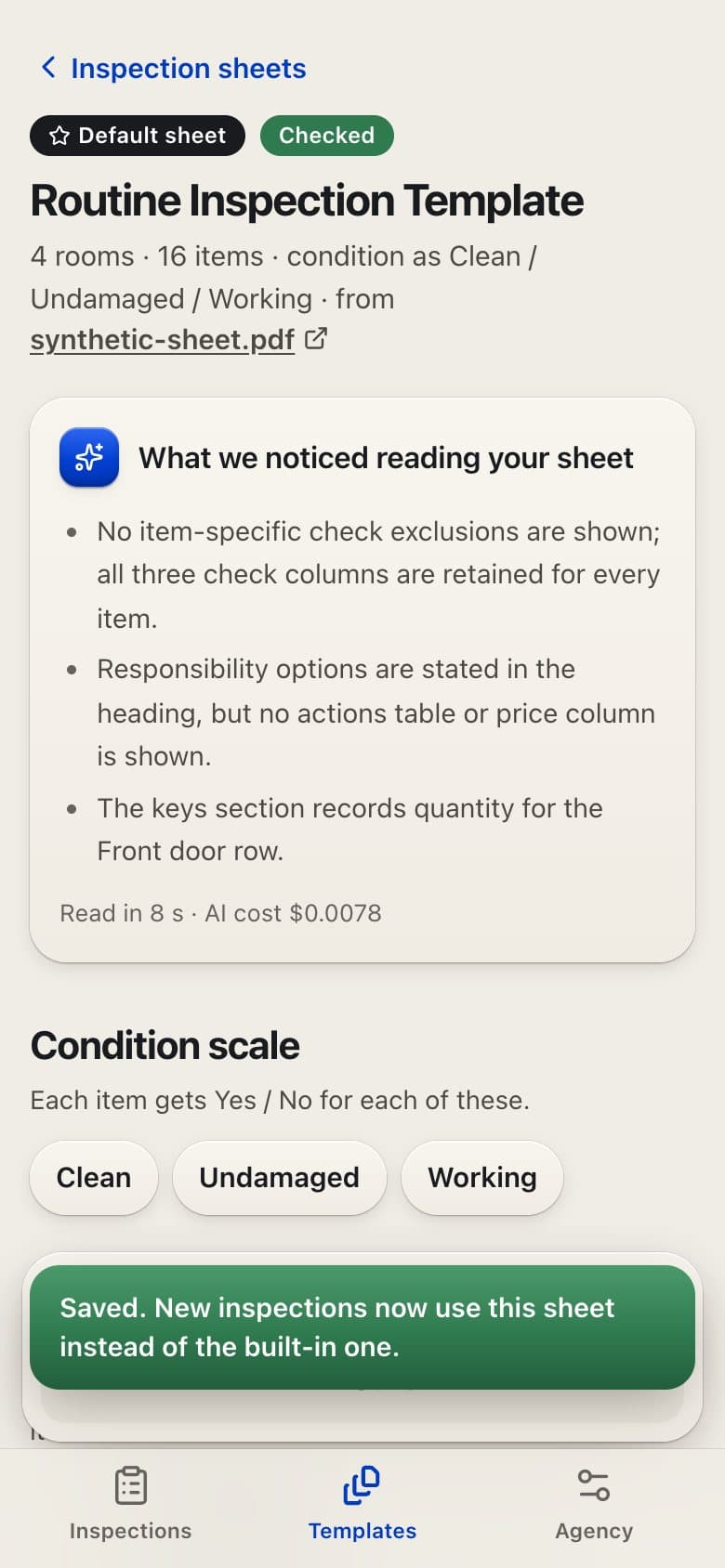









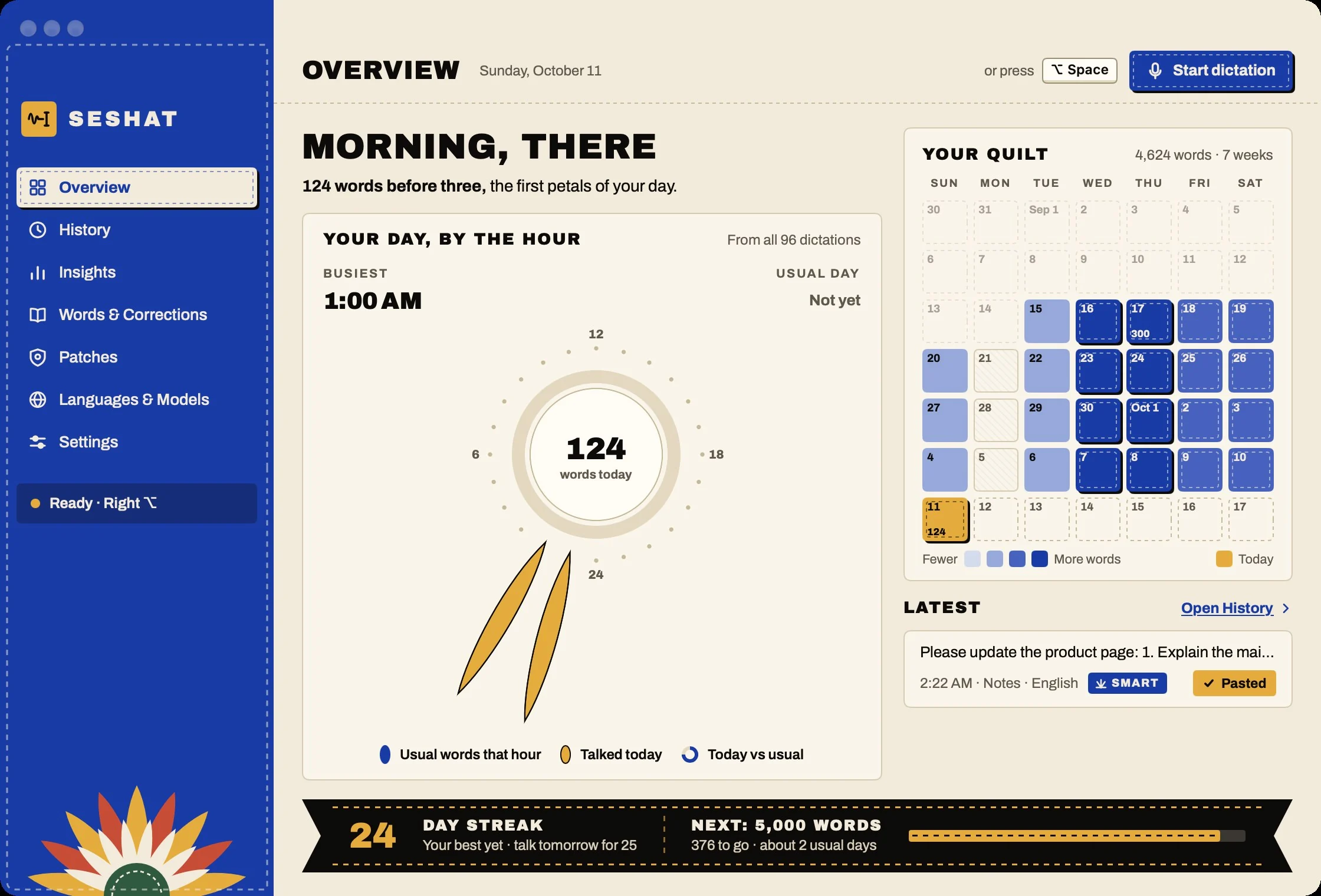
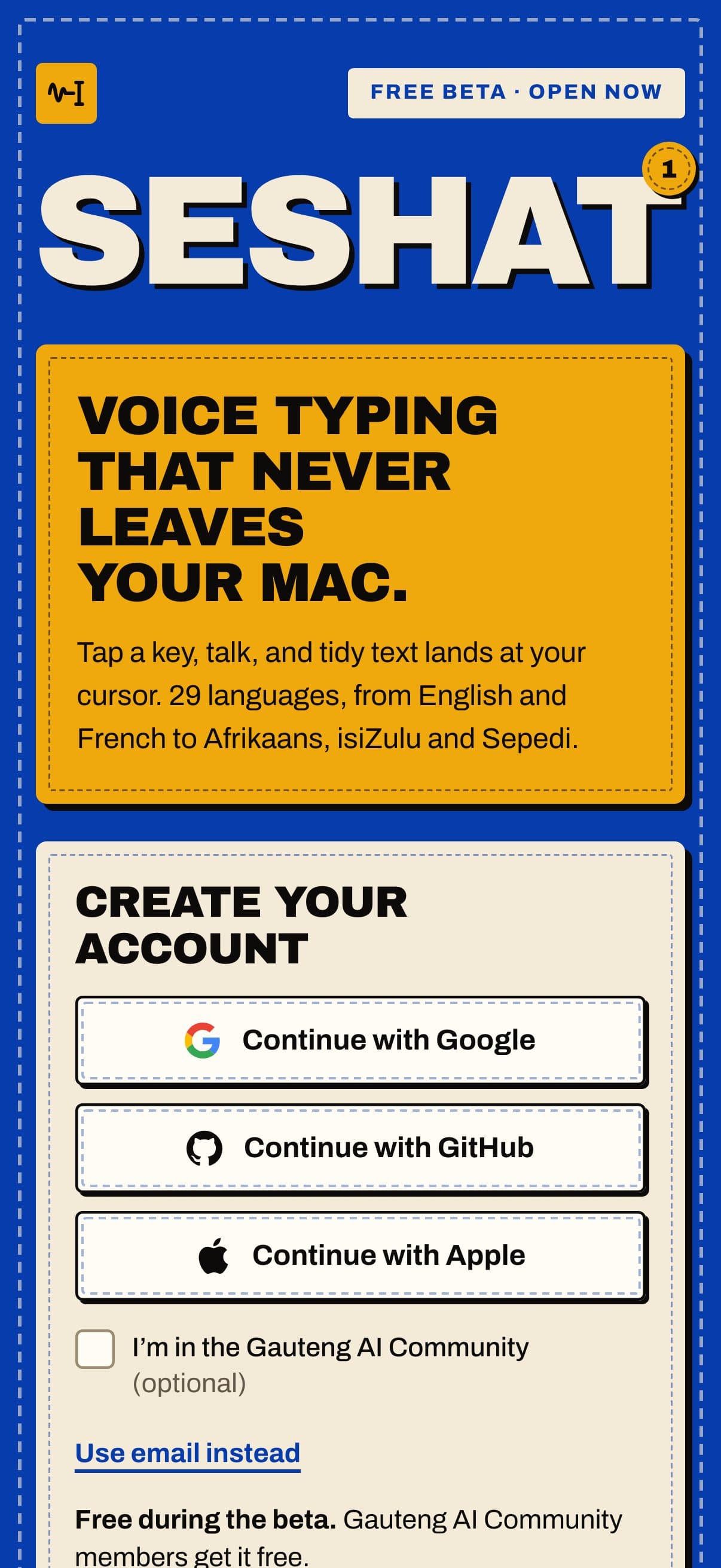
The tools behind it.
Every tool here is in a product we have built and shipped. We pick them once the problem is clear, and set them up in accounts you own.
See the full toolbenchWhy work with us.
We run AI in our own products every day. Roomwise drafts property inspection reports from photos, Moteef plans and creates marketing in a brand's own voice, and Seshat turns speech into text on the Mac itself. AI agents also test and report on our builds. So we know where AI saves hours and where plain rules do the job better.
- AI models and providers in work we have shippedFrom OpenAI and Claude to models that run on your own computer
- 12
- From the first line of code to a live pilotRoomwise, our AI inspection reports, from our own repository
- 5 days
- Languages Seshat types on the Mac itselfFrom English and Afrikaans to isiZulu and Sepedi
- 29
Our own counts come from a dated snapshot of our repositories and release feeds (11 October 2026).
Fair questions.
Start with a call.
Tell us what you need. You get a short brief, then a written proposal with a fixed price before any work starts.
Start a conversationWith one task your team repeats every week and hates. Something you can see and count: copying details between systems, chasing documents, building the same report. We map how it really works before we pick a tool.
No. Plain rules are cheaper, faster and easier to test, and they handle most admin. We use AI models from OpenAI, Anthropic and Google Gemini where reading, sorting, summarising or drafting text saves real time and a person can check the result.
Depending on the setup: hosting, email or message sending, automation tools, AI model usage and storage. We estimate these upfront and say what would push them up, such as volume.
You hear about it. Good automation shows errors, keeps the original record, retries safely and hands odd cases to a person. Nothing should fail quietly.