CasepathProductLegal
The bank's pack in. Letters out.
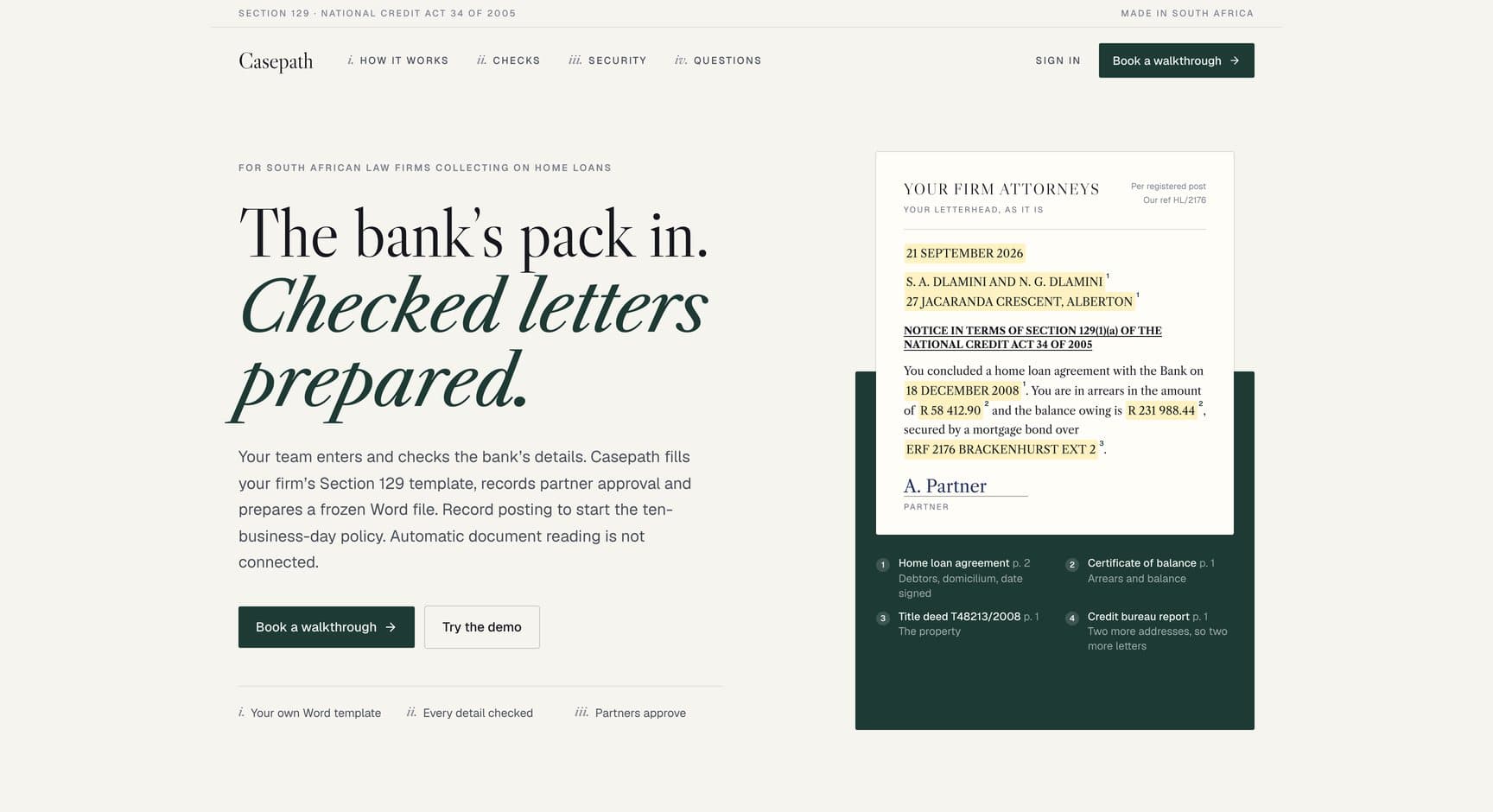
The bank's documents come in, letters go out on the firm's own Word template, and the waiting period counts itself.
- Where it standsWorking demo on sample data
- Year2026
- What we builtFirm workspace, phone approvals and a public demo
Casepath runs home-loan collections work for South African law firms. The bank's documents come in, staff check every detail against its page, letters go out on the firm's own Word template, partners approve with one click and the waiting period counts itself.
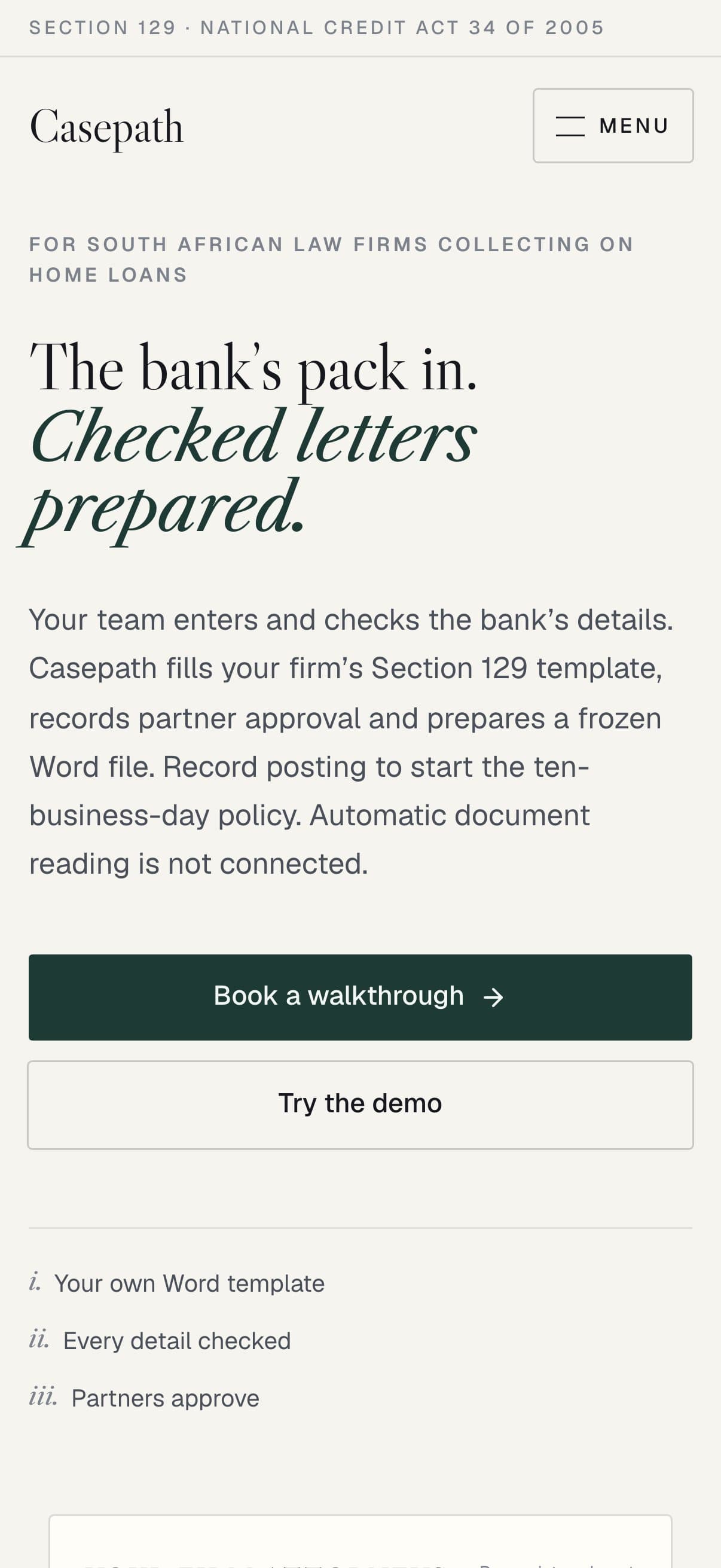
Every detail, retyped into Word.
Every detail has to match the bank's documents, and every deadline has to be right.
The bank's pack
When a home-loan account falls behind, the bank sends the firm a pack of documents: the loan agreement, a certificate of balance, the title deed and a credit bureau report.
A Section 129 notice
From that pack, the firm prepares a Section 129 notice under the National Credit Act for every address the debtor can be reached at.
Where it started
Casepath started with an attorney who does this work every week. The practice software tracked the matters, but the letters were still drafted in Word, every detail retyped and every deadline counted by hand.
Two days later
Two days after that conversation, there was a first working version to click through.
- Practice softwareTracked the matters, while the letters were still drafted by hand.
- WordNames, ID numbers and amounts retyped from the bank's documents.
- A calendarBusiness days counted by hand from each posting date.
Names, ID numbers and amounts have to match the bank's documents exactly.
A partner must sign off every letter, and nothing may change after that.
The next legal step depends on counting business days from the right posting date.
From the pack to the post.
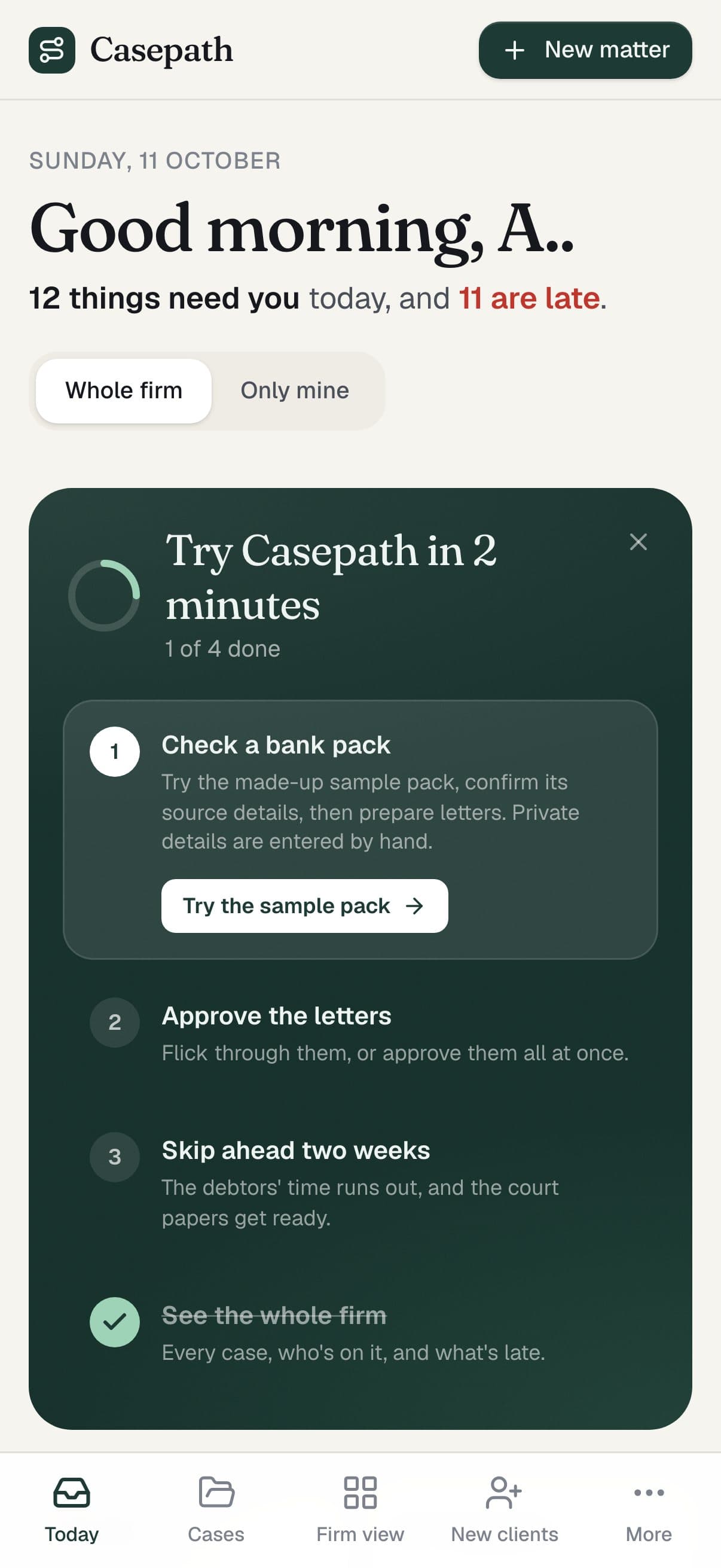
A firm workspace for staff and partners, a phone view for approvals on the move and a public demo on made-up data.
Workspace and phone
A firm workspace for staff and partners, and a phone view for approvals on the move.
A public demo
A public demo that runs on made-up data, with a demo clock that skips ahead to show the deadlines working.
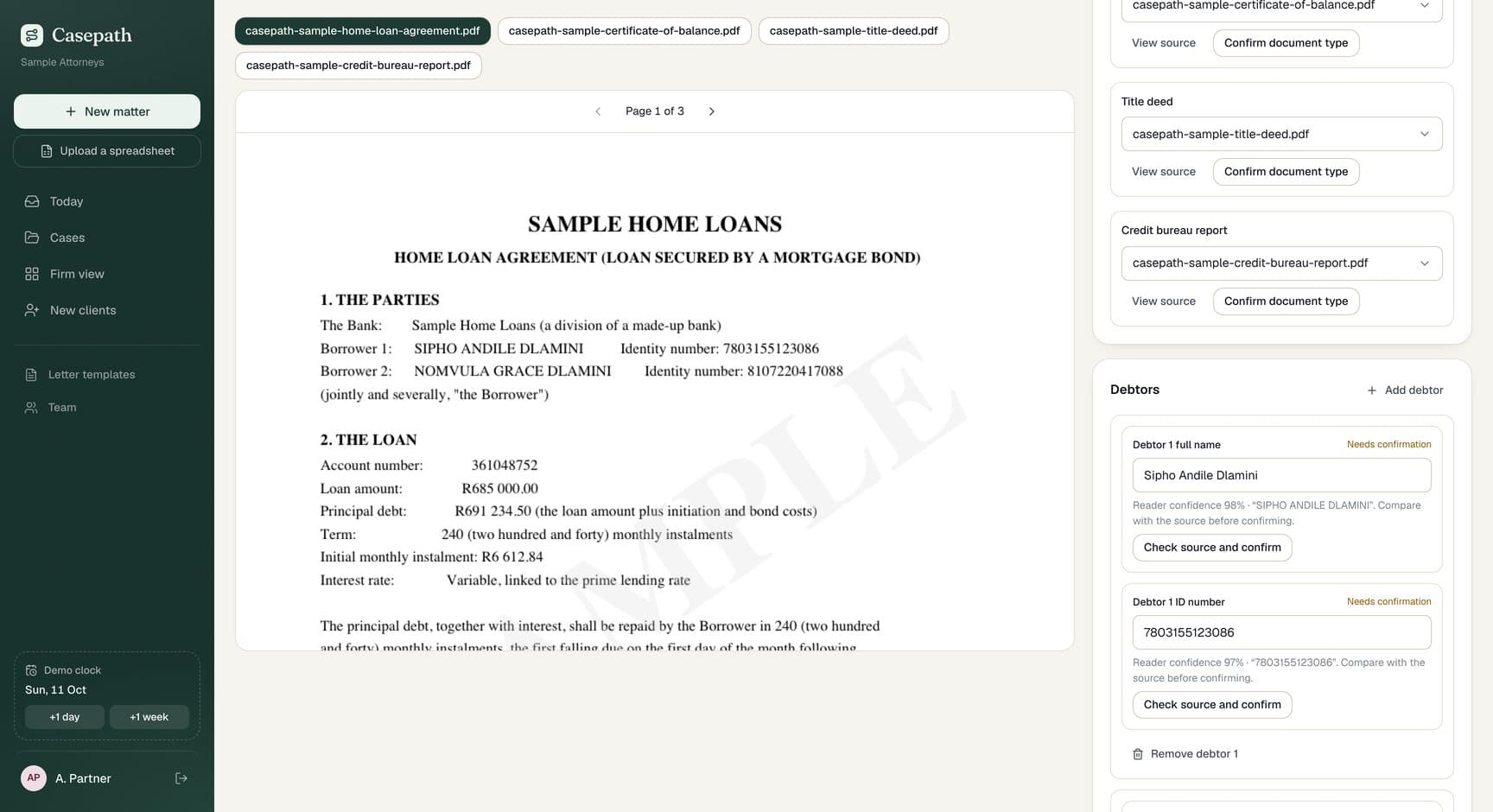
Firm workspace
For staff and partnersWeb, private per firm
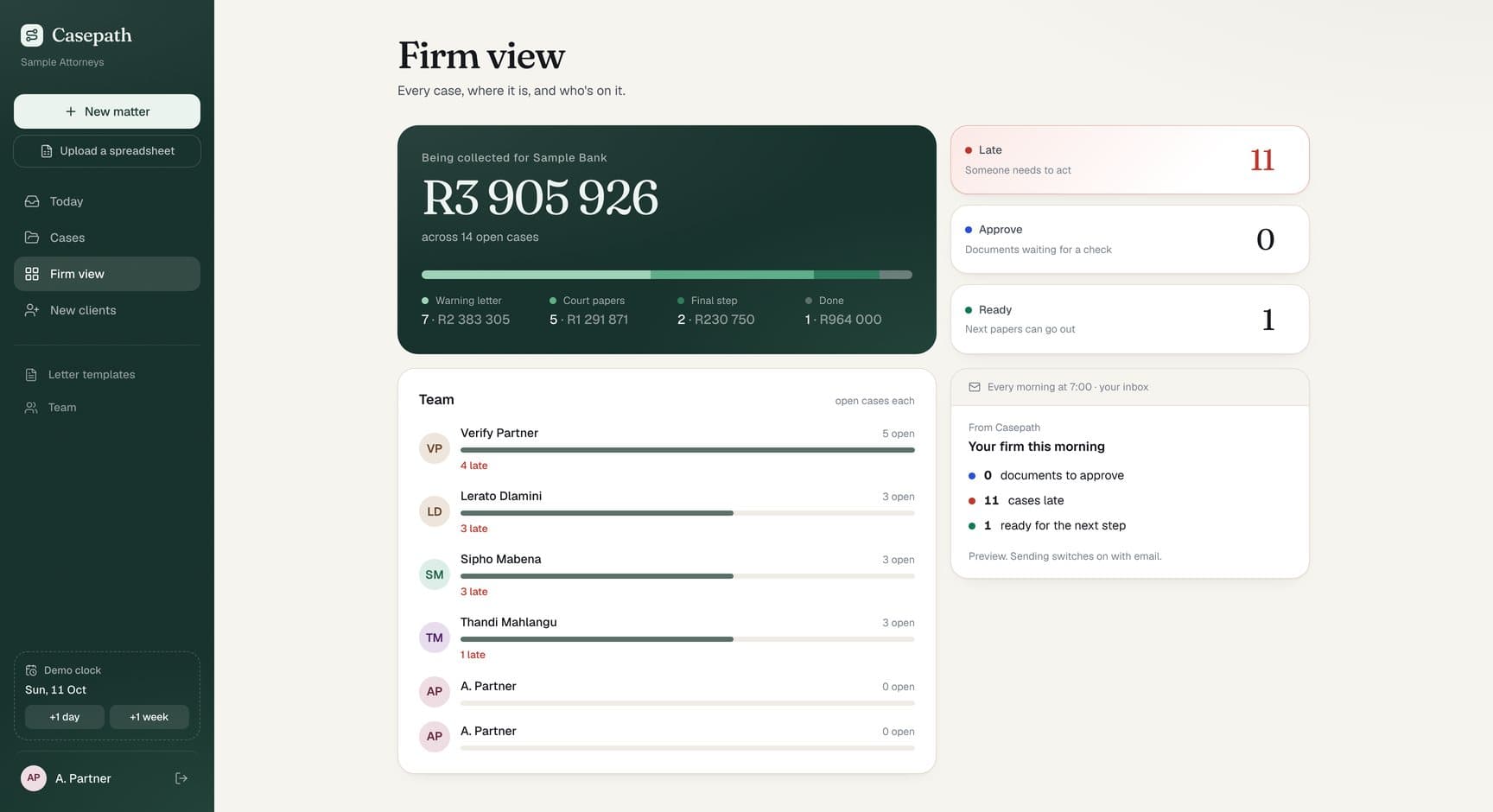
Casepath follows one debtor from the bank's pack to a posted letter, with a firm view of every matter around it.
- Field-by-field checks against source pages
- Letters on the firm's own Word template
- Partner-only approval with frozen files
- Posting records and a business-day countdown
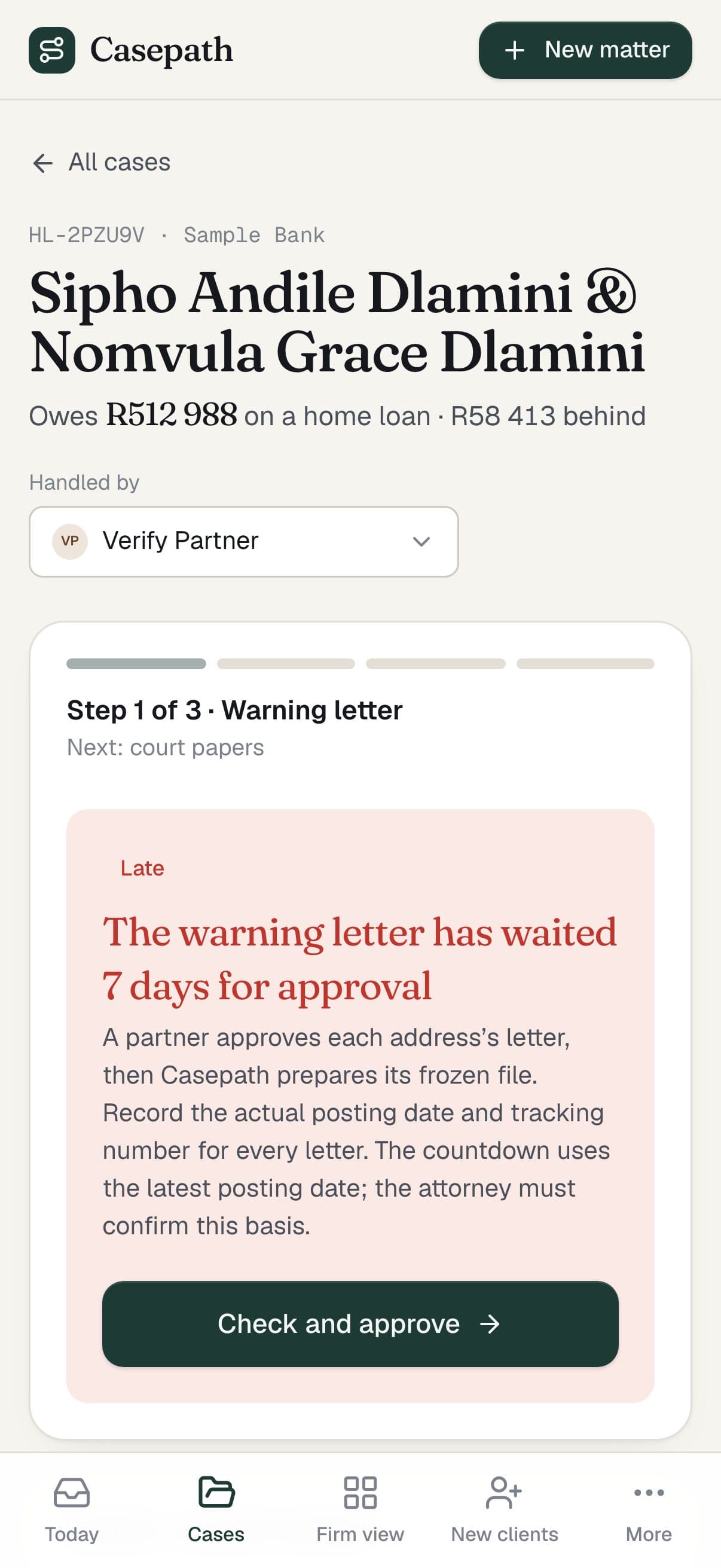
On a phone
For partners on the movePhone browser
What needs attention today, what is late and the approval queue, on a phone.
- Today's list and late warnings
- Approvals from anywhere
Public demo
For firms trying it outWeb
The demo runs the whole workflow on made-up documents, with a demo clock that skips ahead to show the deadlines working.
- A sample firm with made-up data
- A demo clock for deadlines
The bank's pack
When a home-loan account falls behind, the bank sends the firm a pack of documents.
- 01
Loan agreement
- 02
Certificate of balance
- 03
Title deed
- 04
Credit bureau report
Private to each firm
Staff prepare and post letters; only partners approve them, manage templates or invite colleagues.
- Its own private deployment
- People join by invitation from a partner
- Every sign-in needs a second step from an authenticator app
From the bank's pack to the next step.
Staff confirm the details, Casepath fills the letters, a partner approves and the waiting period counts itself.
Private per firm
Each firm runs on its own private deployment. People join by invitation from a partner, and every sign-in needs a second step from an authenticator app.
Only partners approve
Staff prepare and post letters; only partners approve them, manage templates or invite colleagues.
People enter details
Casepath does not read documents automatically yet. Staff enter and confirm the details, and checks for South African ID numbers, amounts and dates catch common mistakes.
Human confirmation stays
A reading service would only ever be a starting point: the same human confirmation is required either way.
Staff
Drop in the bank's documents and confirm what each one is.
Staff
Confirm every field next to its page. Conflicts need a reason; a missing document needs a partner.
CasepathTakes over here
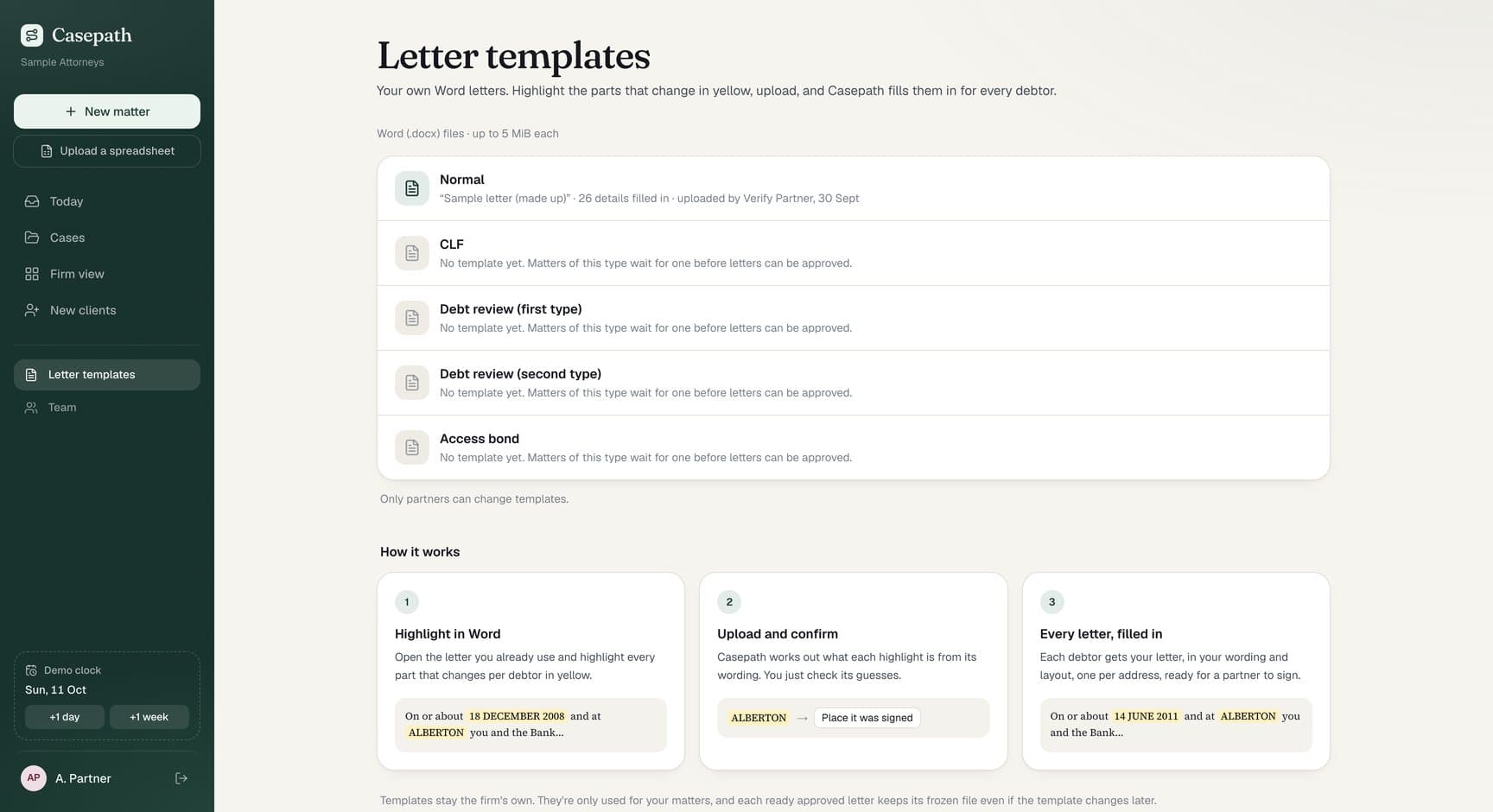
The firm's Word template is filled in for every address on record.
Partner
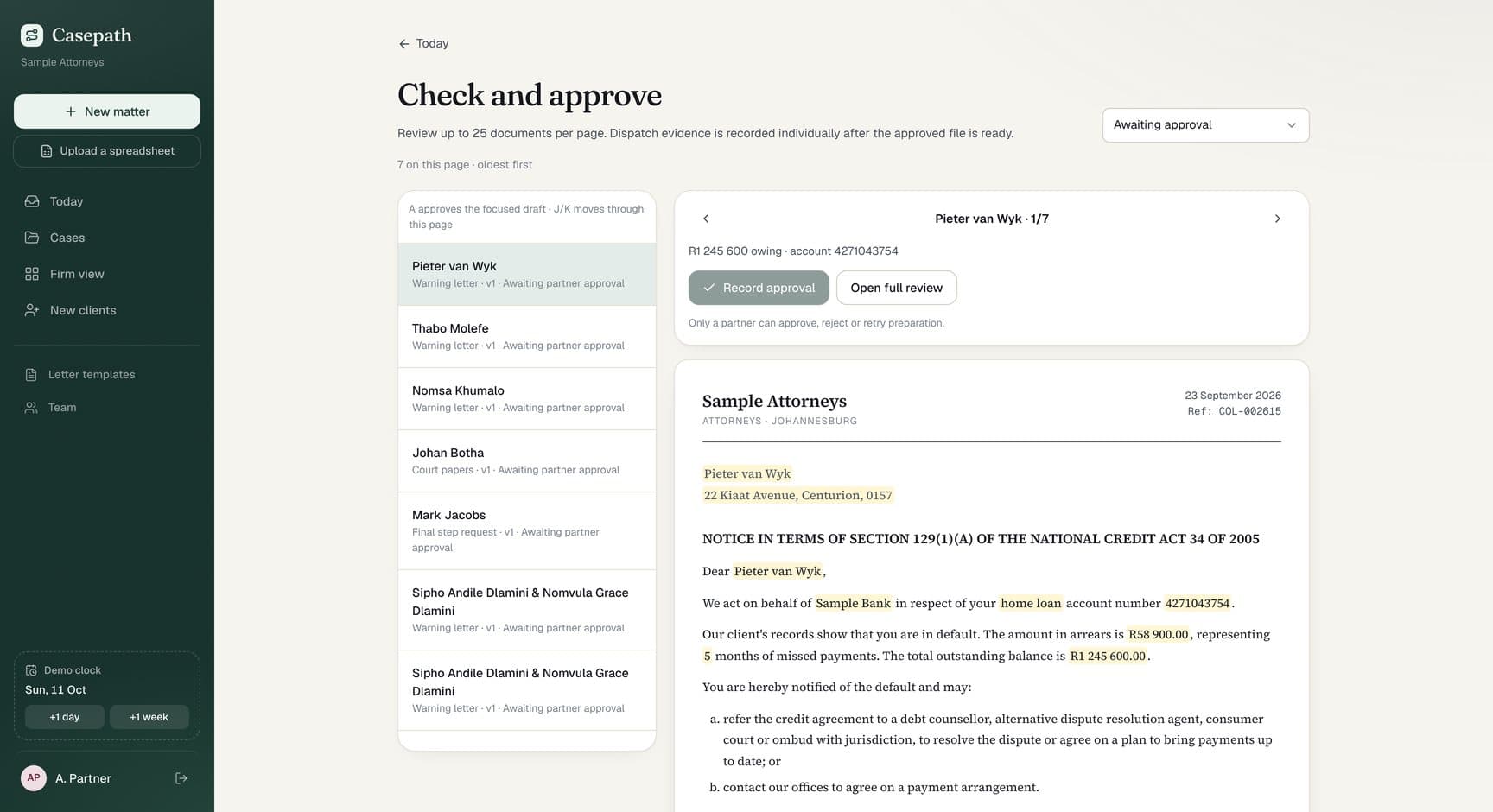
One click records who approved and when. The file is frozen and fingerprinted.
Staff
Record the posting date and the registered-post tracking number for each letter.
Casepath
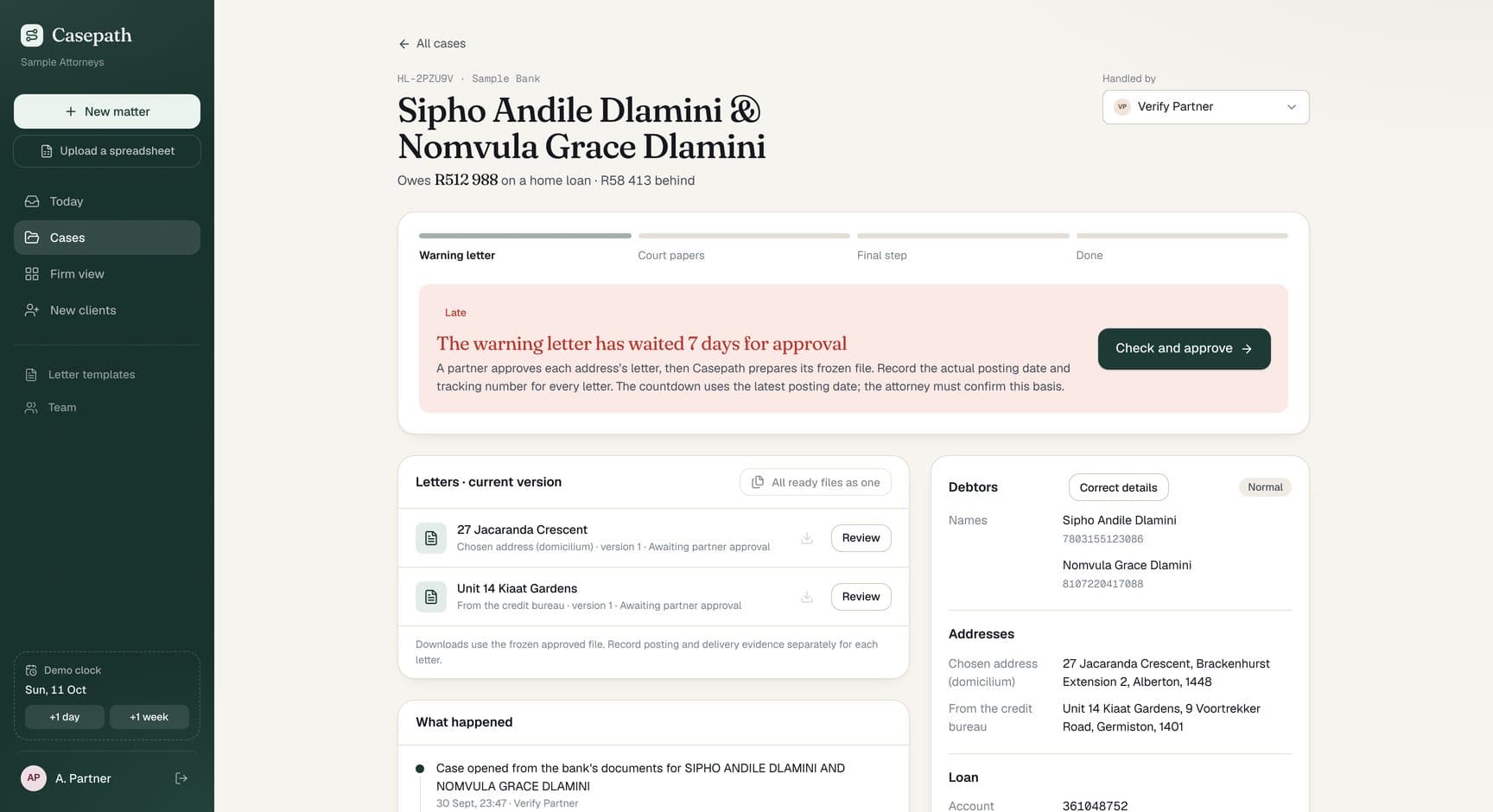
Ten South African business days, public holidays included, then the matter is ready for the next step.
Checked once, used everywhere.
Check each detail once, against its source, and let the letters, the approval and the deadline use the checked value.
Checked once
Check each detail once, against its source.
Used everywhere downstream
Everything downstream uses the checked value: the letters, the approval and the deadline.
01
Before: Retype each detail from the bank's pack.
Now: Confirm each detail next to the page it came from.
02
Before: Copy the details into a Word letter.
Now: The firm's own Word template, filled in for every debtor and address.
03
Before: Chase partners for signatures.
Now: Partners approve with one click; the file is frozen and fingerprinted.
04
Before: Count business days on a calendar.
Now: Casepath counts ten business days, public holidays included.
05
Before: Ask around to find out what is late.
Now: One firm view of every matter, its step and what is late.
Working end to end, on sample data.
The whole workflow works end to end in the demo, from the bank's pack to a counted deadline.
- First conversation about the collections workflow to First working prototype
- 2days
- The bank's pack
- 4
- From the bank's pack to the next step.
- 6steps
Working demo on sample data
22 Sep 202630 Sep 2026
Dates from our project records and release history.
- then, +2 daysUpdate
First conversation about the collections workflow.
- then, +6 daysBuild
First working prototype.
- Update
Security review and hardening done; 329 tests.
- Next
A firm's private version, once its attorneys approve the signing procedure, template and deadline policy.
Dates from our project records and release history.
The full workflow runs in the demo, from the bank's pack to a counted deadline.
Approved letters cannot change silently; a correction needs a new approval.
329 automated tests cover ID numbers, amounts, business days and template filling.
Each firm gets its own private deployment, with invitations and two-step sign-in.
- Signing procedureApproved by the firm's attorneys
- TemplateApproved by the firm's attorneys
- Deadline policyApproved by the firm's attorneys
Finished in the demo
Checked details, finished letters, partner approval, posting records and a counted deadline all work in the demo.
Before real matters
Before a firm runs real matters through it, its attorneys approve the signing procedure, the template and the deadline policy. The private deployment gets its hosting and retention settings.
The firm decides
Those decisions sit with the firm, not with the software.
The tools behind it.
See the full toolbench- Next.js
- React
- Convex
- Tailwind CSS
- Vercel
Also in the build: Convex Auth, docxtemplater, PDF.js
Is your team retyping the same details into Word? Show us the workflow.