RoomwiseProductProperty
Inspections, written for you.
The phone guides the walk, AI drafts the report, and the inspector reviews, signs and shares a branded PDF.
- Where it standsPilot
- Year2026
- What we builtInspector phone app, office setup and branded reports
Roomwise is our AI property-inspection app. The inspector walks the rental with a phone, the app asks for the right photo in each room, AI drafts the report in the agency's own format, and the inspector reviews, signs and shares a branded PDF.
The walk is easy. The report is the chore.
Walking the property is the easy part; writing the report is the chore.
Nobody enjoys inspections
Property managers do not enjoy inspections. Walking a rental for an entry, routine or exit inspection is the easy part.
The hard part
The hard part comes after: sorting hundreds of photos, typing up every room in the agency's format and making sure the report will stand up in a dispute over the bond.
Apps that stop short
The apps they use still leave the inspector to remember what to photograph and to write it all up.
So we built it
We looked for a modern tool that took the writing away and did not find one. We started building it on 7 October 2026.
- Inspection appsStill left the inspector to remember what to photograph.
- Hundreds of photosSorted by hand after the walk.
- Word and PDF templatesEvery room typed up again in the agency's format.
Writing the report took longer than walking the property.
Reports read differently depending on who wrote them.
The report has to stand up if there is a dispute over the bond.
Built around the inspector.
An installable phone app for the inspector, an office side for the agency's sheet and branding, and the finished report.
Phone and office
An installable phone app for the inspector and an office side for the agency's sheet and branding.
The finished report
The finished report, as a branded PDF and private link.
Inspector's phone app
For inspectorsInstalls from the browser
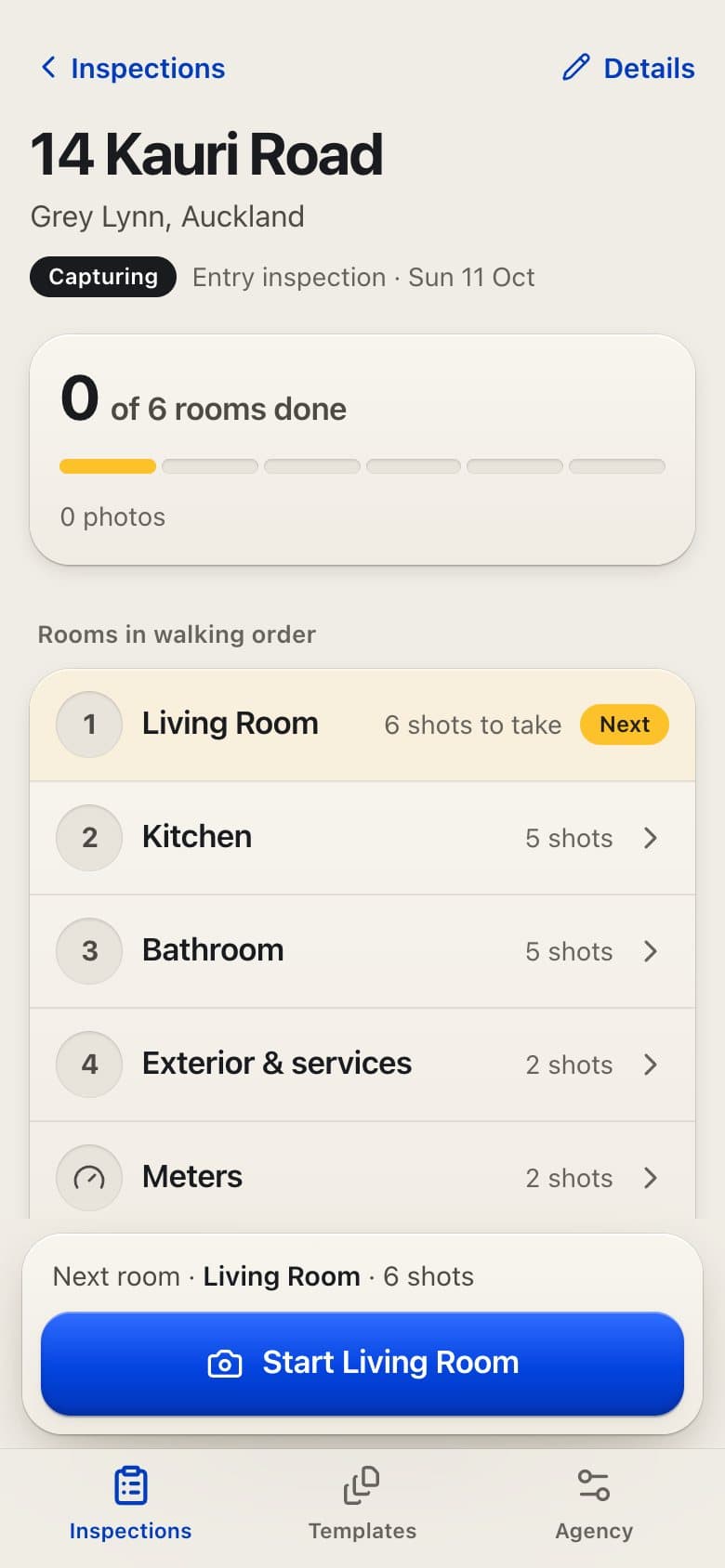
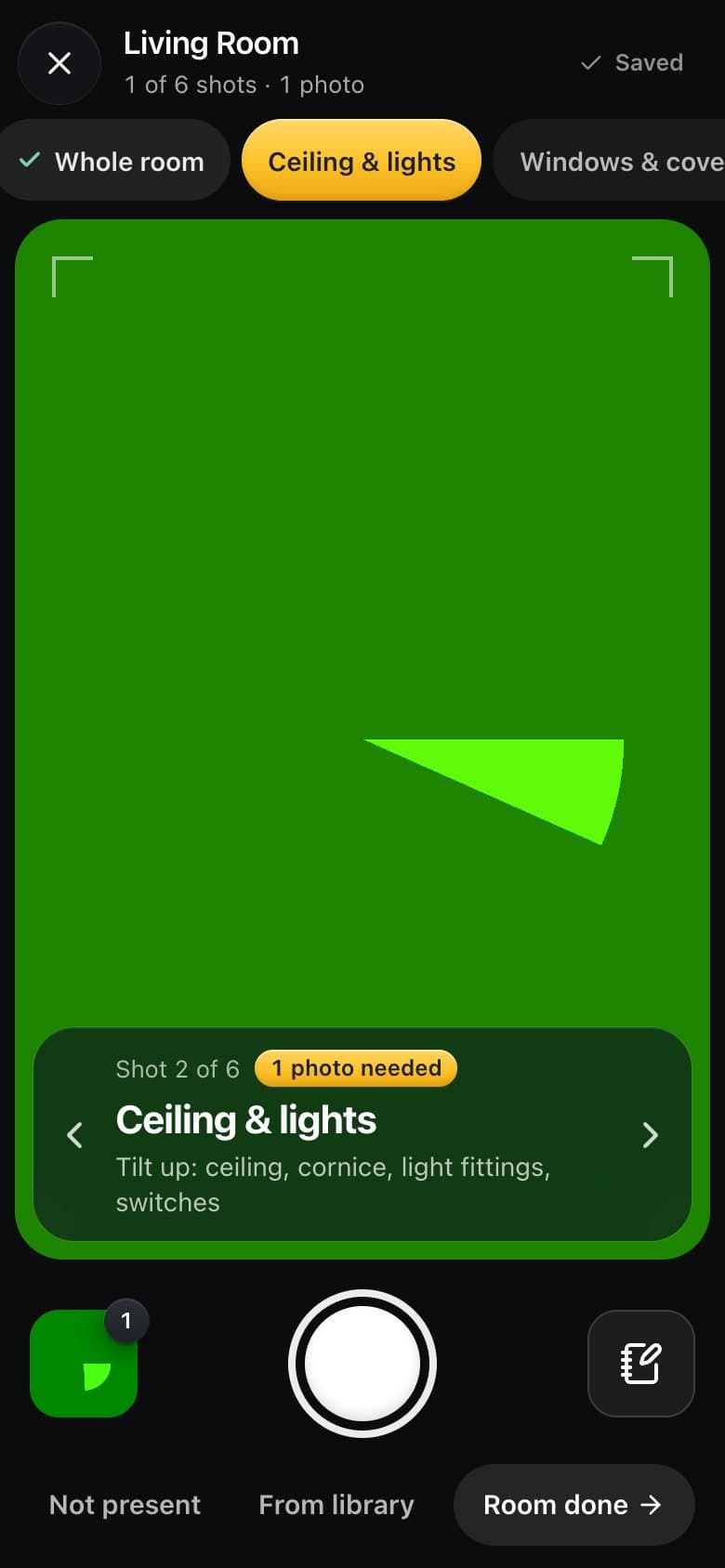
Each inspection opens as the rooms in walking order. Inside a room, the camera asks for one shot at a time and flags a blurry or dark photo before you leave.
- Guided capture with blur and low-light checks
- Notes, issues, meter readings and keys
- Saves on the phone and uploads in the background
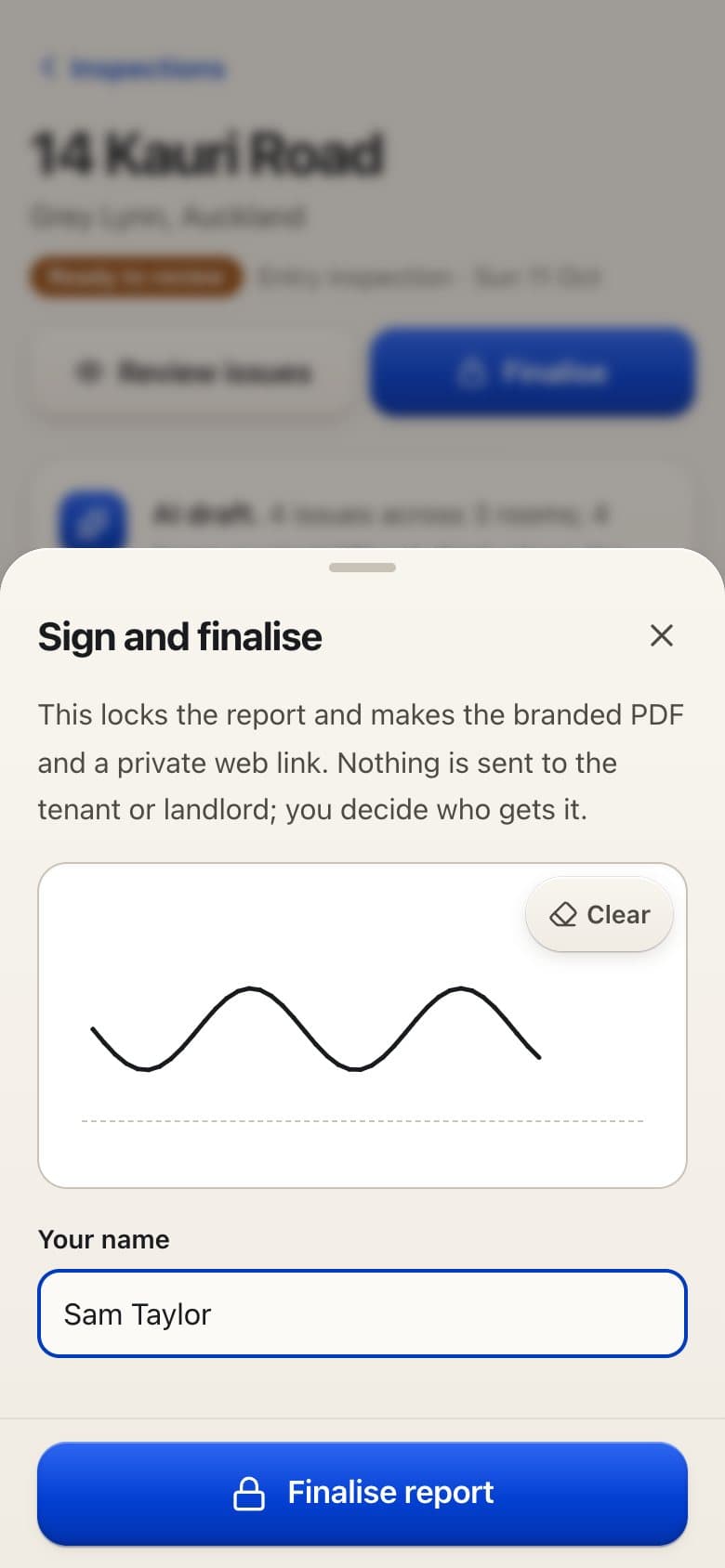
- Issue-by-issue review and finger signature
Office setup
For the agencyWeb
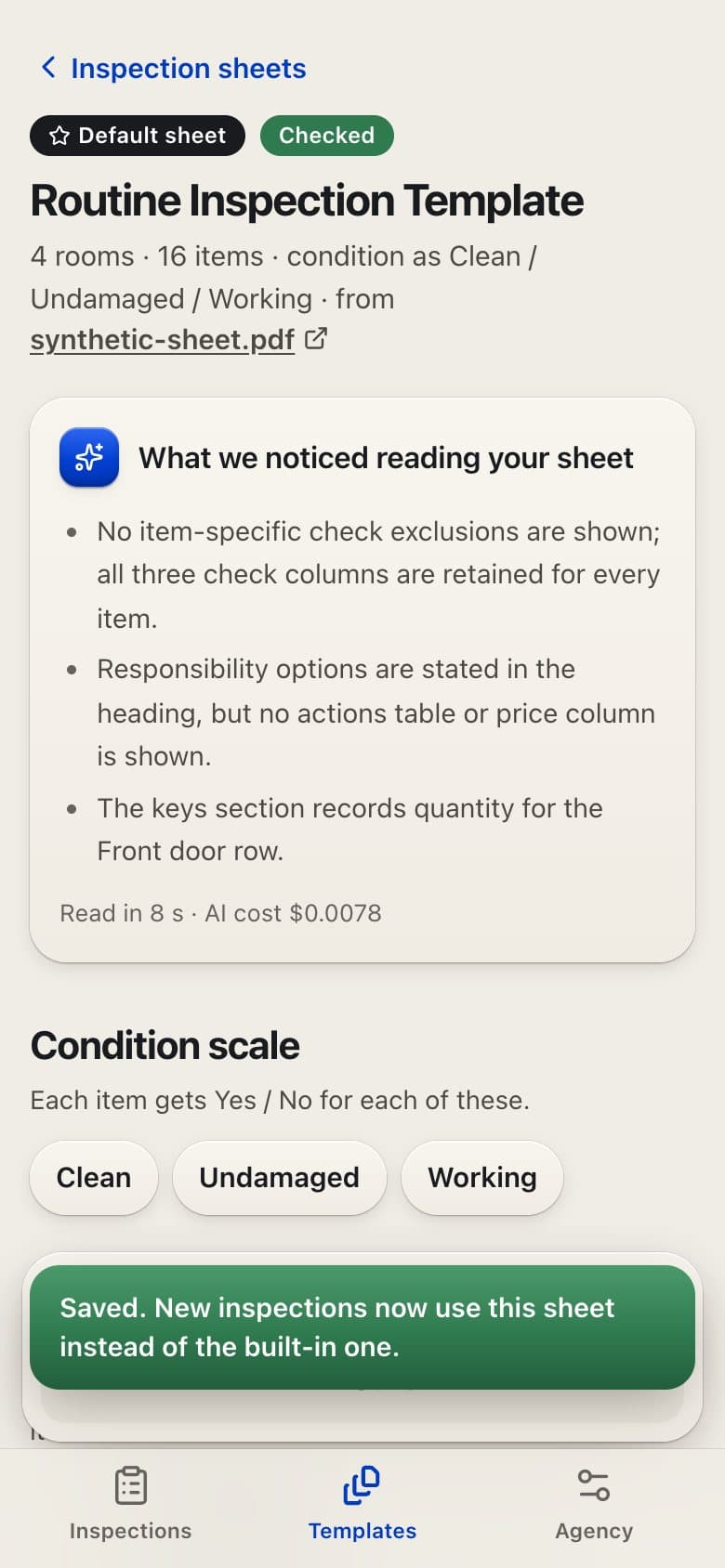
The agency uploads its own inspection sheet and branding once. Roomwise turns the sheet into an editable template, and every report comes out on the agency's letterhead.
- Reads a PDF sheet into an editable template
- Agency branding on every report
- AI cost recorded for every report
- New Zealand Healthy Homes flags
The report
For landlords and tenantsPDF and private link
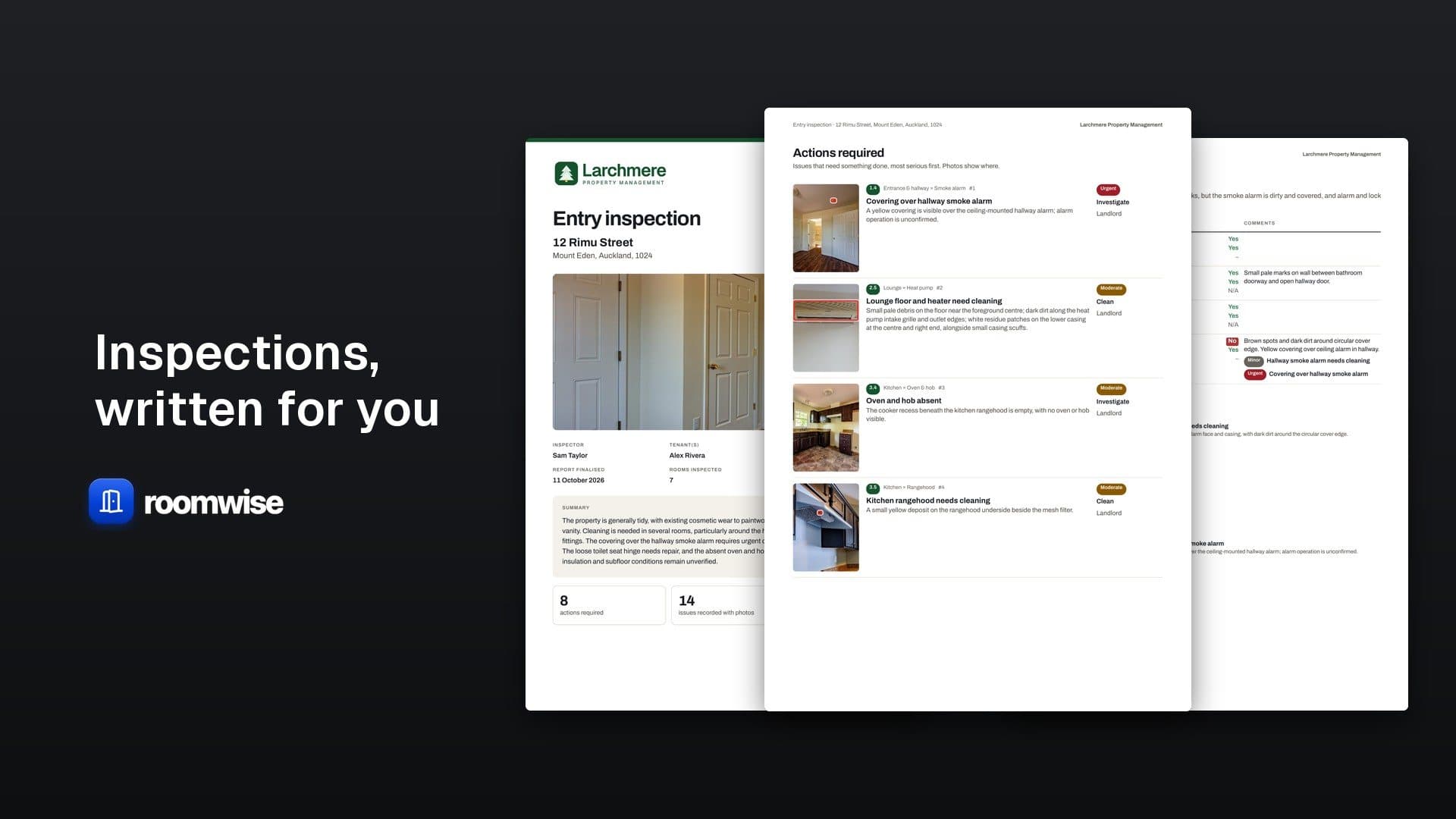
The finished report puts the actions first, most serious at the top, then every room item by item with its photos and comments.
- Actions required, ranked
- Room-by-room condition and comments
- Shared only when the inspector decides
Overnight or Rush
When the walk is done, the inspector chooses when the AI draft should be ready.
Ready by seven the next morning.
In minutes, when it is urgent.
Captured on the phone
Photos and notes save on the phone first and upload in the background.
- Guided photos, with blur and low-light checks
- Notes and issues
- Meter readings
- Keys
From the front door to a signed report.
The agency's own sheet is the template, so reports come out in the format the agency already uses.
Saved on the phone
Photos and notes save on the phone first and upload in the background, so a dead spot in the house does not cost the inspector their work.
Country rules on top
For New Zealand, Roomwise adds the Healthy Homes checks and flags possible issues against them. It never certifies compliance.
No passwords
Sign-in uses emailed codes, so there are no passwords to manage.
Agency
Upload the inspection sheet and branding. AI turns the sheet into an editable template.
Inspector
Room by room, the phone asks for each shot and checks it.
Inspector
Choose Overnight, ready by seven the next morning, or Rush, ready in minutes.
RoomwiseTakes over here
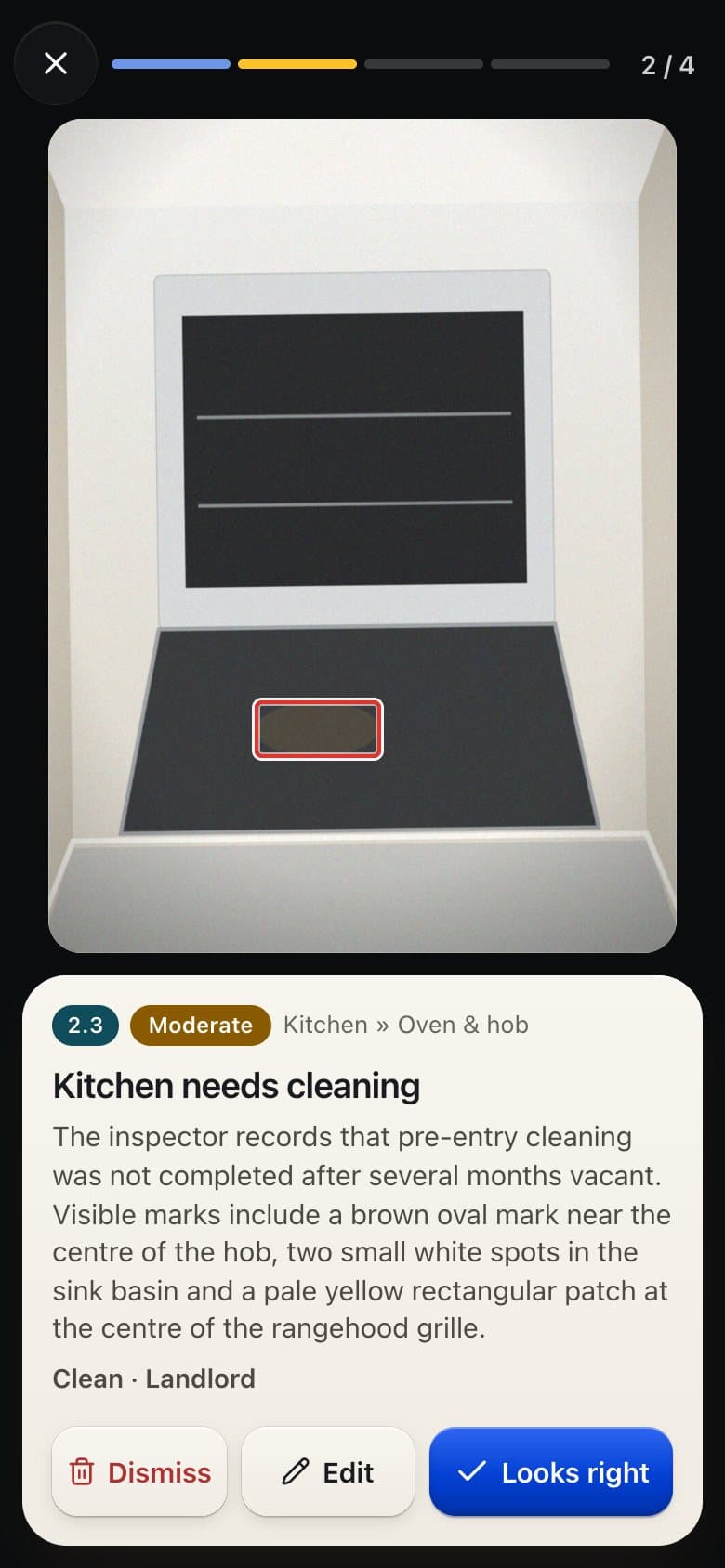
AI checks each photo against the room's items, boxes every issue and writes the summary.
Inspector
Agree, edit or dismiss each issue, then sign with a finger.
Inspector
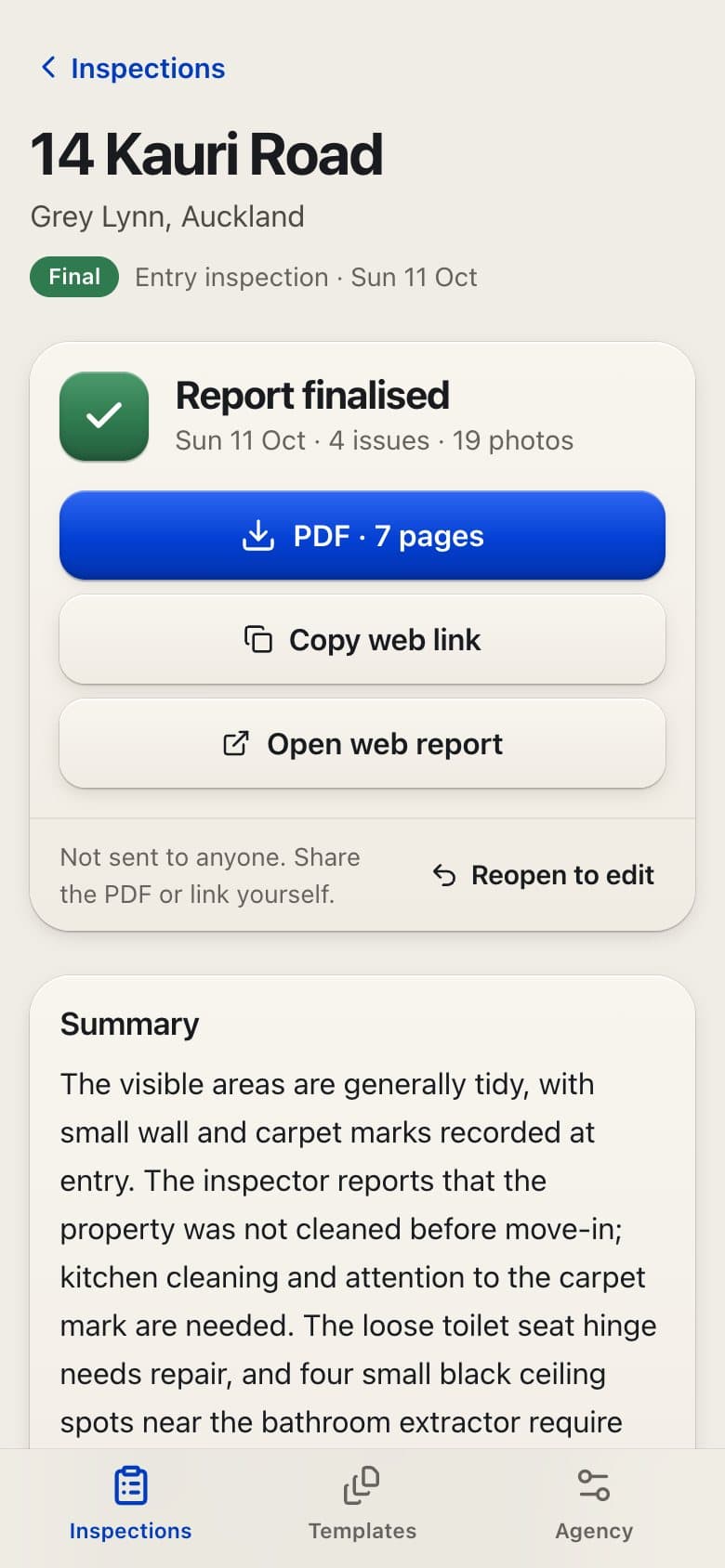
Send the PDF or a private link. Nothing goes out automatically.
The phone guides the walk. AI writes the draft.
Take the writing off the inspector's plate without taking the judgement away from them.
Phone guides, AI drafts
The phone guides the walk and AI drafts the report.
The inspector decides
The inspector reviews it, signs it and decides who sees it.
01
Before: Rebuild the agency's sheet in a new app.
Now: Upload the sheet you already use. Roomwise reads it into a template.
02
Before: Remember what to photograph in every room.
Now: The camera asks for one shot at a time and says what it should show.
03
Before: Type up every room after the walk.
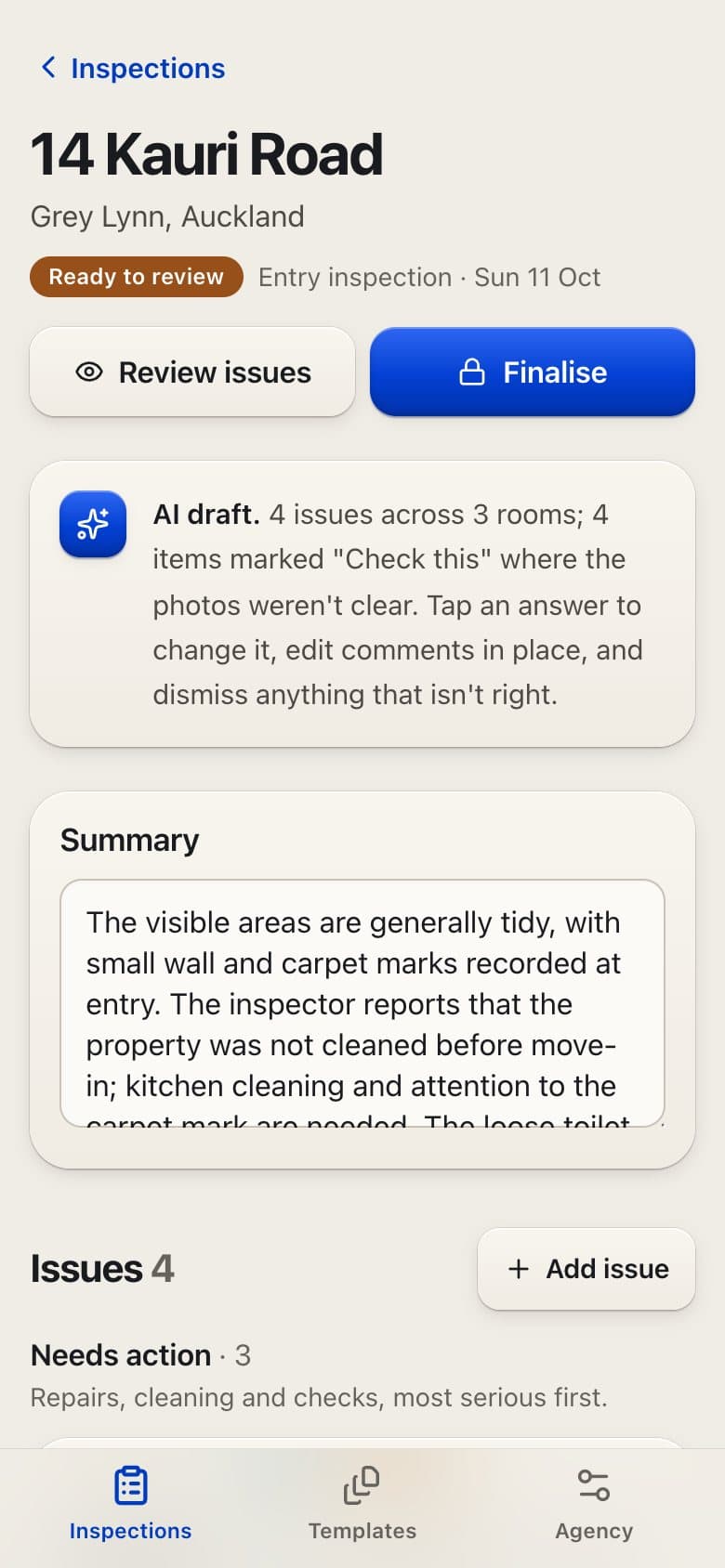
Now: AI drafts the report overnight, or in minutes when it is urgent.
04
Before: Trust the draft or rewrite it.
Now: Go through each issue, boxed on its photo. Agree, edit or dismiss.
05
Before: Send a document and hope it looks right.
Now: A signed PDF on the agency's letterhead, shared when the inspector decides.
Brief to pilot in days.
Roomwise went from a brief to a production pilot in days, and the first property manager starts using it now.
- Brief, first commit and first production deploy to First full test run in production
- 1day
- From the front door to a signed report.
- 6steps
Pilot
7 Oct 202612 Oct 2026
Dates from our project records and release history.
- then, +1 dayCommit
Brief, first commit and first production deploy.
- then, +2 daysUpdate
First full test run in production.
- then, +2 daysUpdate
Fixes from that run go in.
- Start
Pilot set to start with a first property manager.
Dates from our project records and release history.
Every step is built, from reading the agency's sheet to the signed PDF.
The inspector stays in charge: nothing reaches a tenant or landlord until they share it.
Every AI call is recorded with its cost, so each report shows what it cost to draft.
The pilot starts with a first property manager on real inspections.
Every step built
Every step is built, from reading the sheet to the signed PDF. The pilot is where it proves itself.
Real inspections now
The first property manager starts using it on real inspections now.
Cost per report
Every AI call is recorded with its cost, so we know what each report costs to draft before we price it for anyone else.
The tools behind it.
See the full toolbench- Next.js
- React
- Tailwind CSS
- Convex
- OpenAI
- Postmark
- Vercel
Also in the build: react-pdf
Is there a chore your team dreads every week? That is where we start.