Speech to tidy text on your own Mac, in 29 languages, with no internet needed once the models are downloaded.
Where it standsFree public beta on the Mac
Year2026
What we builtNative Mac dictation app, product site and accounts
Seshat turns speech into clean, formatted text wherever your cursor is. Speech recognition and clean-up run on your own Mac, in 29 languages from English and Afrikaans to isiZulu and Sepedi.
First, send Sam the agenda. Second, book the boardroom.
[01] Where it started
Dictation meant sending every word away.
Speaking is faster than typing, but the voice-typing tools upload your audio and charge by the minute.
01
We write all day
We write all day: client messages, proposals, notes and code. Speaking is faster than typing, and the voice-typing tools know it.
02
Their answer
Their answer is to upload your audio and charge by the minute, which is a lot to give away for client notes and unfinished thinking.
03
An afterthought
Most also treat Afrikaans and South Africa's other languages as an afterthought.
04
Working on day one
We started Seshat on 23 August 2026 for our own dictation, and Afrikaans worked on the first day.
How it ranBefore
Cloud dictation appsAudio recorded, uploaded and transcribed on someone else's server.
Per-minute pricingCharged by the minute or by the transcription.
The keyboardEverything else typed by hand: chat, email, notes and code.
What was breaking
01
Client notes and unfinished thinking went to a server to be transcribed.
02
Afrikaans and South Africa's other languages were an afterthought in most tools.
03
Raw transcripts still needed cleaning up before they could be sent.
[02] What we built
Tap a key. Talk.
A native Mac app with on-device speech and language models, plus the product site, accounts and signed updates.
01
App, site and accounts
A native Mac app with on-device speech and language models, plus the product site, accounts and signed updates.
01 / 02
The Mac app
For anyone who writes all daymacOS, Apple Silicon
Tap a key, talk and tidy text lands wherever your cursor is: an email, a document, a chat or a code editor.
Smart clean-up and Quick word-for-word modes
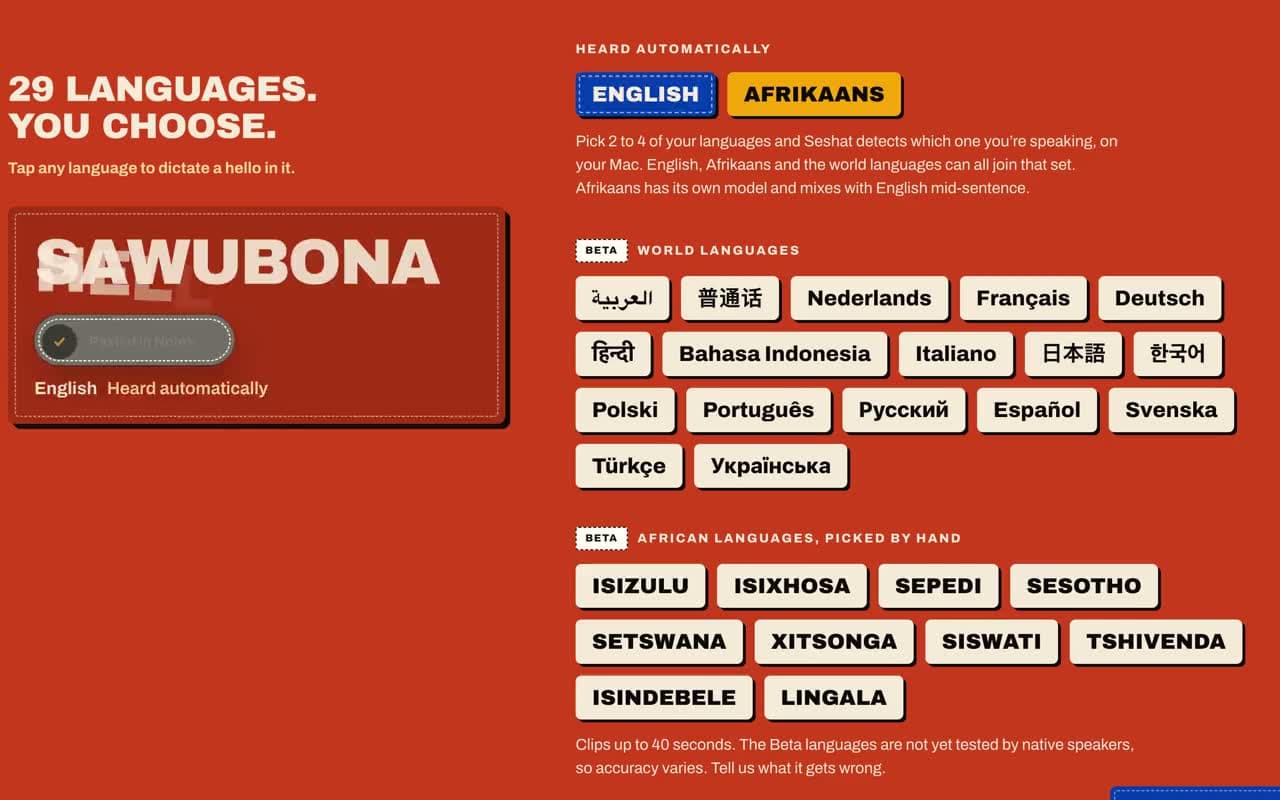
29 languages, including Afrikaans, isiZulu and Sepedi
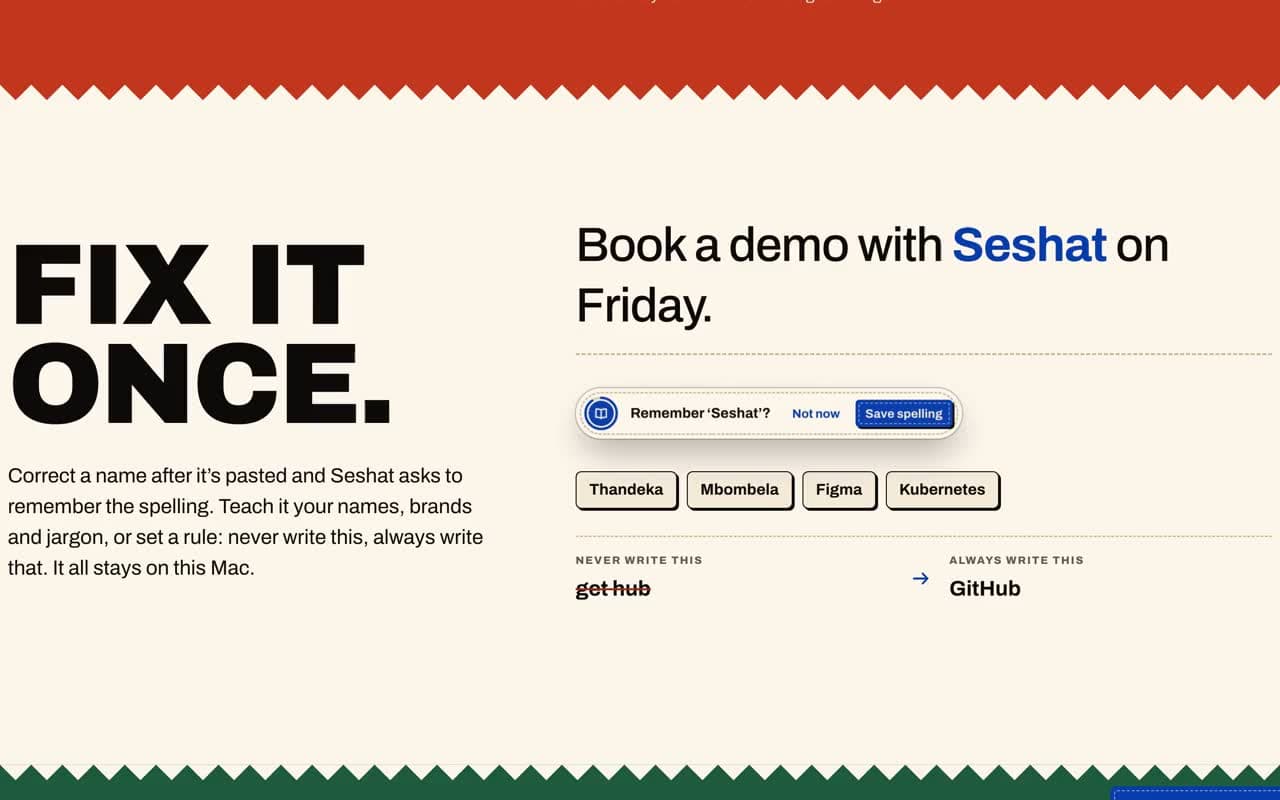
Words and corrections that learn your vocabulary
Private history and insights
Real screenSmart, with the original kept
4 real screens · tap to enlarge · select to enlarge
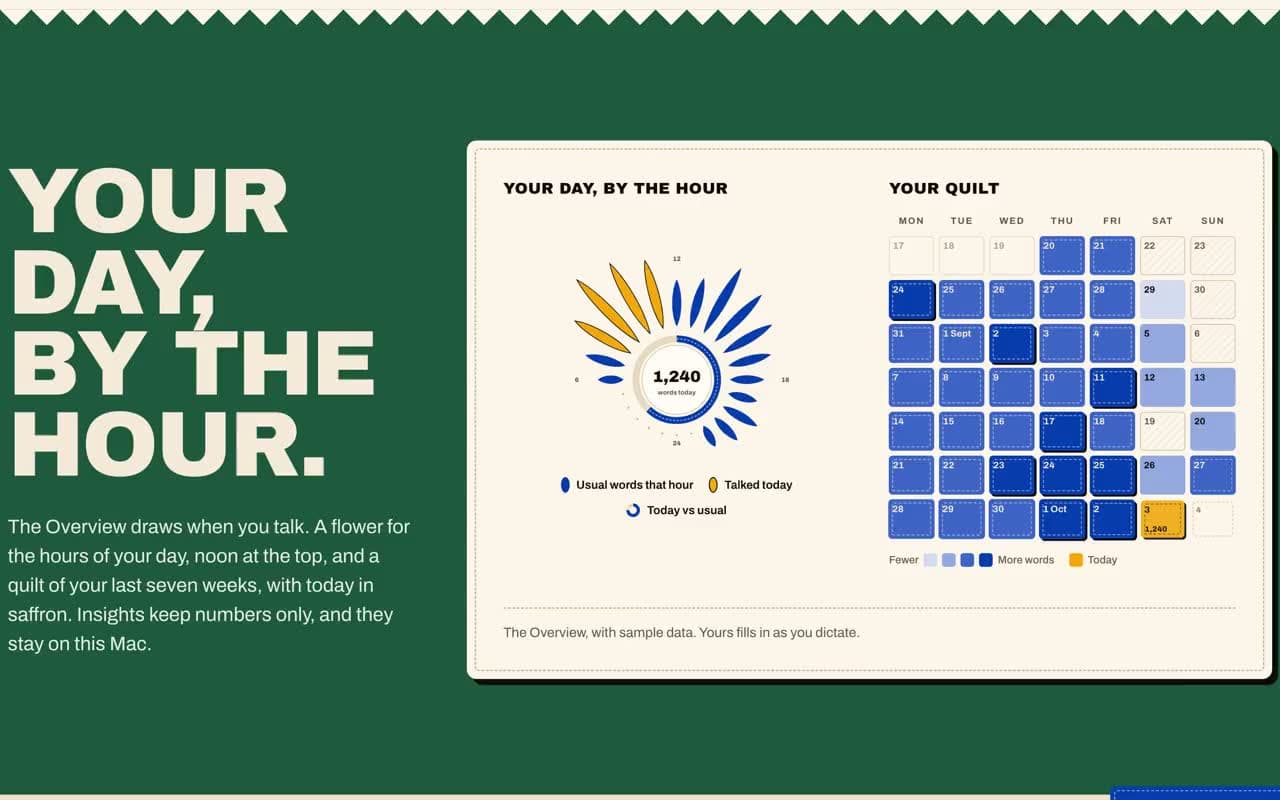
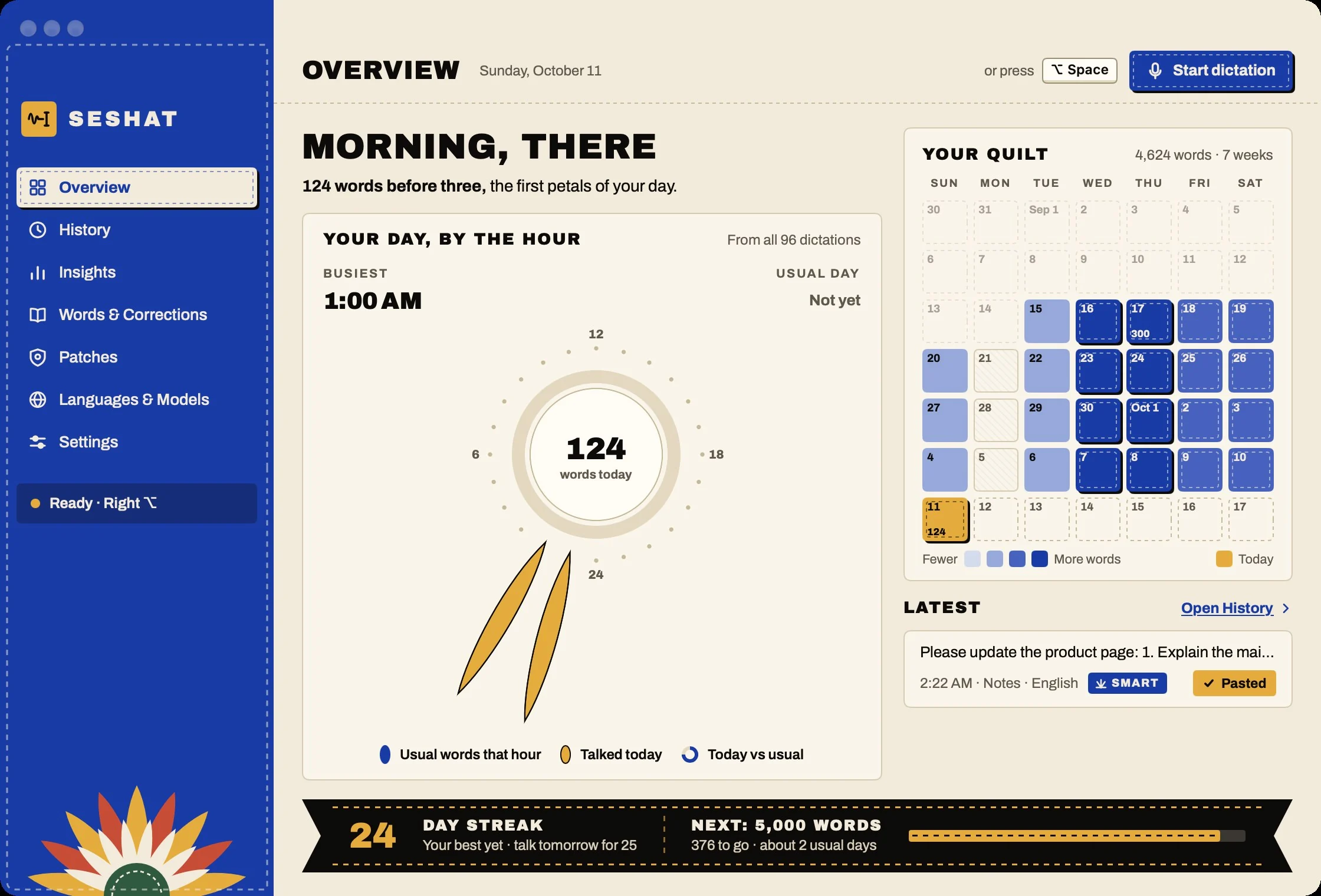
Your day, by the hour
The private Overview draws when you talk, your streak and a quilt of busy days, and keeps all of it on the Mac. App screens are shown with sample dictations.
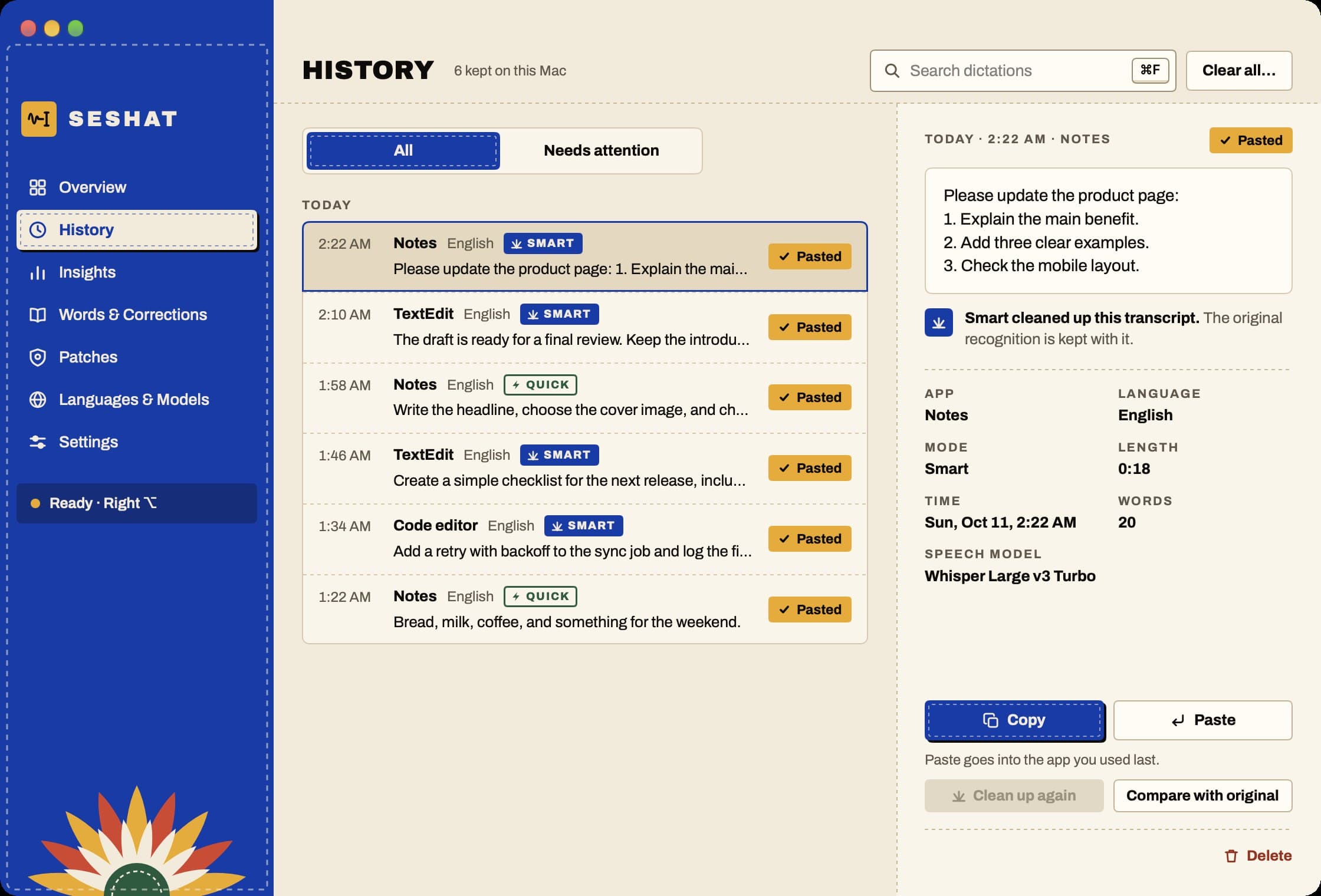
History
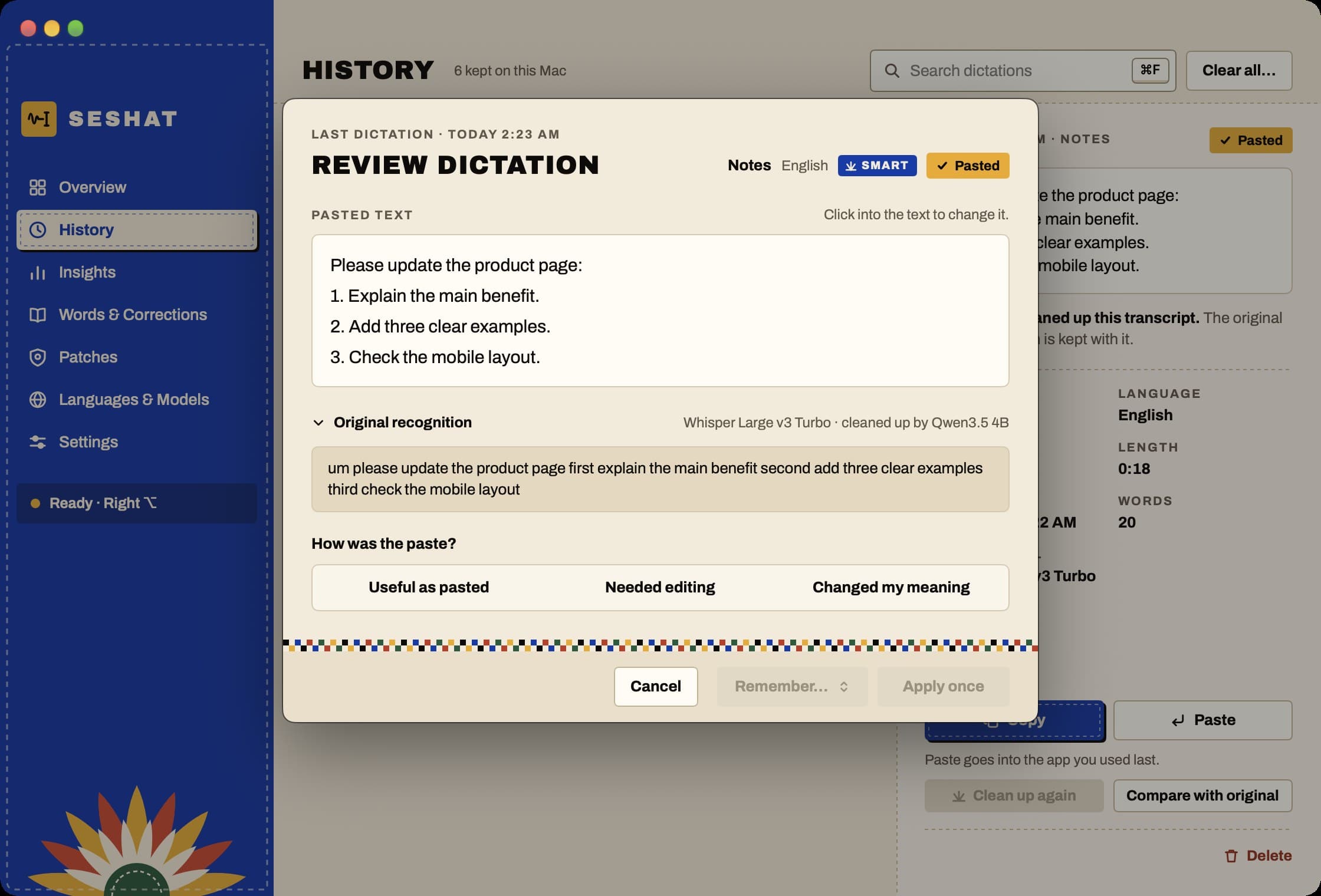
Every dictation, the app it went into and whether Smart cleaned it up, searchable and kept only on this Mac.
Smart, with the original kept
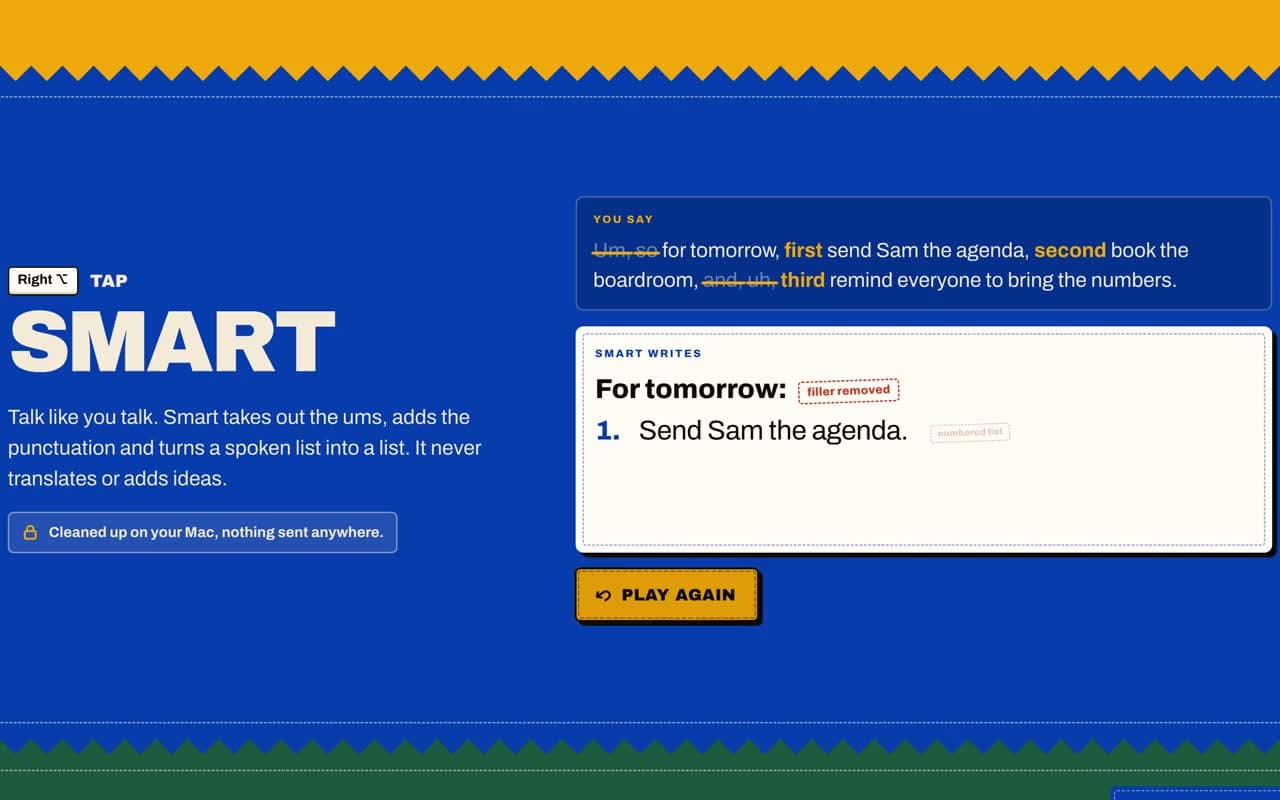
Smart takes out the ums and turns a spoken list into a list. The raw recognition stays one click away, so nothing is changed without you seeing it.
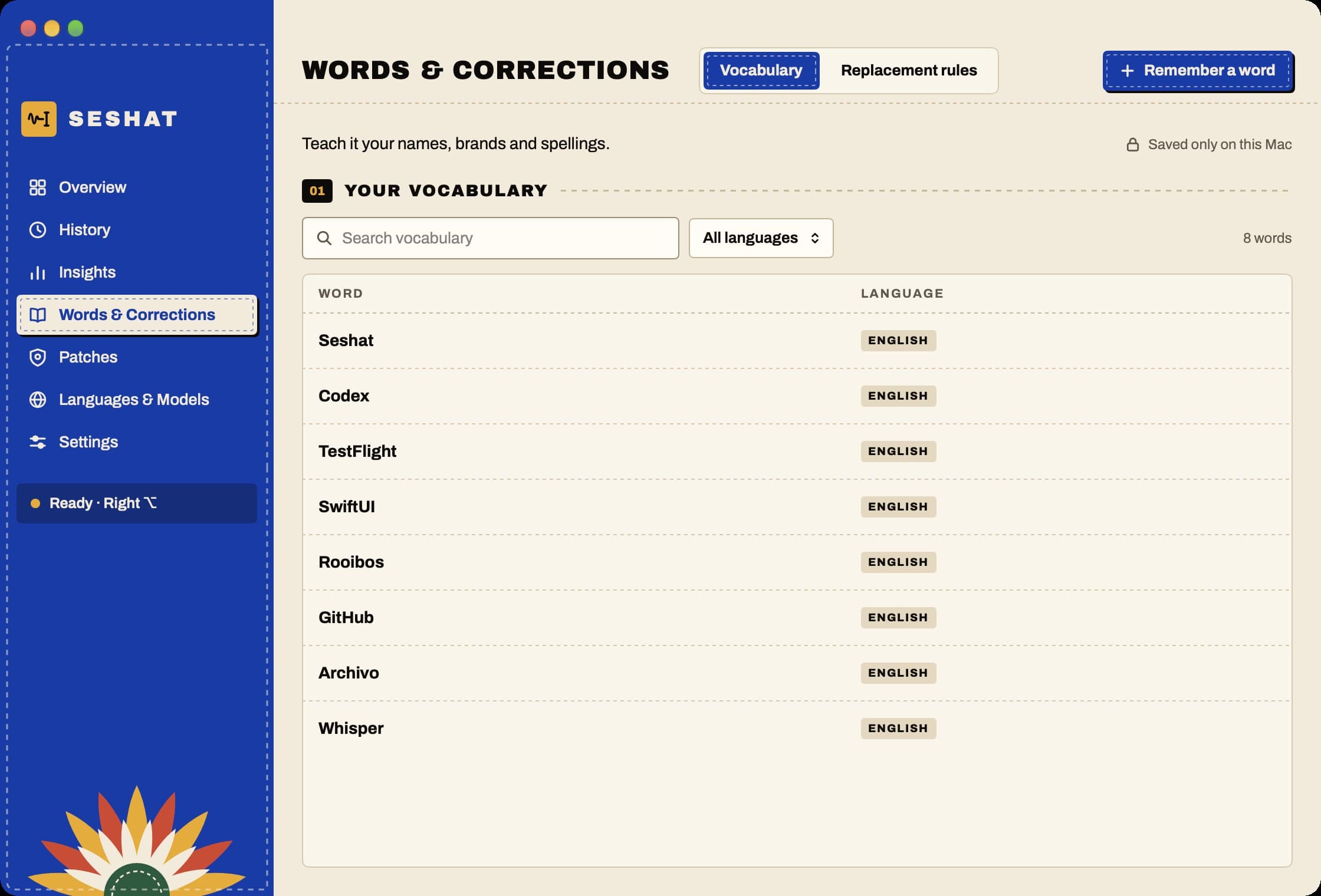
Words and corrections
Teach it your names, brands and spellings once. The vocabulary is saved only on the Mac.
Screen 01 / 04
02 / 02
Site and accounts
For new usersseshat.digital
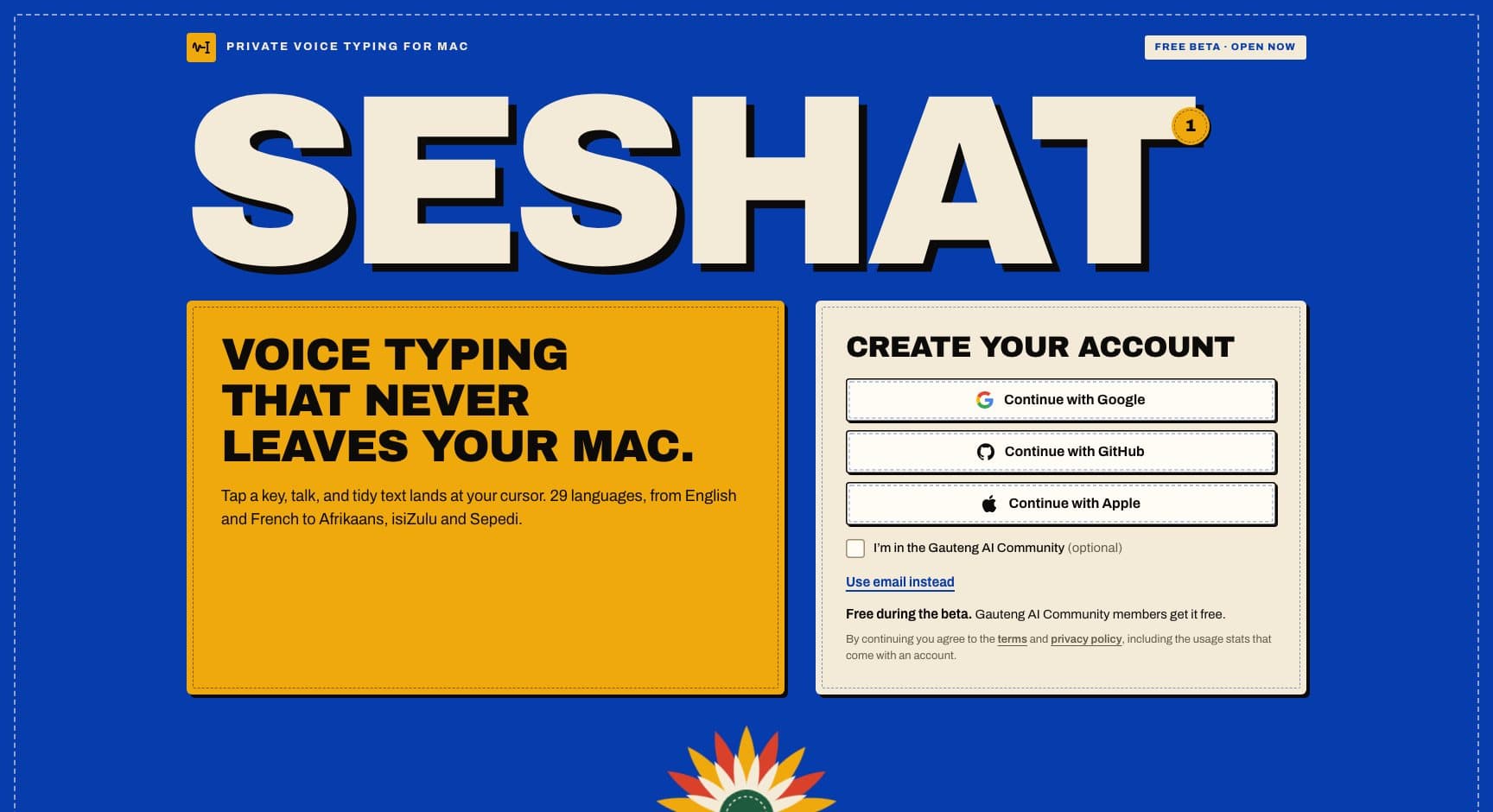
The product site, free beta sign-up, accounts and signed updates.
Free public beta sign-up
Accounts that count usage, not what you say
Signed updates
2 real screens · tap to enlarge · select to enlarge
seshat.digital
The product site: tap a key, talk, and tidy text lands at your cursor, with no internet needed once the models are downloaded.
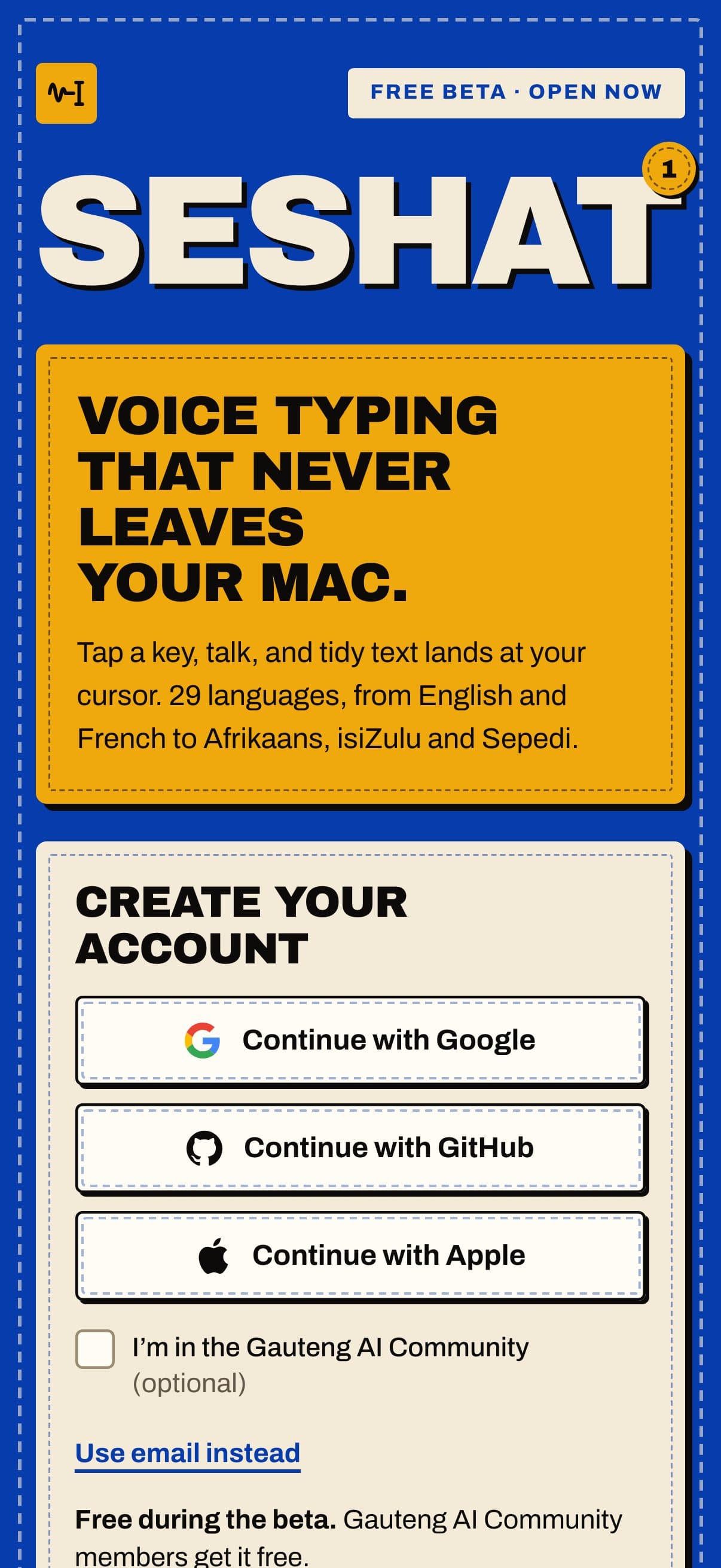
On a phone
The product site on a phone, with sign-up for the free beta.
Screen 01 / 02
Inside the Mac app
Tidy text lands wherever your cursor is: an email, a document, a chat or a code editor.
01
Smart clean-up and Quick word-for-word modes
02
29 languages
Including Afrikaans, isiZulu and Sepedi
03
Words and corrections
Learns your vocabulary
04
Private history and insights
Kept only on the Mac
Smart, with the original kept. Smart takes out the ums and turns a spoken list into a list. The raw recognition stays one click away, so nothing is changed without you seeing it.
[03] How it works
From a key press to tidy text.
Tap a key and talk; recognition and clean-up run on the Mac, with no internet needed once the models are downloaded.
01
Native and local
Seshat is a native Swift and SwiftUI app. It runs local speech models and a local language model for the clean-up, with small Python and Rust helpers.
02
No internet needed
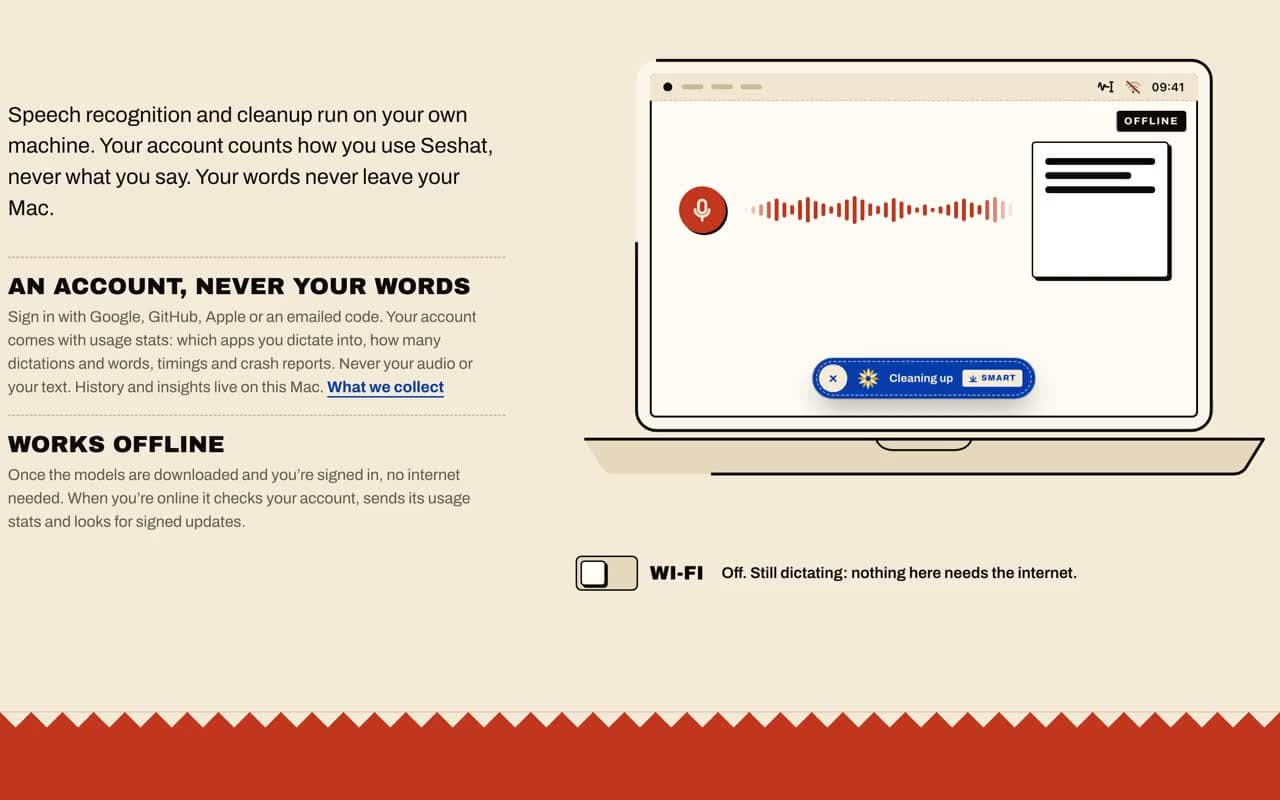
Once the models are downloaded, dictation on the Mac needs no internet.
03
Usage, never words
Your account counts how you use Seshat, never what you say.
You
Choose your languages. The speech and clean-up models download once.
You
Tap the key and speak, in any of the languages you chose.
SeshatTakes over here
Speech becomes text on the Mac itself. No audio is sent anywhere.
Seshat
Smart removes the ums, adds punctuation and formats lists, without adding anything you did not say.
You
The text lands at your cursor. History and insights stay on the Mac.
Real screenseshat.digital
How it behaves
Recorded on seshat.digital
01
Smart clean-up
Smart takes out the ums, adds punctuation and turns a spoken list into a list, without adding anything you did not say.
02
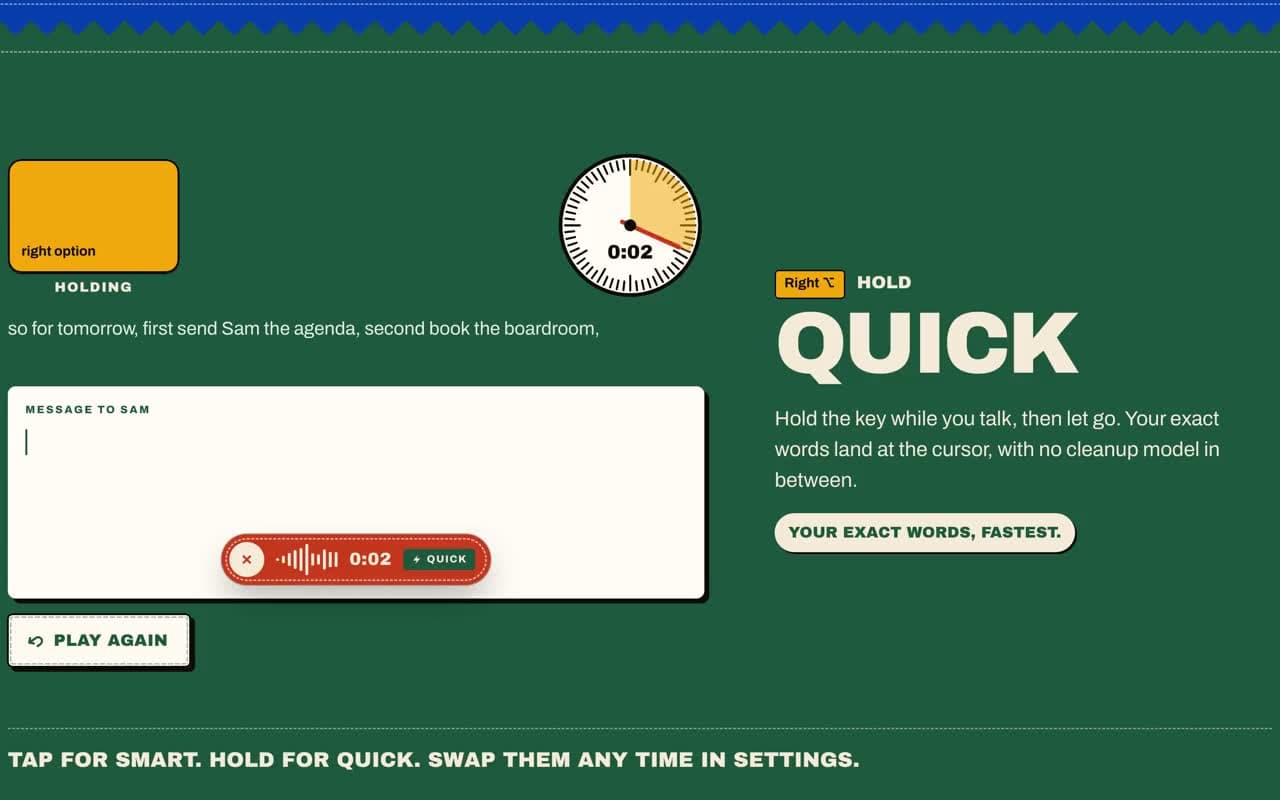
Quick, word for word
Quick is the word-for-word mode, beside Smart clean-up.
03
No internet needed
Once the models are downloaded, dictation on the Mac needs no internet.
04
29 languages
From English and French to Afrikaans, isiZulu and Sepedi.
05
Words and corrections
Teach it your names, brands and spellings once. The vocabulary is saved only on the Mac.
06
Your day, by the hour
A private overview of your words, streaks and busiest hours, kept on the Mac.
[04] What we changed
Speech to tidy text, on your own Mac.
Seshat does the whole job on the Mac: recognition, clean-up and history, so nothing you say has to leave the machine.
01
The whole job
Seshat does the whole job on the Mac: recognition, clean-up and history.
02
Nothing leaves
Nothing you say has to leave the machine.
Cloud dictation appsAudio recorded, uploaded and transcribed on someone else's server.
Per-minute pricingCharged by the minute or by the transcription.
The keyboardEverything else typed by hand: chat, email, notes and code.
Before
Now
Before: Cloud dictation apps, Per-minute pricing, The keyboard. Now: Free public beta on the Mac.Drag, or use the arrow keys
01
Before: Upload the audio to be transcribed.
Now: Speech recognition runs on the Mac, with no internet needed once the models are downloaded.
02
Before: Clean up ums and run-on sentences by hand.
Now: Smart takes out the ums and turns a spoken list into a list. The original stays one click away.
03
Before: Correct the same names every time.
Now: Teach it your names and spellings once.
04
Before: Transcripts stored on a server.
Now: Every dictation stays on the Mac, searchable.
05
Before: No idea whether dictating saves time.
Now: A private overview of your words, streaks and busiest hours.
01 / Real screenseshat.digital
[05] What changed
Voice typing, minus the cloud.
Seshat is in a free public beta at seshat.digital, with 29 languages and nine releases in its first eight days.
On a phone. The product site on a phone, with sign-up for the free beta.
01
First build, with Afrikaans dictation working on day one→ to Public beta opens with version 0.3.0
41days
02
Inside the Mac app
4
03
From a key press to tidy text.
5steps
Where it stands
Free public beta on the Mac
Liveseshat.digital
23 Aug 2026→Oct 2026
Dates from our project records and release history.
Build
First build, with Afrikaans dictation working on day one.
then, +41 days
Release
Public beta opens with version 0.3.0.
seshat.digital
then, +7 days
Release
Version 0.3.8. Windows alpha starts.
Build
iPhone keyboard prototype in testing.
Dates from our project records and release history.
Dictation on the Mac works with no internet connection once the models are downloaded.
No per-minute charge: Seshat is free while it is in beta.
29 languages, from English and French to Afrikaans, isiZulu and Sepedi.
Nine releases in the first eight days of the public beta.
01
Free public beta
Seshat is in a free public beta at seshat.digital. It handles 29 languages and shipped nine releases in its first eight days of public beta.
02
Windows and iPhone
A Windows alpha and an iPhone keyboard are in early testing.
03
The Mac stays on-device
Those versions may use cloud speech for some languages; the Mac version stays on-device.