Families book, pay and follow every ride in one app, and the office runs it all from one portal.
Where it standsLive on the App Store and Google Play
Year2026
What we builtFamily app, driver app, operations portal and booking website
Shubble runs pre-booked family rides across the Western Cape with its own fleet, and it ran on phone calls and WhatsApp. Now families book, pay and follow every ride in one app, drivers get their day on their phones and the office runs it all from one portal.
Shubble runs pre-booked family rides across the Western Cape with its own fleet, and it ran on phone calls and WhatsApp.
01
Started for their own
The owners started Shubble in 2023 to get their own children where they needed to be.
02
Five branded cars
Today it runs five branded cars, carrying children, teens, students and adults to school, campus, work and appointments.
03
Not a taxi
It is not an on-demand taxi. Every ride is booked ahead and confirmed, and parents need to know who is driving and when.
04
Where it was stuck
Until this year, that ran through the office phone, WhatsApp and PDF rosters. An earlier app attempt had stalled before launch.
How it ranBefore
PhoneParents called the office to book a ride or change one.
WhatsAppMonthly driver rosters went out as PDFs in a chat.
WordPressA template website that could not take a booking.
An earlier appBuilt elsewhere, it never made it onto the App Store.
What was breaking
01
Every booking and every change needed someone in the office.
02
When one driver ran late, the next pickup ran late too, and a child could be left waiting.
03
Driver rosters lived in PDFs, apart from the bookings they had to match.
[02] What we built
Everyone gets their own screen.
We built four connected pieces on one backend, so families, drivers and the office each get their own screen.
01
Apps in Flutter
A family app and a driver app in Flutter, on iOS and Android.
02
Portal and website
An operations portal for the office and a public website that takes a first booking end to end.
01 / 04
Family app
For parents and ridersiOS and Android
Families across the Western Cape sign up, add their children and book rides for school, campus, work or appointments. They see the price before they pay, then follow each ride from booking to drop-off.
Quote and availability before booking
Parent approval for a child's request
Card, saved card or wallet credit
Trip updates, messages and notifications
Real screenConfirm and pay
4 real screens · tap to enlarge · select to enlarge
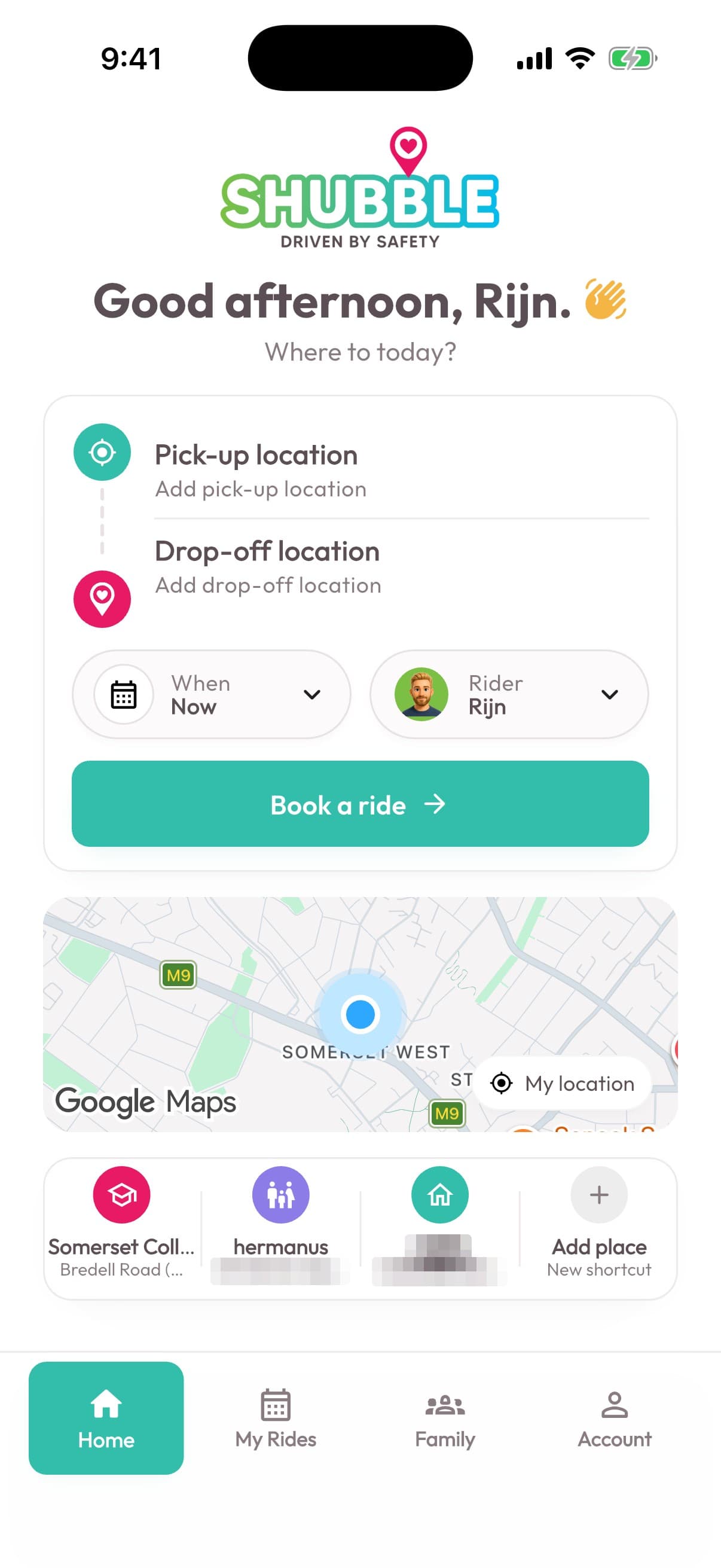
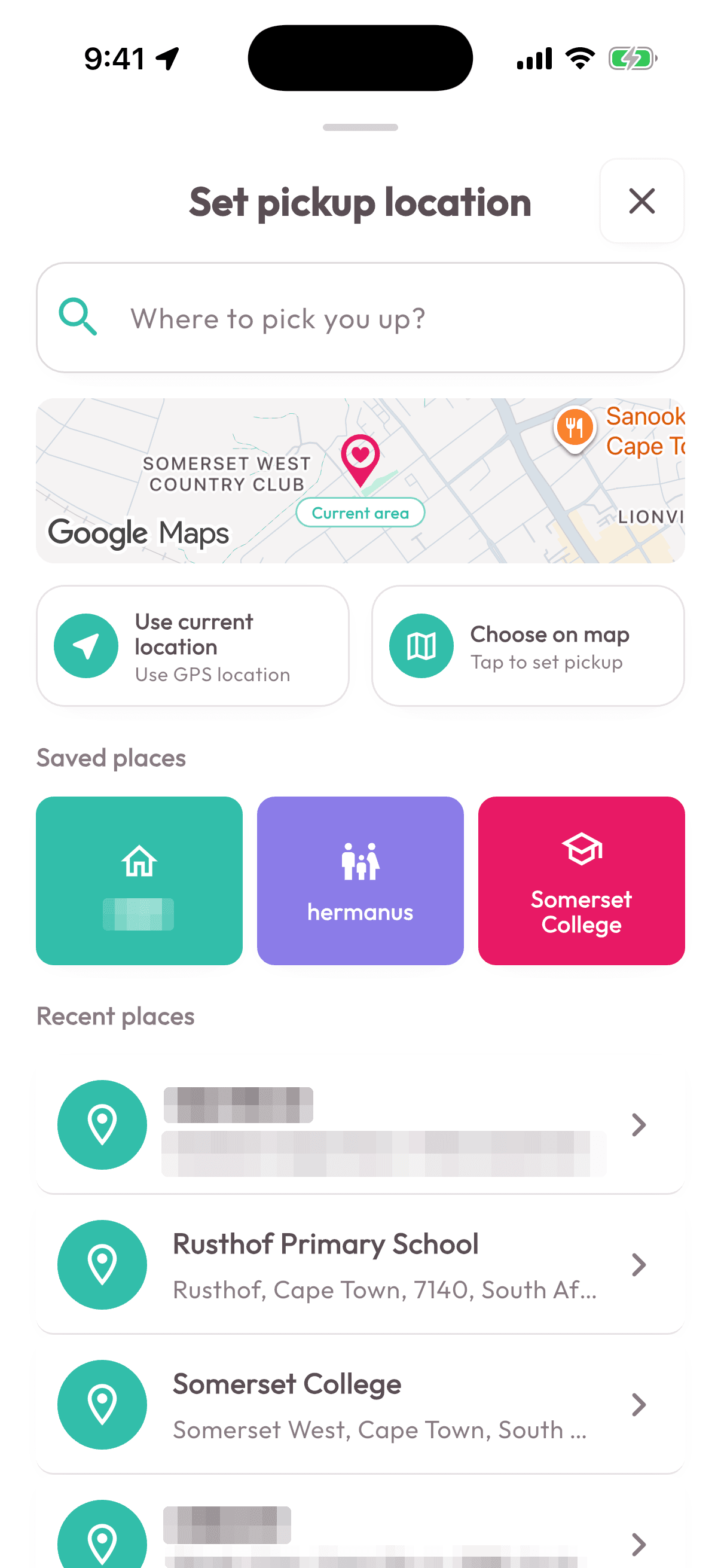
Book a ride
The family app opens on the next action, with active trips and recent places close at hand.
Choose the journey
Pickup and destination choices stay focused, familiar and easy to confirm on a phone.
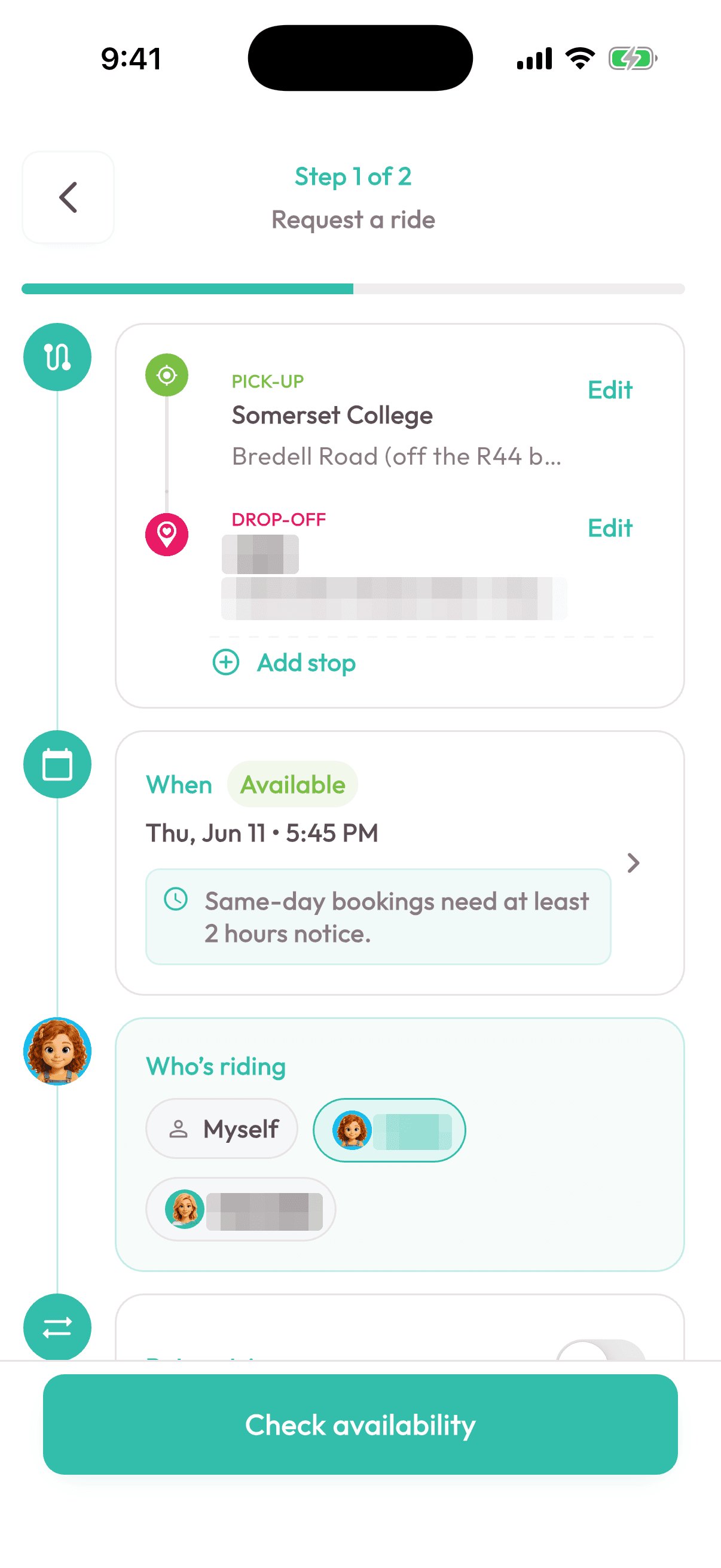
Choose who is travelling
The booking keeps the selected rider and trip details together before availability is checked.
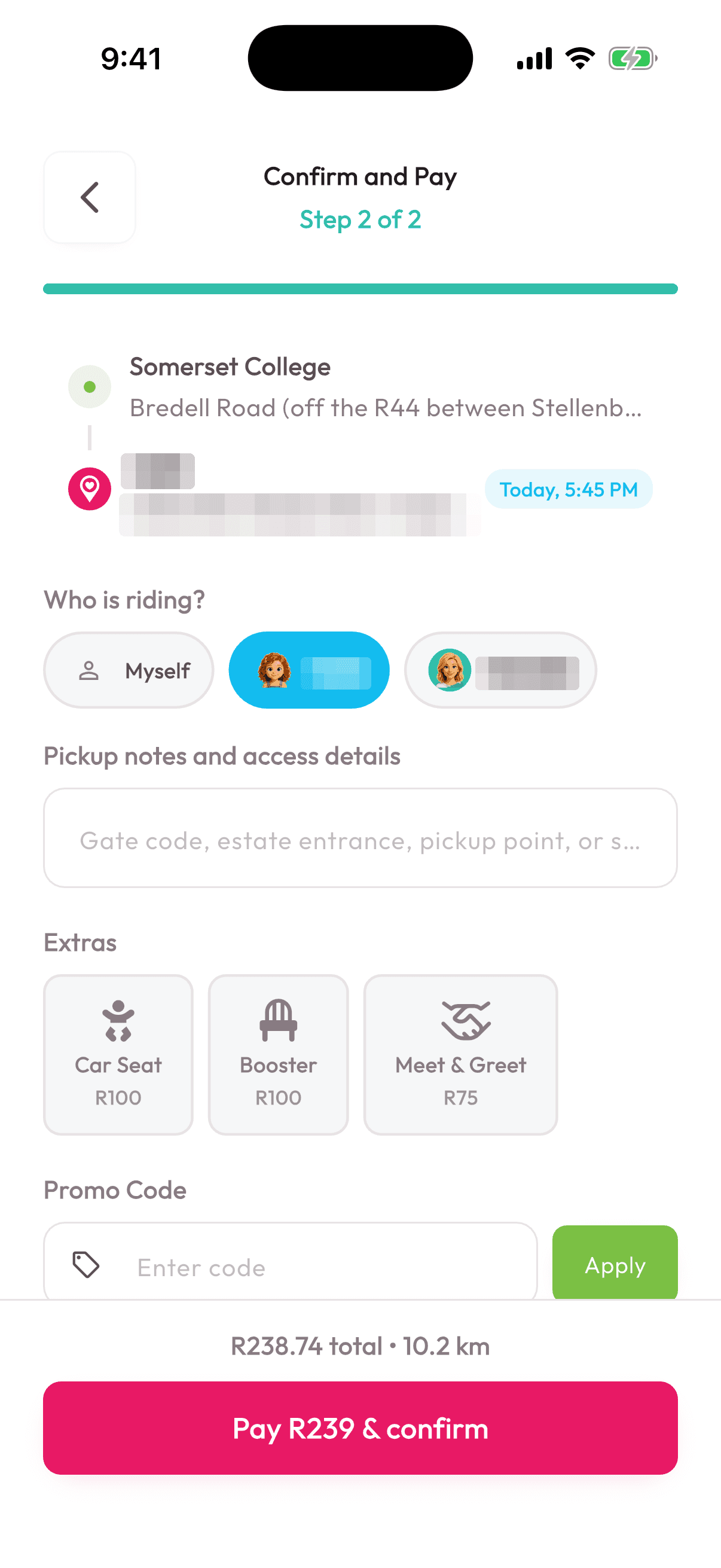
Confirm and pay
The final details and payment step stay clear before the family commits.
Screen 01 / 04
02 / 04
Driver app
For driversiOS and Android
Drivers open the app to their day: the roster, each trip, who they are fetching and where they are going, with navigation and messaging built in.
The day's roster and trips
Start and end each trip
Navigation and messaging
Documents and safety details
Today4 trips
07:10 pickup, 2 passengers
08:05 campus drop-off
14:30 school pickup
03 / 04
Operations portal
For the officeWeb
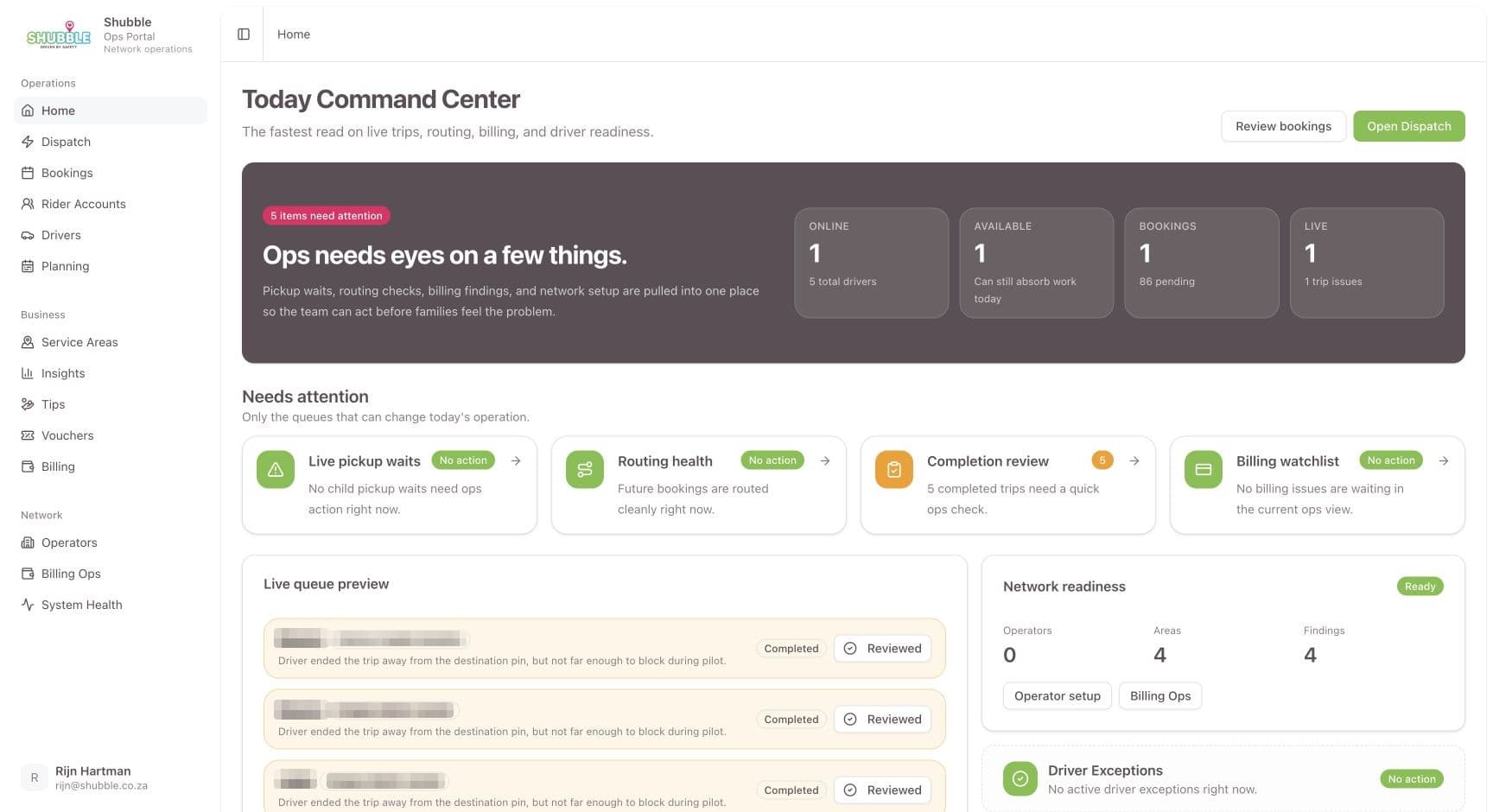
The office runs bookings, drivers, rosters, service areas and money from one portal, and steps in when a booking needs a person.
Rosters and automatic driver assignment
Change requests, cancellations and refunds
Clients, drivers and service areas
Daily, weekly and monthly owner reports
Real screenToday's command centre
3 real screens · tap to enlarge · select to enlarge
Today's command centre
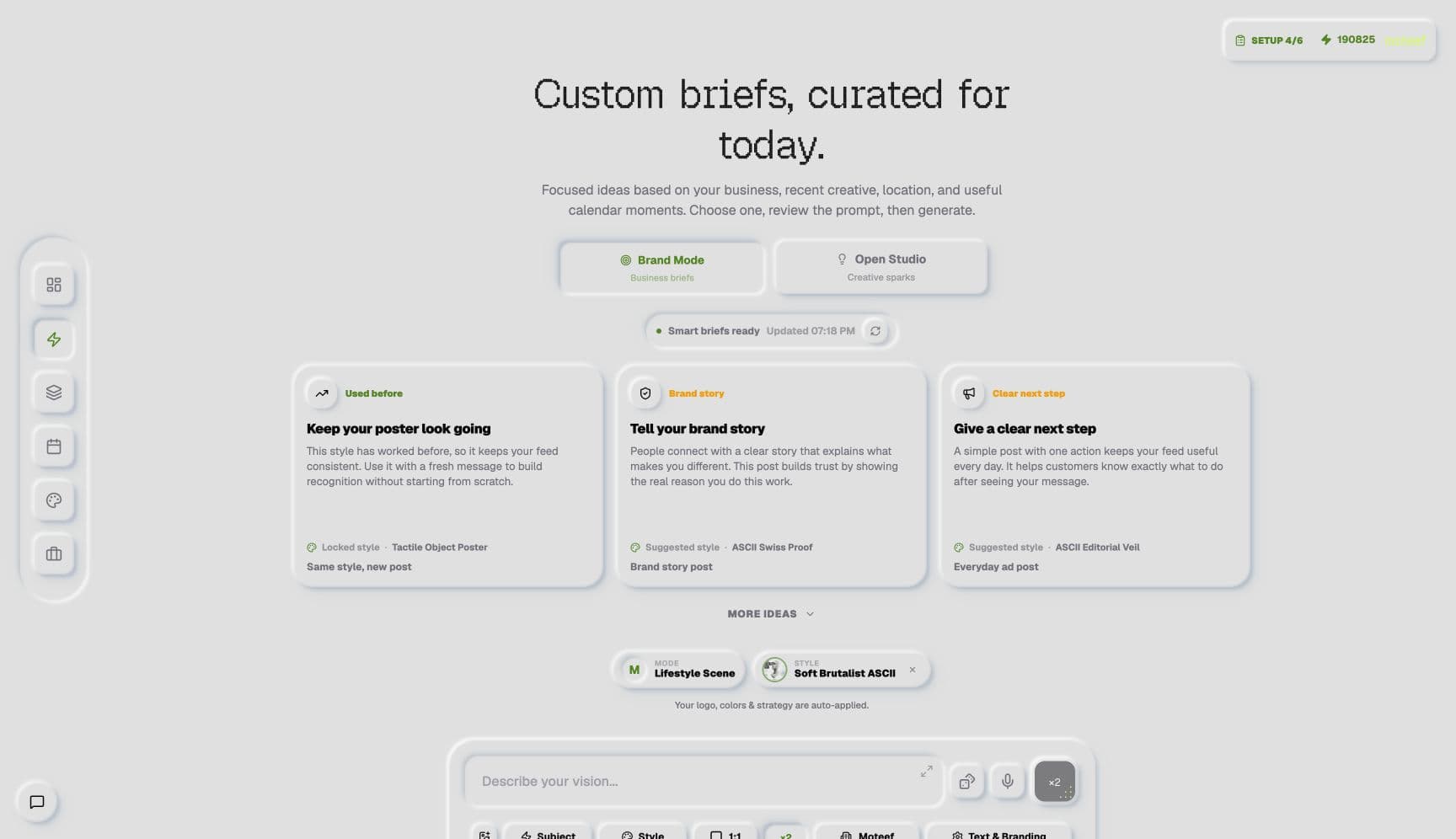
The supporting operations portal brings active trips, bookings and anything needing attention together.
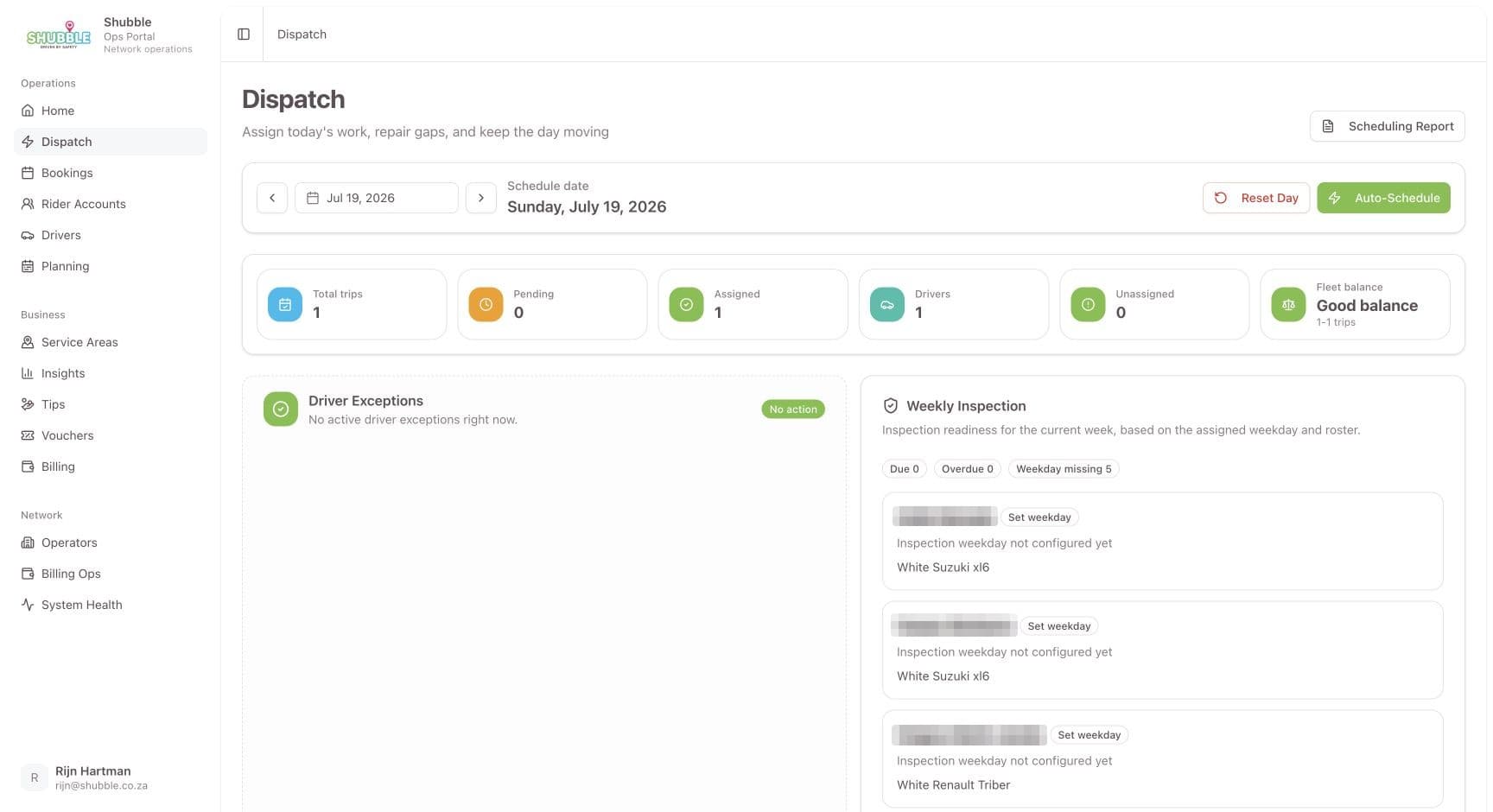
Live dispatch
Trips, drivers and exceptions remain visible while the day is in motion.
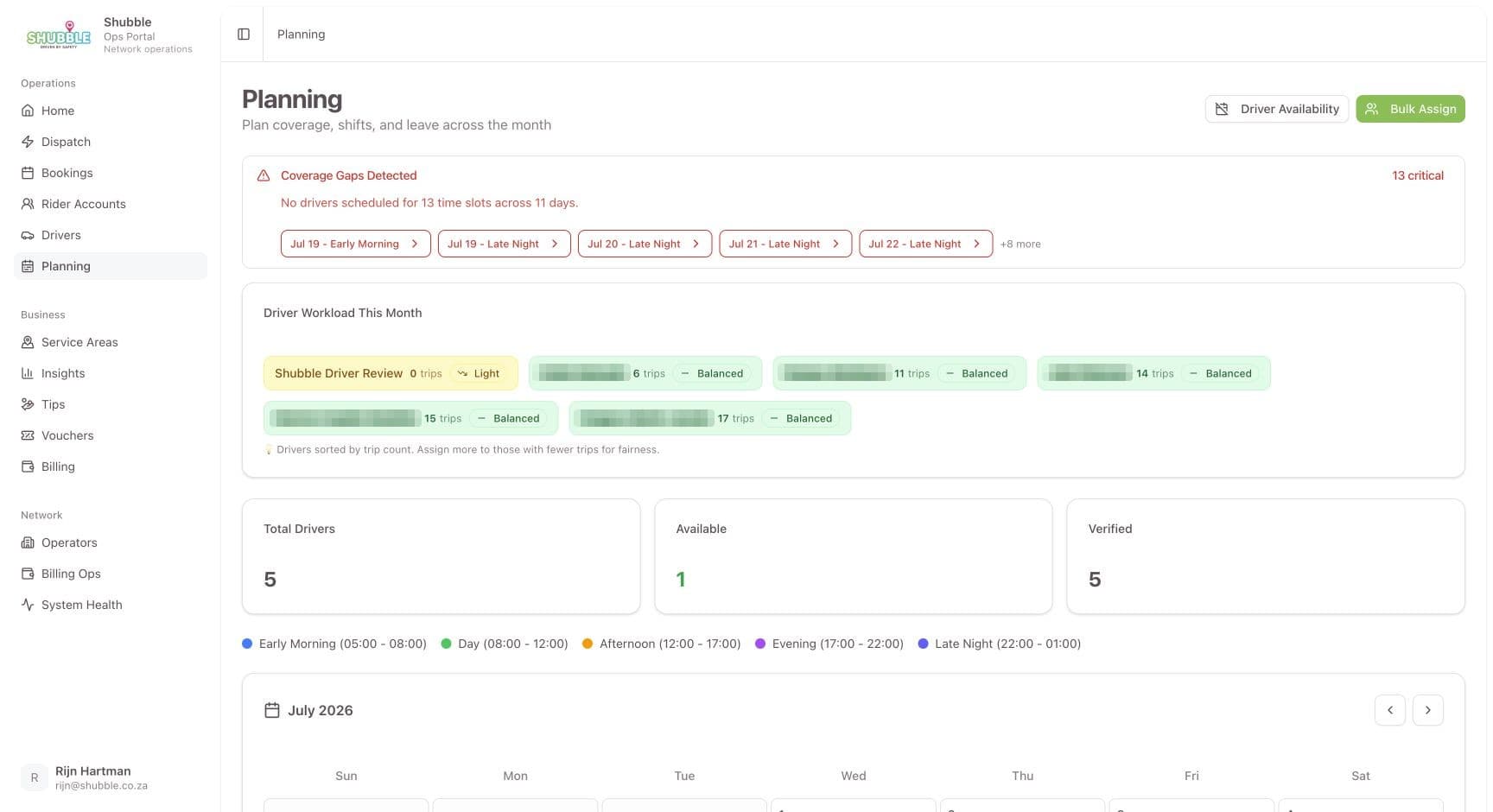
Planning
The team can prepare routes and capacity before they become live operational pressure.
Screen 01 / 03
04 / 04
Booking website
For new familiesshubble.co.za
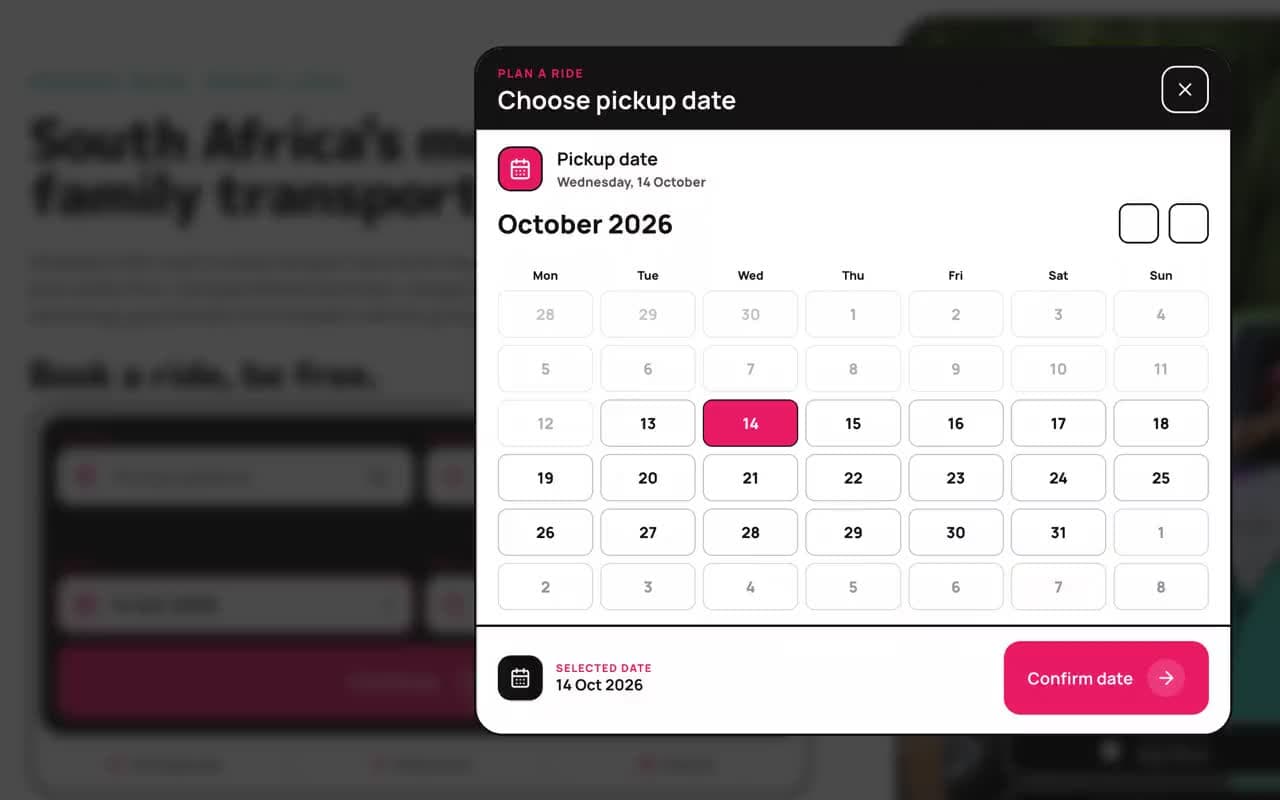
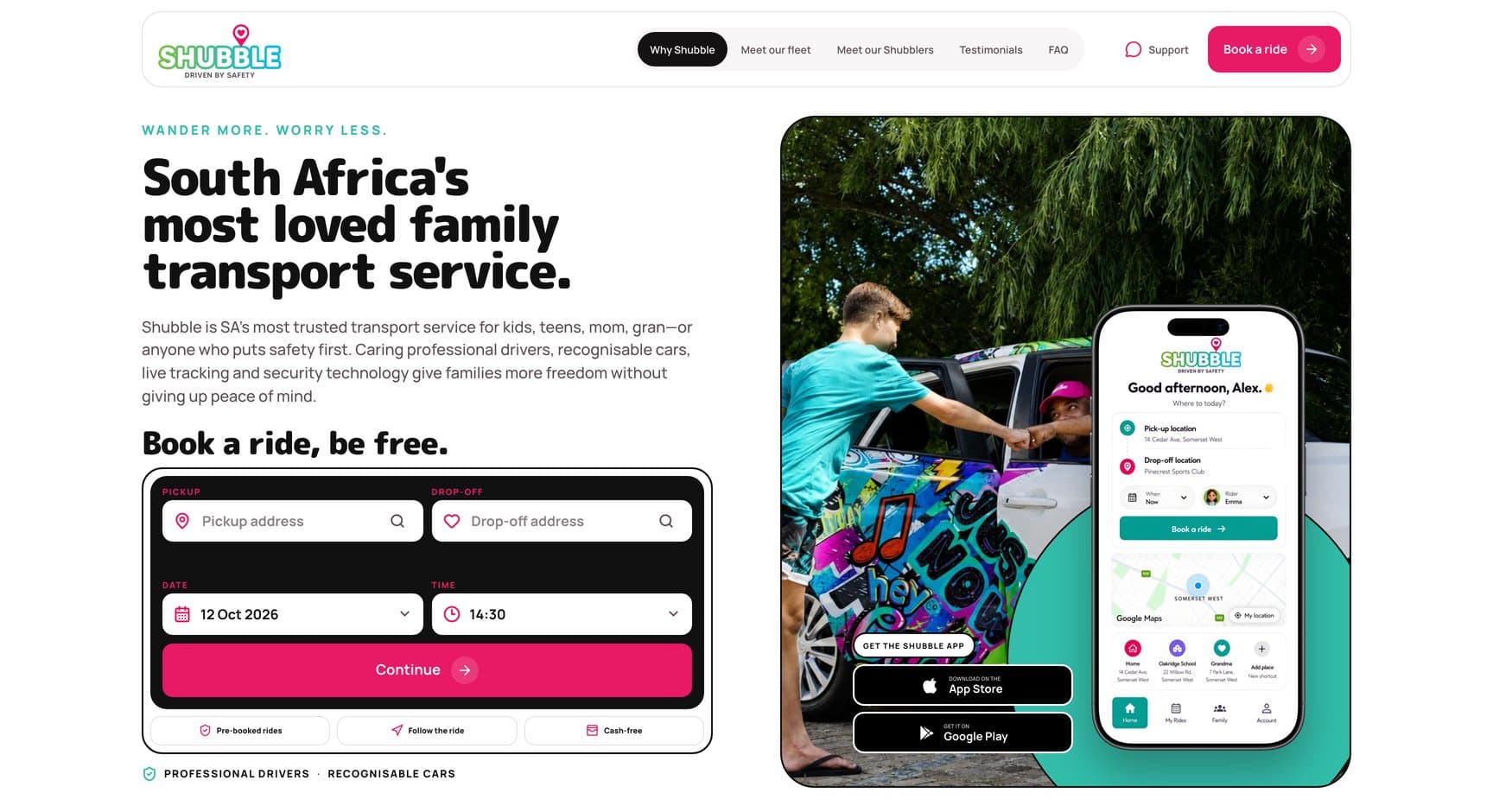
The public website takes a first booking end to end: it checks the area, shows a live price, holds the ride and takes payment, so a new family never has to phone to get started.
Coverage check and live price
Ride held while the family pays
Fleet, drivers and answers to common questions
Real screenshubble.co.za
5 real screens · tap to enlarge · select to enlarge
shubble.co.za
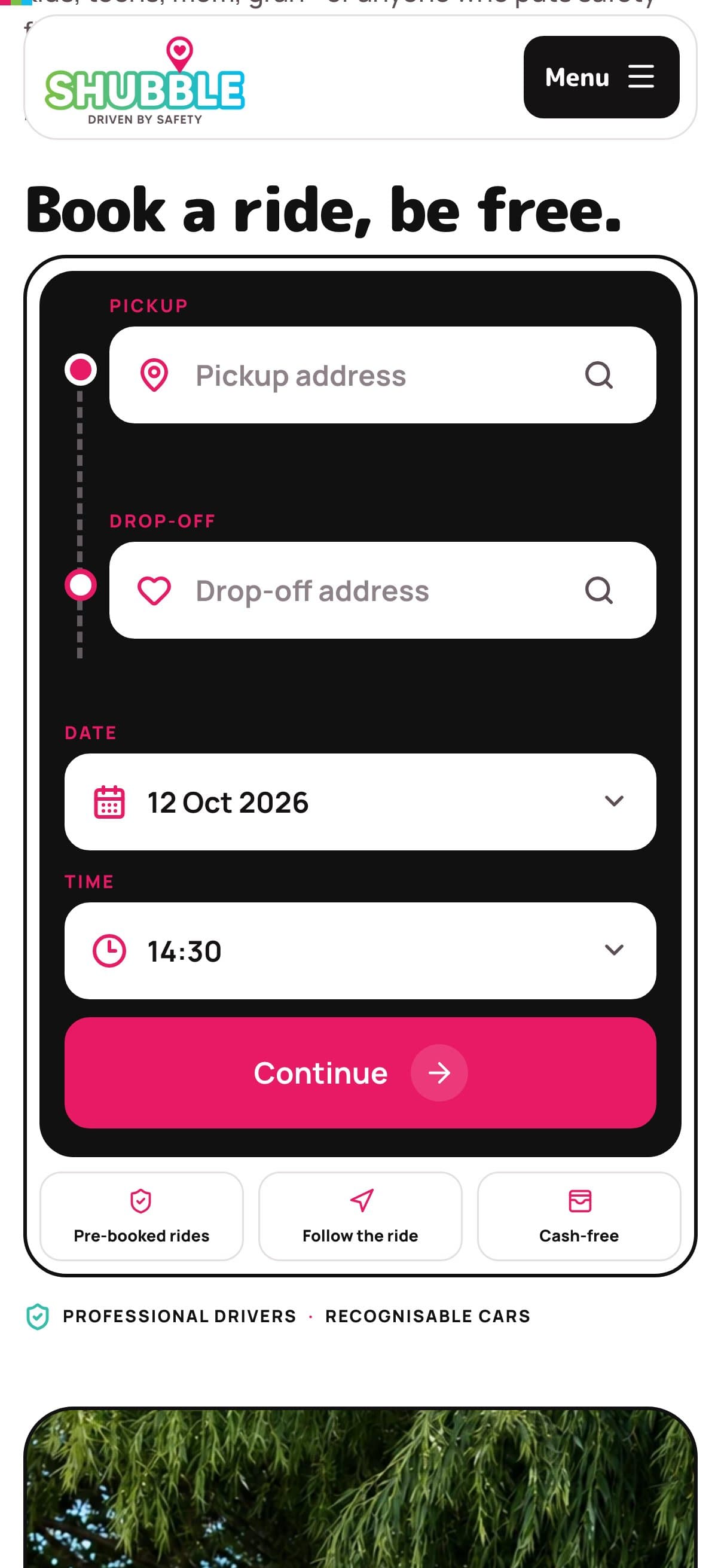
The home page opens on the booking form: pickup, drop-off, date and time, beside the app downloads.
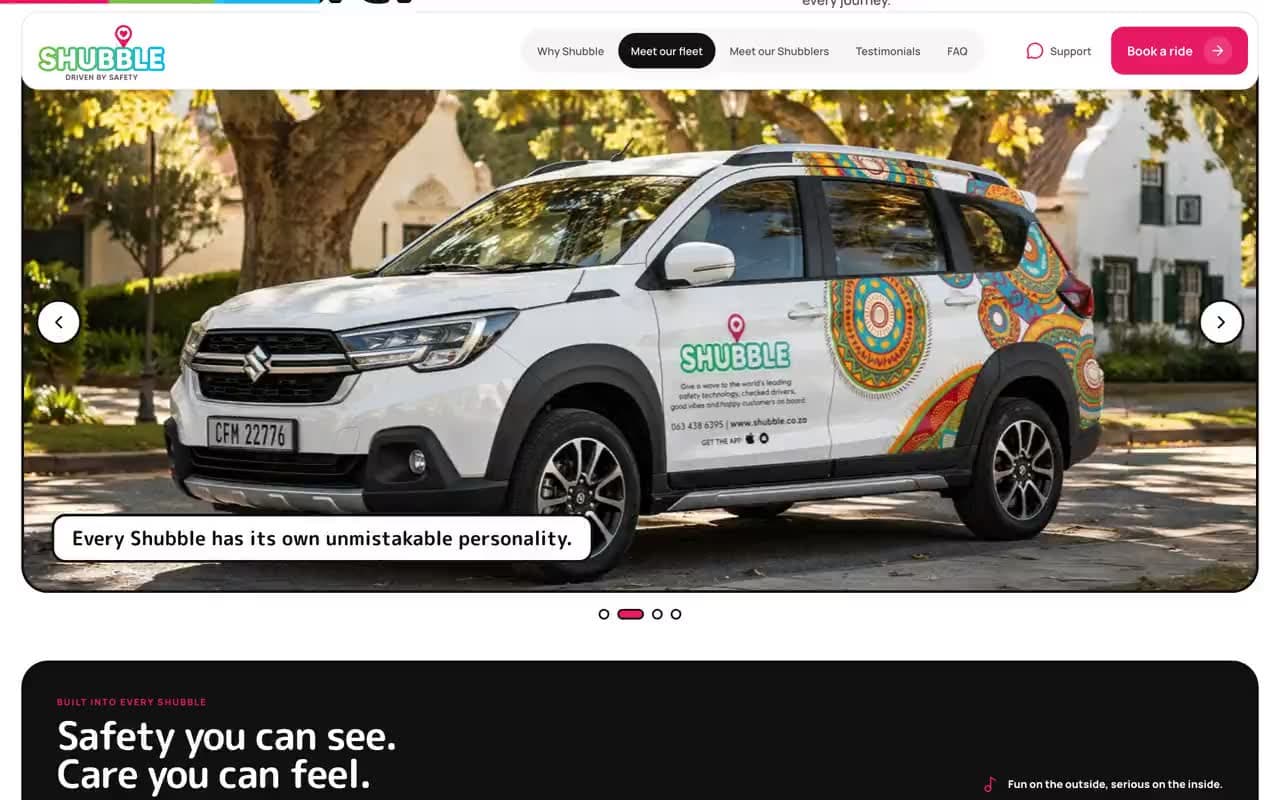
The fleet
Branded cars, each one easy to recognise at pickup.
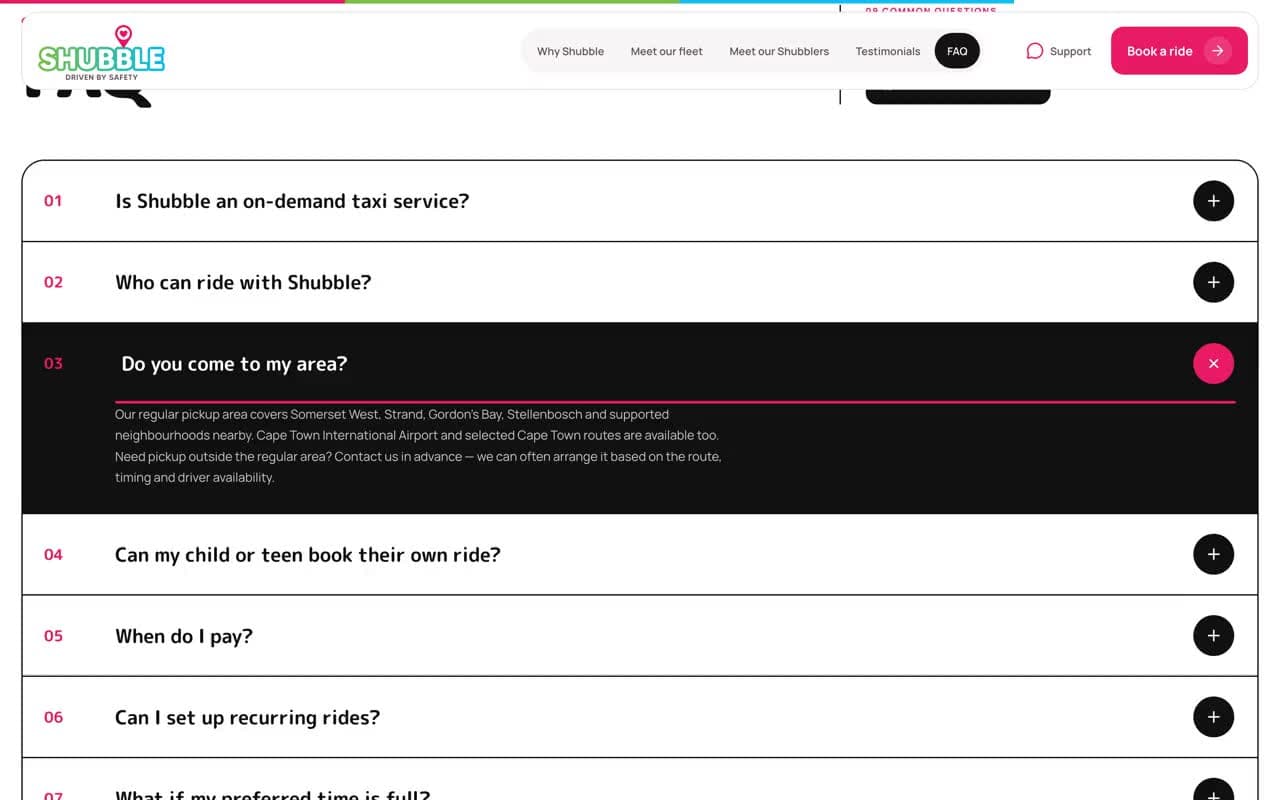
Answers before booking
Common questions answered on the page, starting with how pre-booking works.
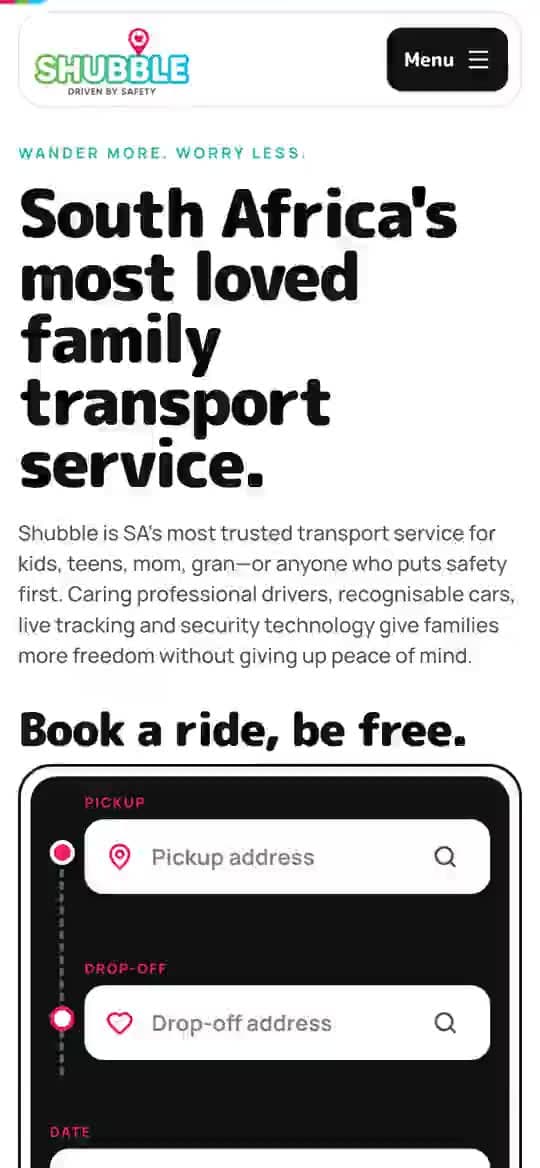
On a phone
The same home page on a phone.
Booking on a phone
The first booking starts here. Continue checks the area and shows the price.
Screen 01 / 05
Four connected pieces, one backend
A family app and a driver app in Flutter, an operations portal for the office and a public booking website.
01
Family app
iOS and Android
02
Driver app
iOS and Android
03
Operations portal
Web
04
Booking website
shubble.co.za
Today's command centre. The supporting operations portal brings active trips, bookings and anything needing attention together.
[03] How it works
From first tap to drop-off.
Every ride follows the same path, whether it starts in the app, on the website or with the office.
01
Paid, then confirmed
A ride is only confirmed once its payment is verified.
02
Judgement goes to people
Anything that needs judgement goes to a person.
Family
Choose the pickup, drop-off, time and who is travelling, once or on repeat.
ShubbleTakes over here
The system checks the service area and real driver capacity, prices the ride and holds the slot.
Family
Card, saved card or wallet credit. The ride is only confirmed once the payment is verified.
Shubble
A rostered driver is assigned using real drive times. The office can override, and the family sees who is coming.
Driver
The trip is in the driver's day. They navigate, start and end it, and the family gets each update.
Office
Changes, cancellations and refunds land in the portal for a person to decide.
Real screenChoose the journey
The booking website at work
Recorded on shubble.co.za
01
Booking form first
The home page opens on the booking form: pickup, drop-off, date and time, beside the app downloads.
02
The fleet
Branded cars, each one easy to recognise at pickup.
03
Answers before booking
Common questions answered on the page, starting with how pre-booking works: Shubble is not an on-demand taxi.
04
On a phone
The same home page on a phone, where the first booking starts.
[04] What we changed
One place where families book for themselves.
The people who need a ride should be able to book it, pay for it and follow it without calling anyone.
01
No call needed
Families book, pay and follow a ride without calling anyone.
02
One system underneath
The booking, the money, the roster and the trip live in one system. The office only steps in when a person is needed.
PhoneParents called the office to book a ride or change one.
WhatsAppMonthly driver rosters went out as PDFs in a chat.
WordPressA template website that could not take a booking.
An earlier appBuilt elsewhere, it never made it onto the App Store.
Before
Now
Before: Phone, WhatsApp, WordPress, An earlier app. Now: Live on the App Store and Google Play.Drag, or use the arrow keys
01
Before: Phone the office to book a ride.
Now: Book a one-way, return or recurring ride in the app.
02
Before: Explain the pickup and drop-off on the phone.
Now: Choose the places; the app checks the area and shows the price.
03
Before: Arrange each child's rides by hand.
Now: Add the children once. A child can ask for a ride and a parent approves it.
04
Before: A booking that lives in a call or a chat.
Now: Pay by card or wallet credit. The ride is confirmed once the payment clears.
05
Before: Rosters sent as PDFs on WhatsApp.
Now: The office plans rosters and the system assigns drivers by real drive times.
01 / Real screenBook a ride
[05] What changed
Bookings, without the phone call.
Shubble now runs on its own platform, and routine bookings no longer depend on a phone call.
Book a ride. The family app opens on the next action, with active trips and recent places close at hand.
01
Four connected pieces, one backend
4
02
From first tap to drop-off.
6steps
Where it stands
Live on the App Store and Google Play
Liveshubble.co.za
Jan 2026→Sep 2026
Dates from our project records and release history.
Start
Requirements agreed and the rebuild starts.
then, +1 month
Update
Operations portal running; family and driver apps in testing.
then, +3 months
Update
Drivers test the app and rosters move into the portal.
then, +2 months
Live
Family app live on the App Store; driver app on Google Play.
shubble.co.za
then, +1 month
Live
Both apps on both stores. Booking website live at shubble.co.za.
then, +1 month
Update
Family app 1.0.19 on both stores. Updates keep shipping.
Dates from our project records and release history.
Families book, pay and follow their rides in the Shubble app, on iOS and Android.
A cancelled ride goes straight back to the family's wallet as credit.
Drivers get their day in the driver app instead of a PDF on WhatsApp.
The office runs rosters, driver assignment and change approvals in one portal.
The owners get daily, weekly and monthly reports by email.
01
Its own platform
Shubble now runs on its own platform. Families book in the app, drivers get their day on their phones and the office manages the service from one place.
02
A person still answers
Families can still reach a person on WhatsApp or the phone, and the office can book on someone's behalf. The difference is that routine bookings no longer depend on it.
03
Tested on real phones
New features go live only once they have passed testing on real phones.