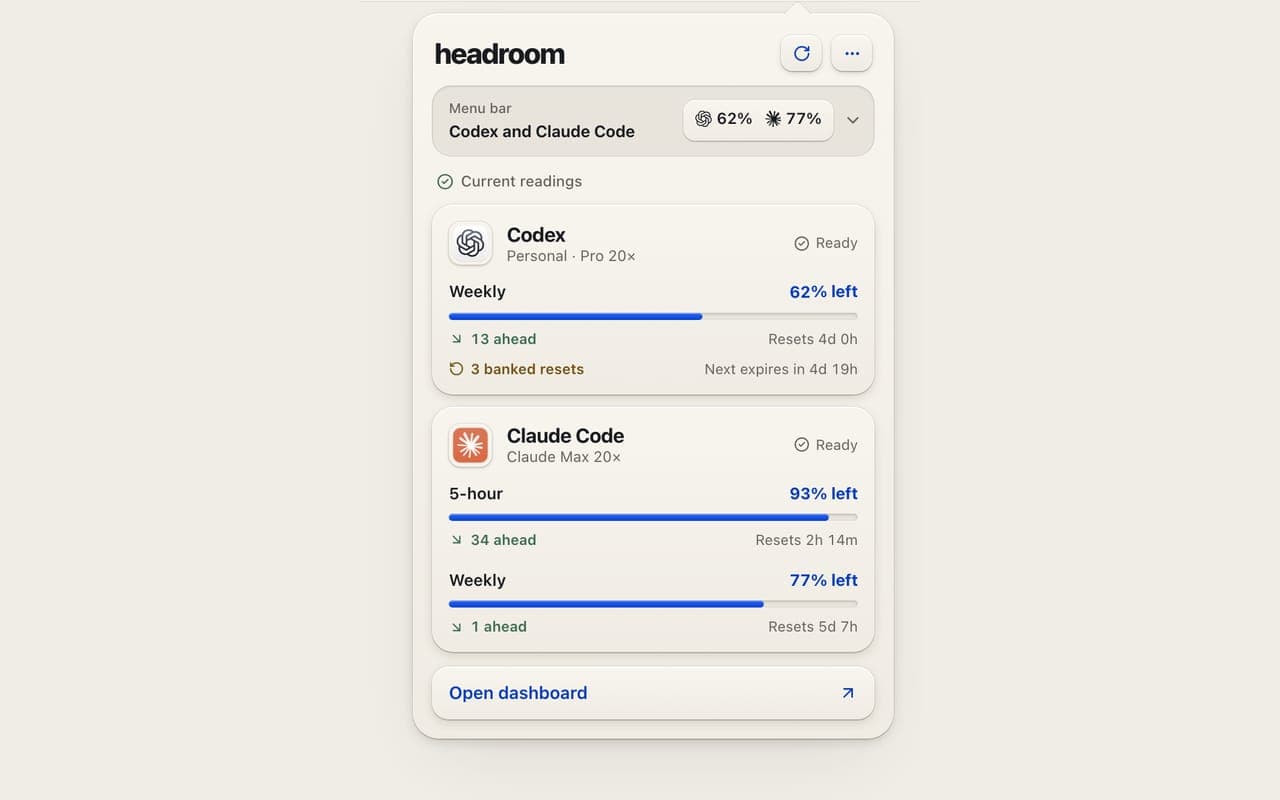
Remaining room and reset time, readable at a glance in the menu bar, with usage traced to the project and model that spent it.
Where it standsInvite-only beta
Year2026
What we builtNative Mac menu-bar app, dashboard and product site
Headroom is a native Mac app that shows how much of your AI coding plans you have left, when they reset, and which projects, models and requests used them. Built first for our own work, now in beta.
AI coding plans run on rolling limits, and each provider showed a number somewhere, one account at a time.
01
Rolling limits
AI coding plans such as ChatGPT Codex and Claude Code run on rolling limits: a five-hour window, a weekly window and resets that move with your usage.
02
More than one subscription
We build with them every day, across more than one subscription. Each provider shows a number somewhere, one account at a time.
03
History by hand
The menu-bar tool we used showed limits but not where the usage went, so history meant querying its database by hand.
04
So we built it
We wanted the answer at a glance, so in September 2026 we built it.
How it ranBefore
Provider dashboardsA number somewhere, one account at a time.
A menu-bar appShowed limits, but not where the usage went.
Database queriesHistory meant querying the app's database by hand.
What was breaking
01
Heavy work ran out of room at the worst moment.
02
Two subscriptions meant two numbers and no picture of both.
03
Nothing showed which project, model or setting was burning the plan.
[02] What we built
A menu bar that answers in seconds.
A native Mac app that lives in the menu bar and opens into a full dashboard, plus the product site, accounts and update feed.
01
Menu bar and dashboard
A native Mac app that lives in the menu bar and opens into a full dashboard.
02
Everything behind it
Behind it sit the product site, accounts and update feed.
01 / 02
The Mac app
For developers on AI coding plansmacOS 15 or later
Headroom sits in the menu bar and opens into a full dashboard: what is left, when it resets and where it went, from the last hour to the last thirty days.
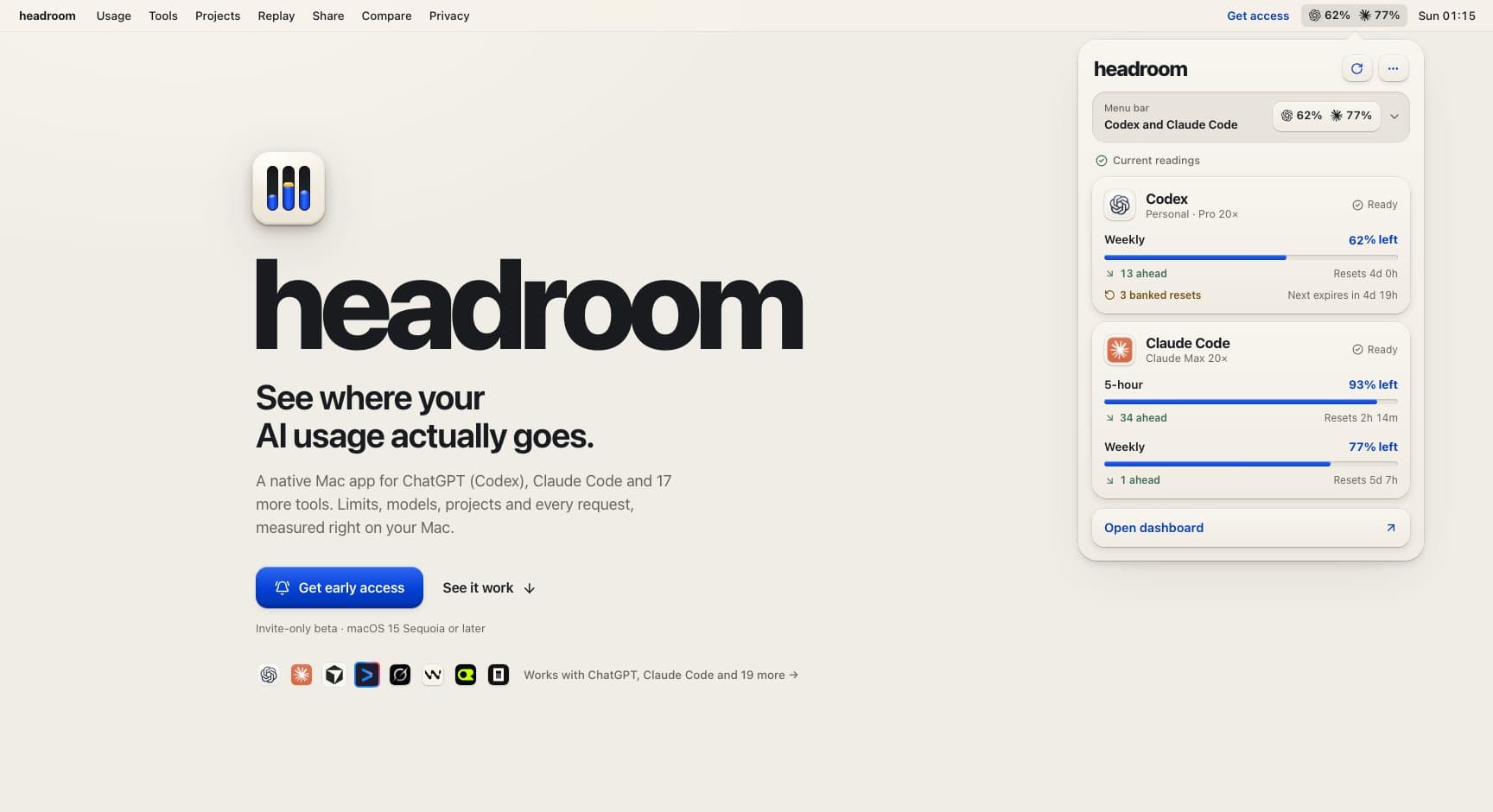
Live limits and reset times per account
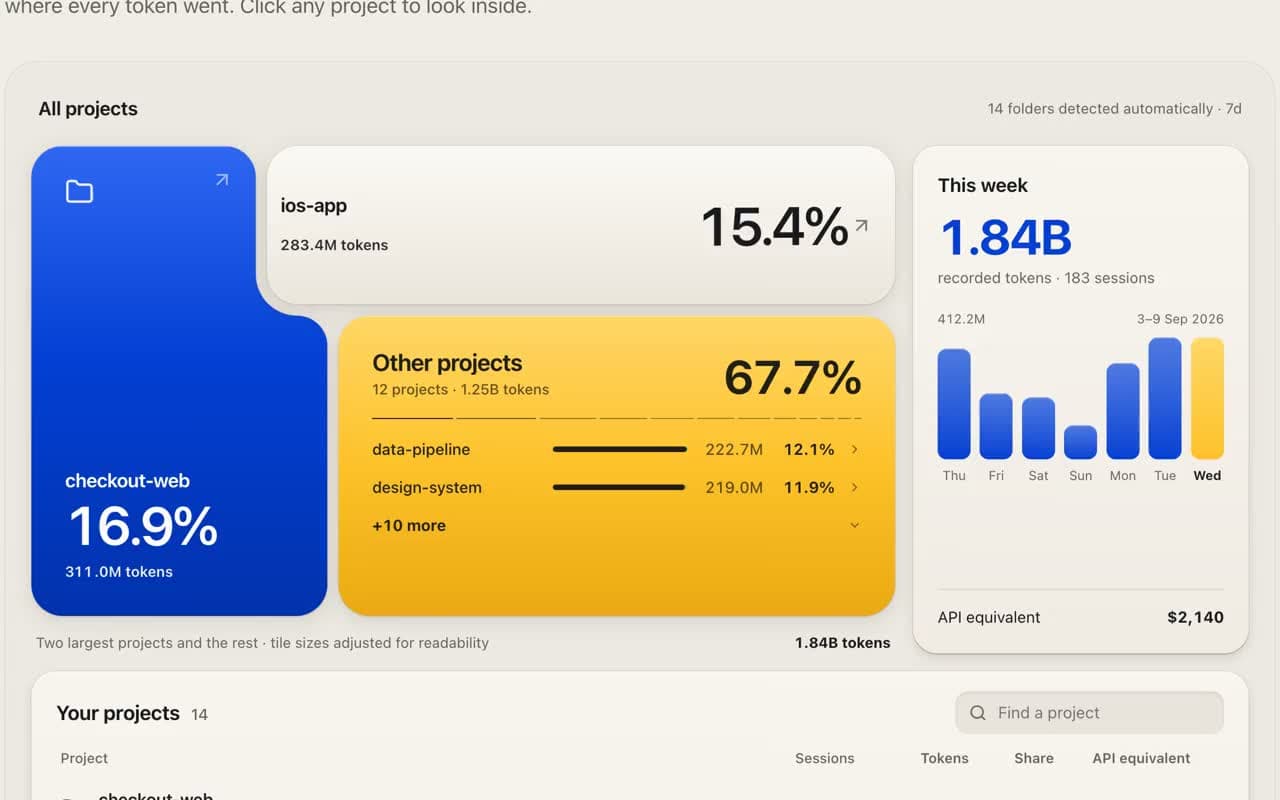
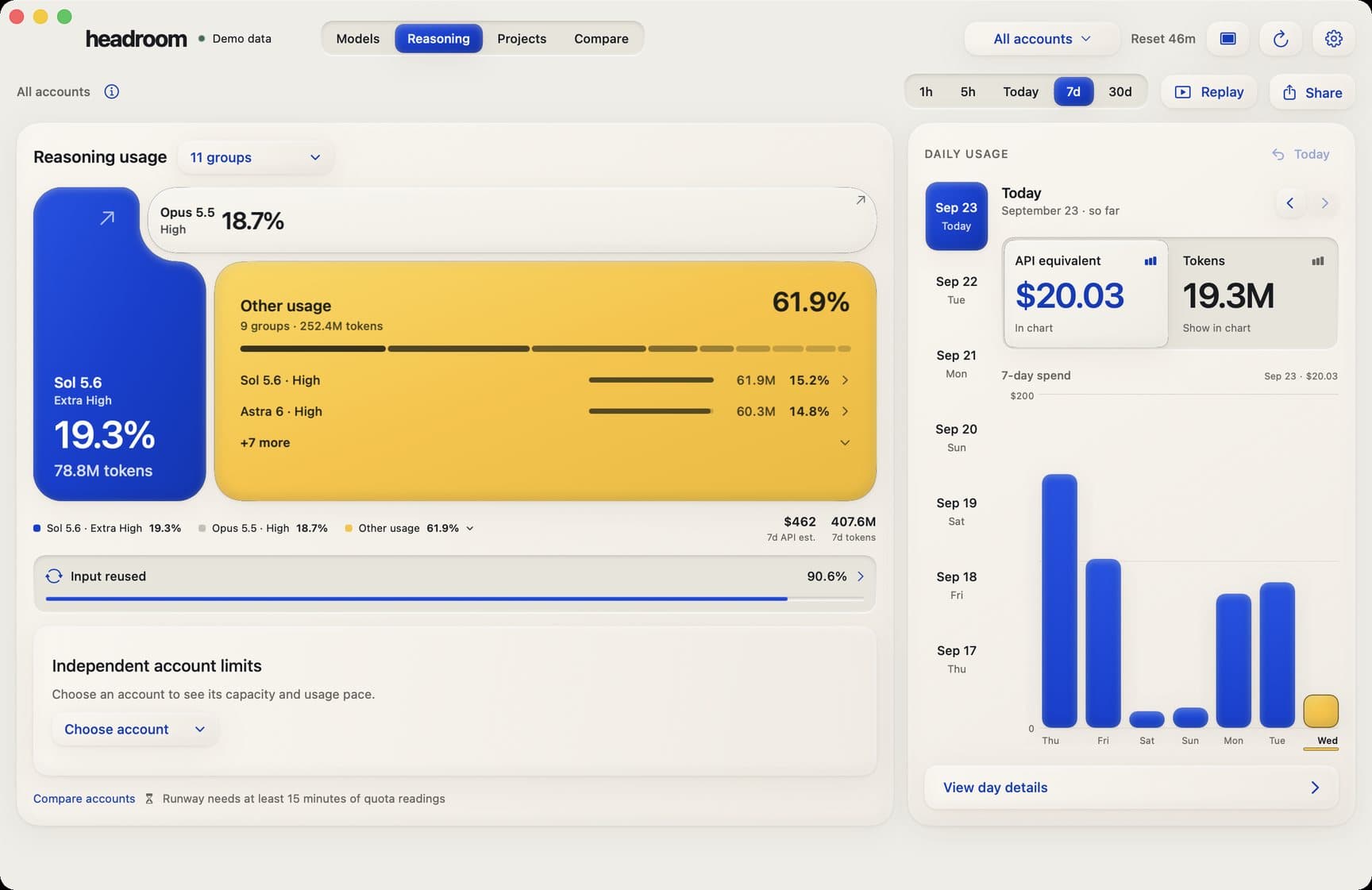
Usage by model, reasoning level and project
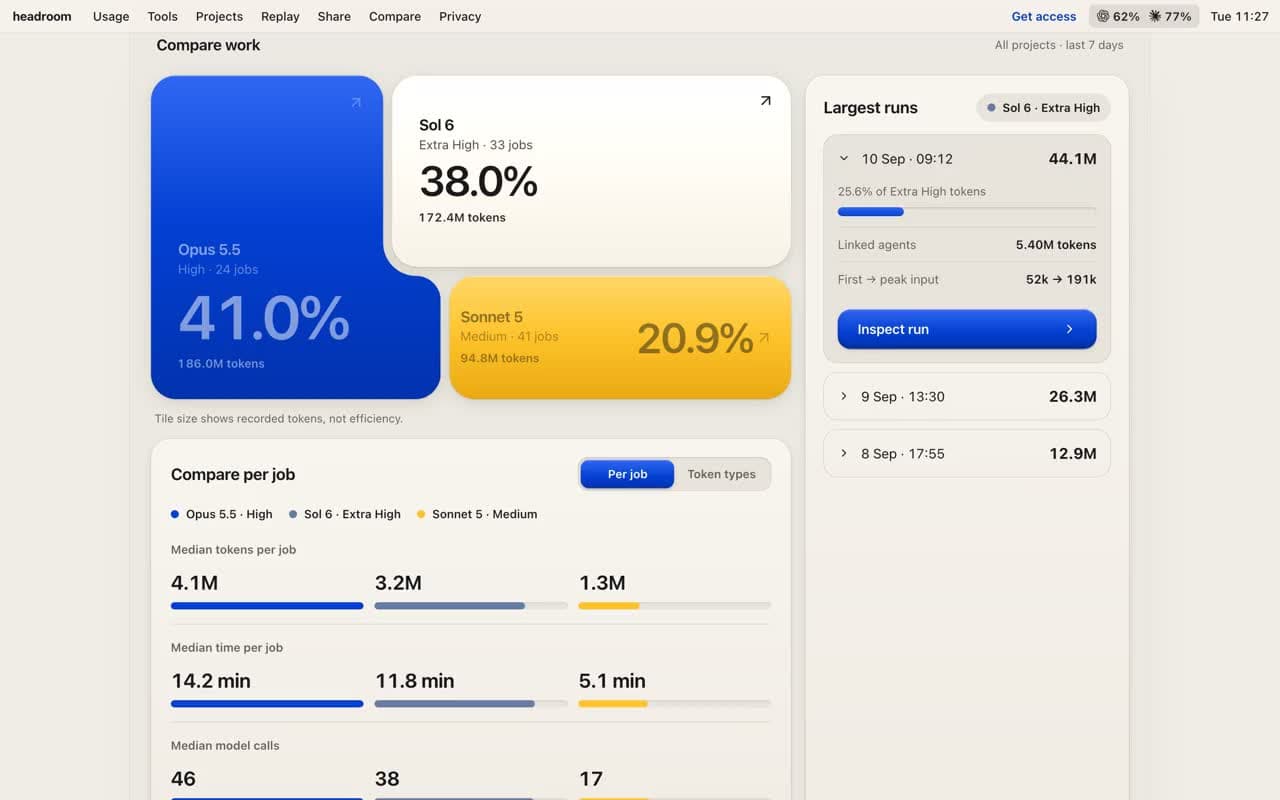
Compare view on recorded work
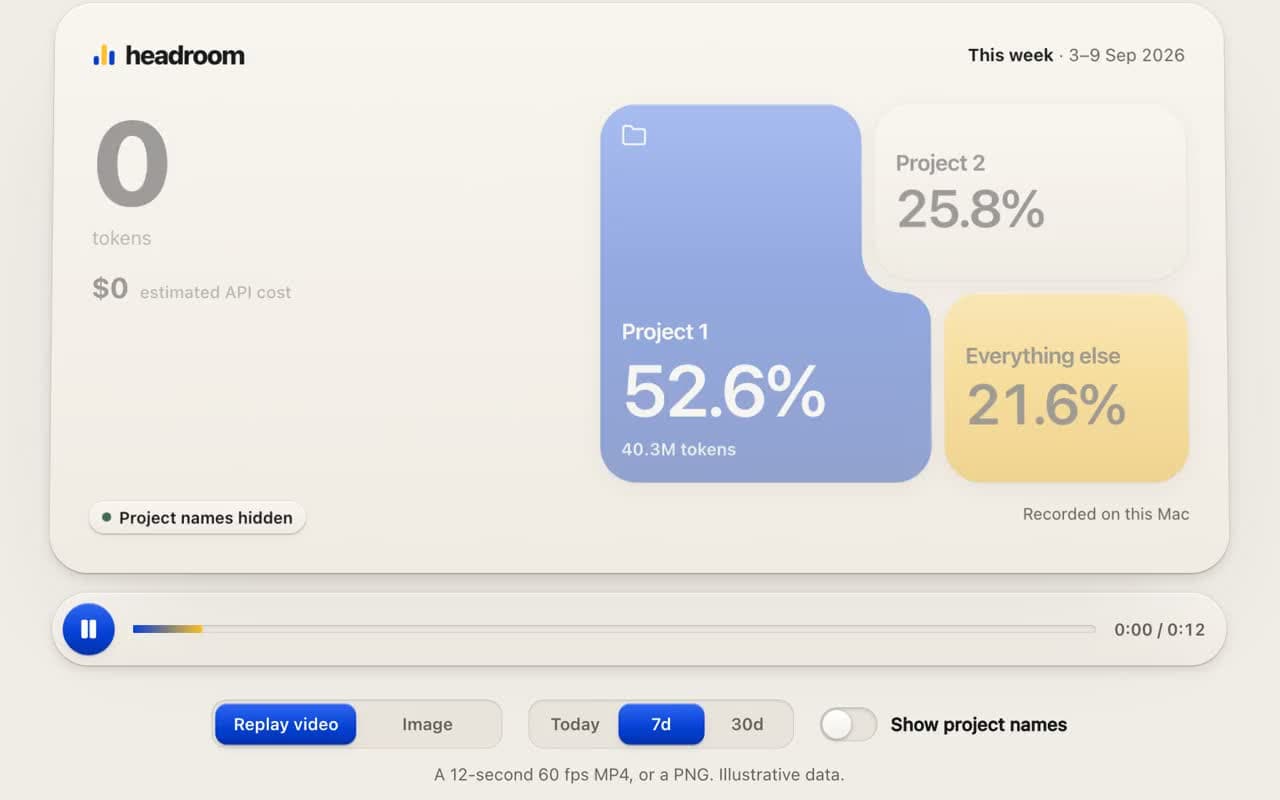
Share card and replay video, names hidden
Real screenModel usage
5 real screens · tap to enlarge · select to enlarge
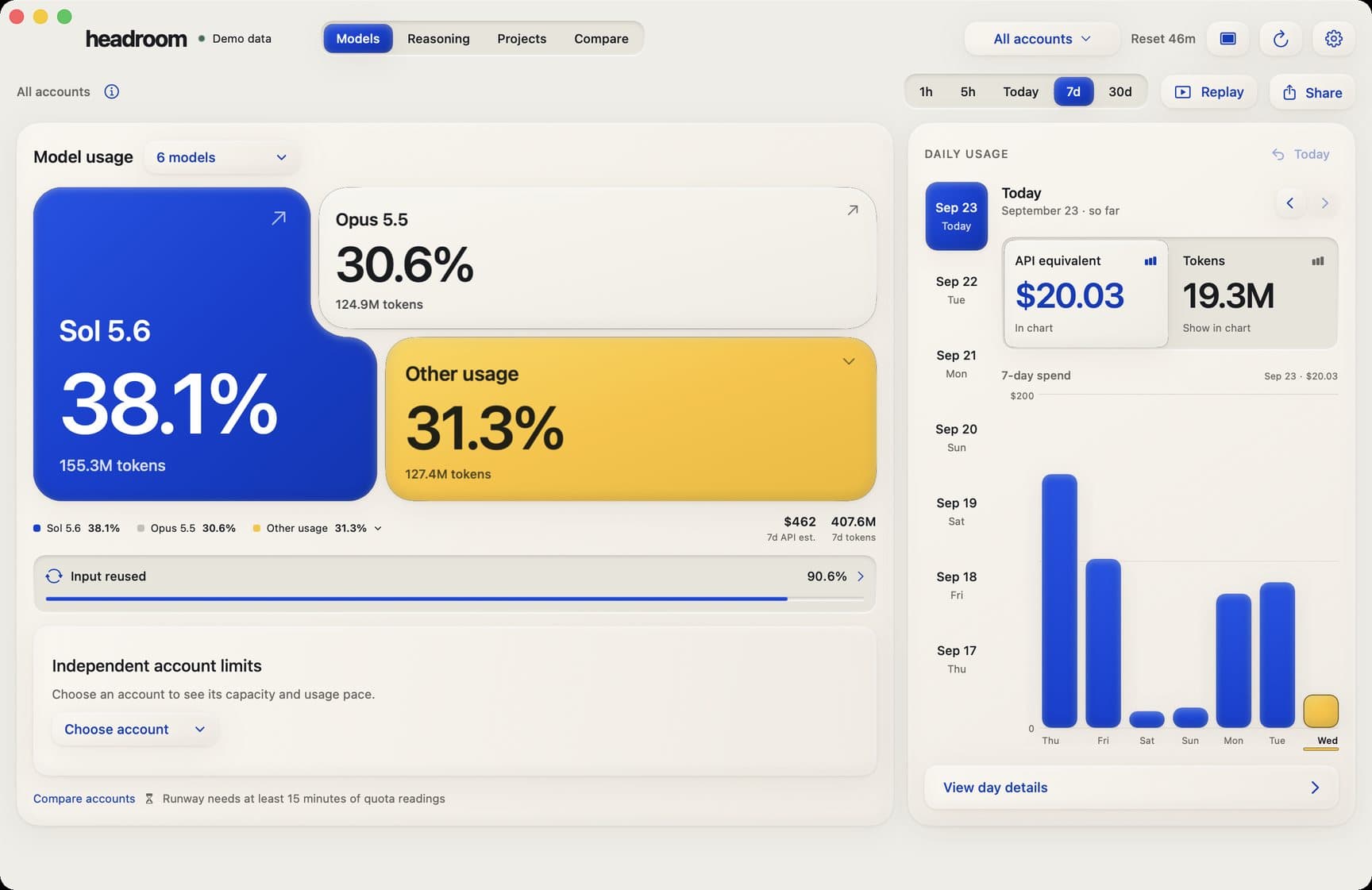
Model usage
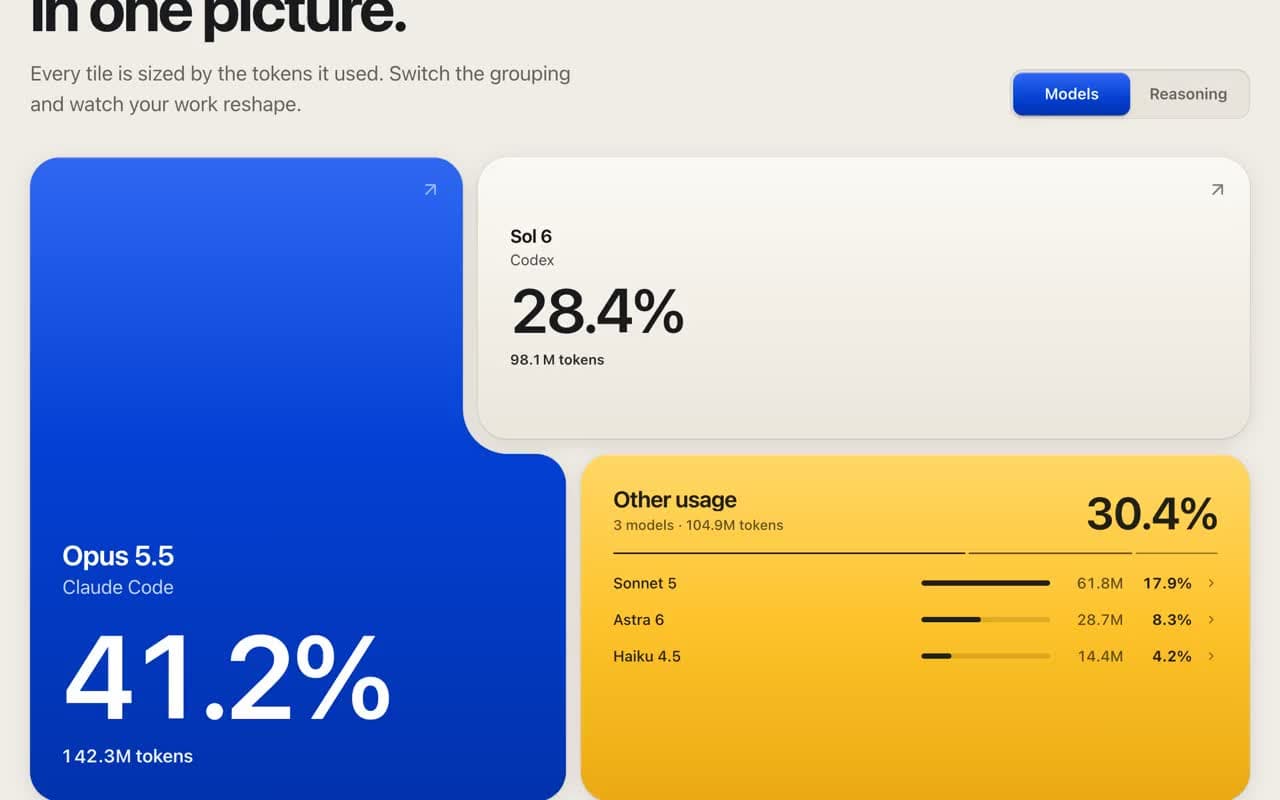
Which models used your plan this week, sized by share, with daily usage and its API-equivalent cost beside it.
Reasoning levels
The same week by reasoning level, so heavy settings that eat the plan are easy to spot.
Where usage went
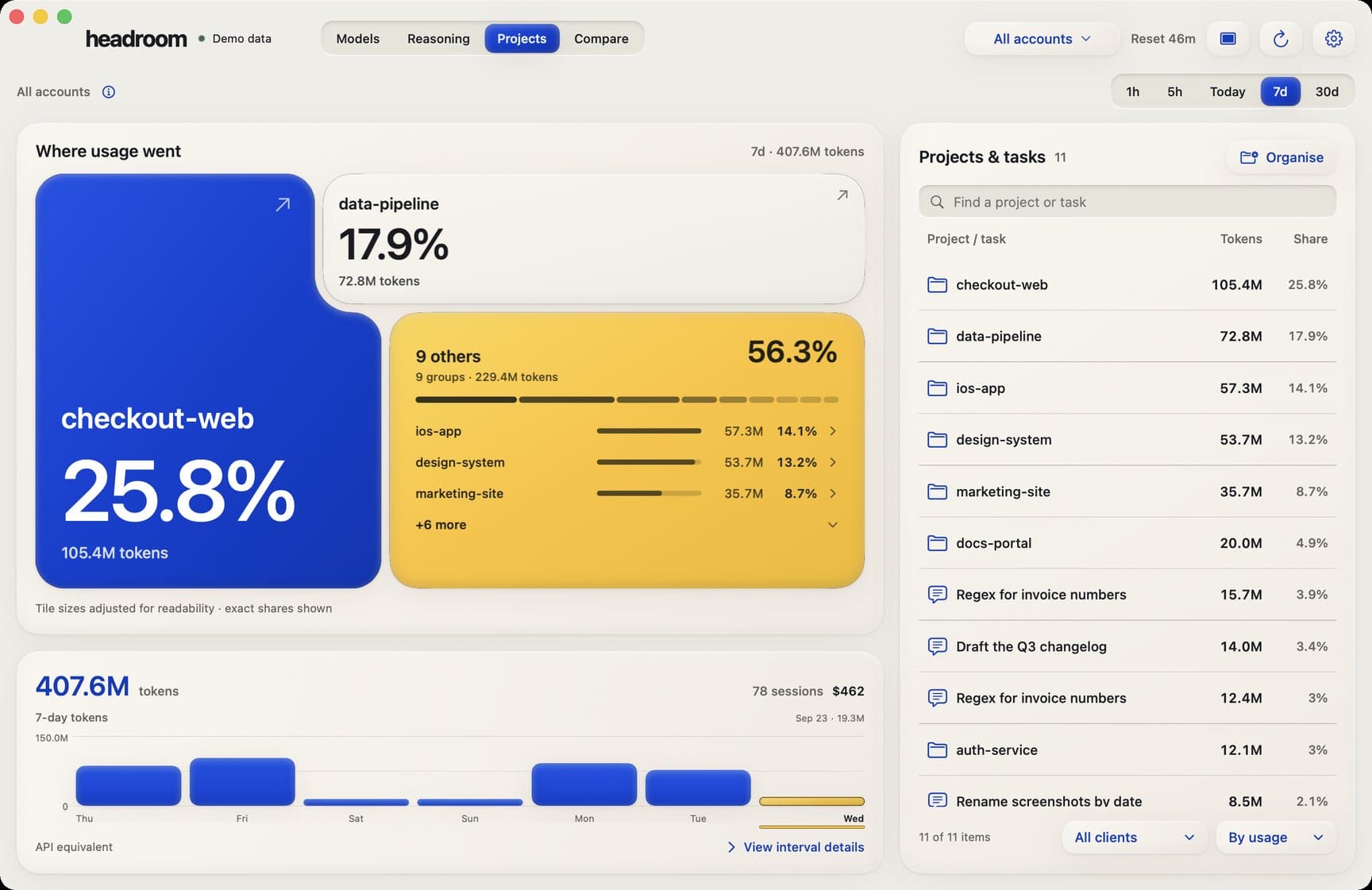
Projects found on the Mac automatically, ranked by the tokens they used.
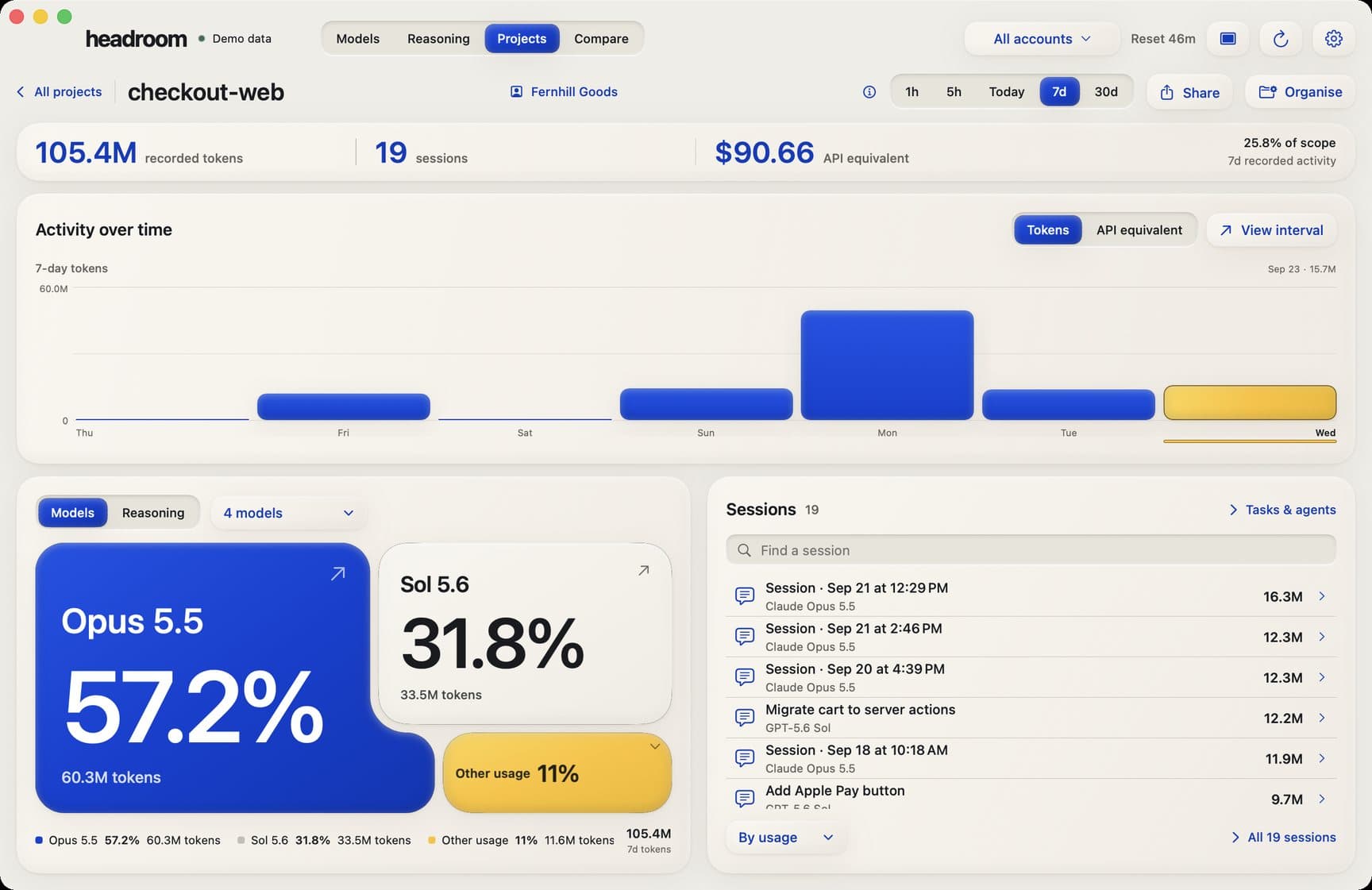
One project, inside
Activity over time, the models behind it and every session, for a single project.
Compare
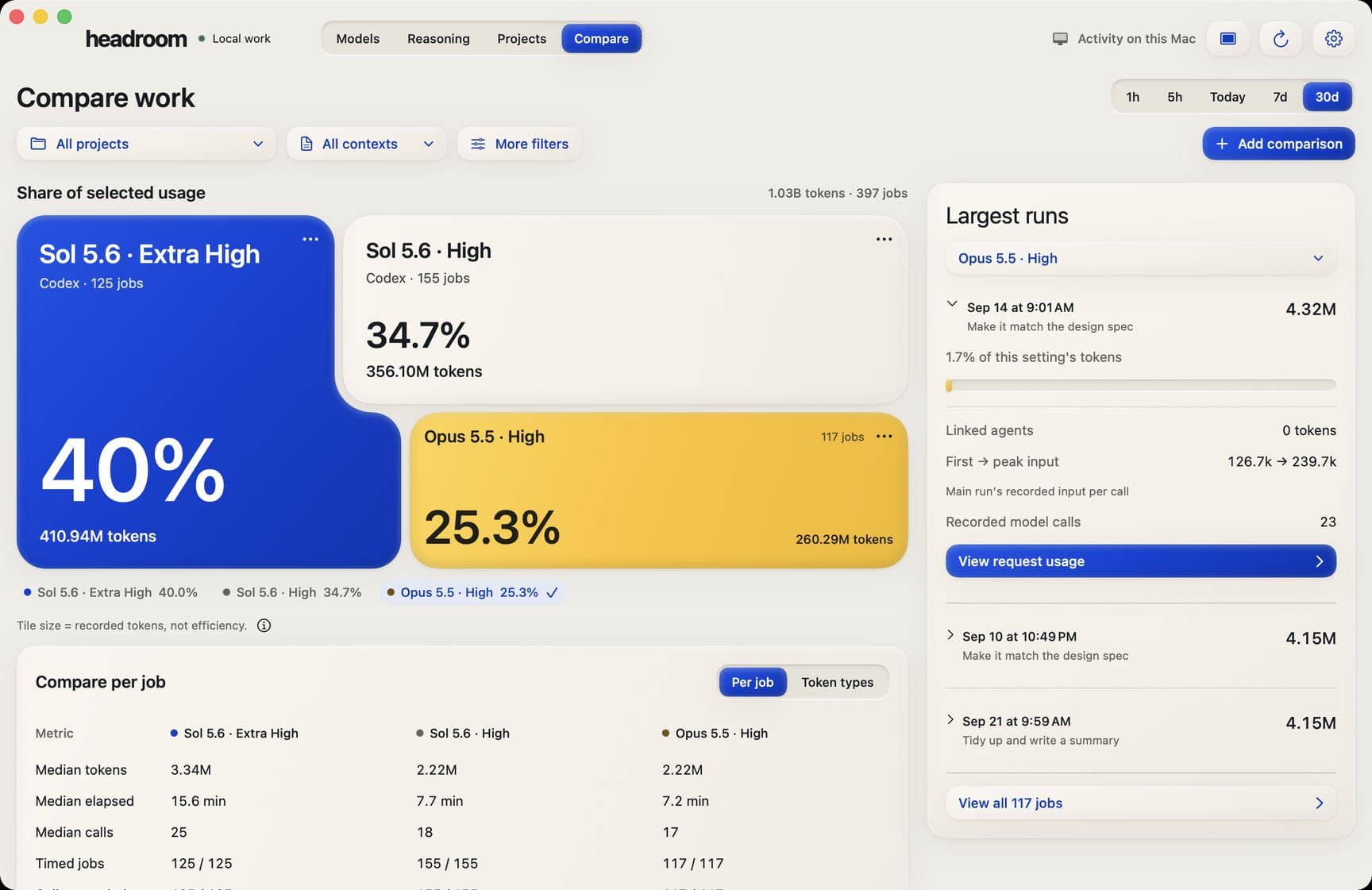
Models side by side on real recorded work, not benchmarks.
Screen 01 / 05
02 / 02
Site and accounts
For beta usersheadroom.bar
The product site explains Headroom and runs the invite-only beta, accounts and the public update feed.
Invite-only beta sign-up
Accounts for usage sync
Signed, notarised updates
2 real screens · tap to enlarge · select to enlarge
headroom.bar
The product site, with the menu-bar view and the invite-only beta.
On a phone
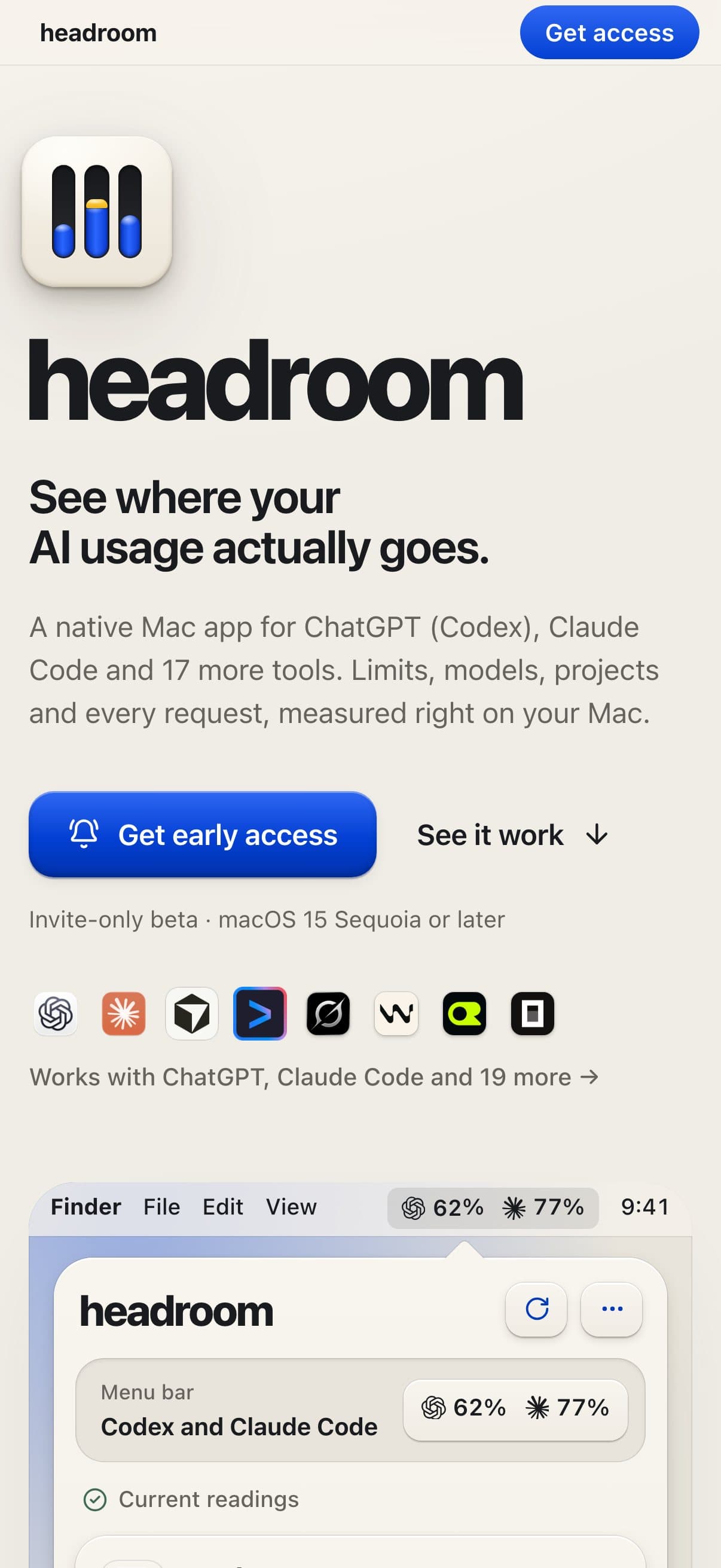
The site on a phone: what Headroom shows, and how to get access.
Screen 01 / 02
What the dashboard shows
What is left, when it resets and where it went, from the last hour to the last thirty days.
01
Live limits and reset times
Per account
02
Usage by model and reasoning level
Daily use and API-equivalent cost
03
Projects, found automatically
Sessions inside
04
Compare view
Real recorded work
05
Share card and replay video
Names hidden
Model usage. Which models used your plan this week, sized by share, with daily usage and its API-equivalent cost beside it.
[03] How it works
From install to the answer.
Headroom reads the usage logs the AI tools already keep on the Mac, and only usage counts sync to your account.
01
Native and local
Headroom is a native Swift and SwiftUI app with a local SQLite store, desktop widgets and signed, notarised updates.
02
Reads what is there
It reads the usage logs the AI tools already keep on the Mac.
03
Your work stays put
It does not upload your prompts, replies or code; only usage counts sync to your Headroom account.
You
Download the signed app and connect your AI accounts.
HeadroomTakes over here
It reads the usage logs the AI tools already keep on the Mac, and asks providers only for your own limits.
You
The menu bar shows what is left on each plan and when it resets.
You
The dashboard breaks usage down by model, reasoning level, project and session.
You
Put models side by side on work you have actually done.
You
Export a card or a twelve-second replay with project names hidden.
Real screenheadroom.bar
How it behaves
Recorded on headroom.bar
01
Every limit, one glance away
The menu bar shows what is left on each plan and when it resets, for every account.
02
By model or by reasoning level
Usage by model, with daily use and its API-equivalent cost, or the same week by reasoning level, so heavy settings stand out.
03
Projects, found on the Mac
Projects found on the Mac automatically, ranked by tokens used. Open one for its activity over time, the models behind it and every session.
04
Compare on your own work
Put models side by side on work you have actually done, not benchmarks.
05
Share card and replay
Export a card or a twelve-second replay with project names hidden.
[04] What we changed
Every limit, one glance away.
Headroom turns a vague worry into a number you can read before heavy work, and shows exactly where the plan went.
01
A number, not a worry
Headroom turns a vague worry into a number you can read before you start heavy work, and shows exactly where the plan went.
02
Accounts stay separate
Two subscriptions are two limits, never one comfortable-looking total.
Provider dashboardsA number somewhere, one account at a time.
A menu-bar appShowed limits, but not where the usage went.
Database queriesHistory meant querying the app's database by hand.
Before
Now
Before: Provider dashboards, A menu-bar app, Database queries. Now: Invite-only beta.Drag, or use the arrow keys
01
Before: Check each provider's page, one account at a time.
Now: What is left and when it resets, for every account, in the menu bar.
02
Before: Guess which model used the plan.
Now: Usage by model, with daily use and its API-equivalent cost.
03
Before: Heavy reasoning settings eat the plan unnoticed.
Now: The same week by reasoning level, so heavy settings stand out.
04
Before: No link between usage and the work.
Now: Projects found on the Mac automatically, ranked by tokens used.
05
Before: Choose models by benchmark headlines.
Now: Compare models side by side on your own recorded work.
01 / Real screenheadroom.bar
[05] What changed
From a worry to a number.
Headroom is in an invite-only beta at headroom.bar, with 68 updates in nine days on its public release feed.
On a phone. The site on a phone: what Headroom shows, and how to get access.
01
First commit→ to First release, 0.9.1, to the invite-only beta
26days
02
What the dashboard shows
5
03
From install to the answer.
6steps
Where it stands
Invite-only beta
Liveheadroom.bar
4 Sep 2026→Oct 2026
Dates from our project records and release history.
Commit
First commit.
then, +26 days
Release
First release, 0.9.1, to the invite-only beta.
headroom.bar
then, +8 days
Release
Version 0.9.69: 68 updates in nine days.
Release
Windows version in testing.
Dates from our project records and release history.
What is left and when it resets is readable at a glance, per account.
Usage is traced to the project and model that spent it.
It replaced the menu-bar tool we used before as our daily view.
Its public release feed shows 68 updates in nine days, from 30 September to 8 October 2026.
01
Invite-only beta
Headroom is in an invite-only beta at headroom.bar. Its public release feed shows 68 updates in nine days, the pace we work at when the product is our own.
02
Our daily view
It replaced the menu-bar tool we used before as our daily view of the limits.