Custom point of sale and stock systems
The till, the stock sheet and the card machines never agree, and the internet drops in the middle of a sale. A point of sale built around your shop keeps selling and keeps one record.
- A fixed price for the first version
- A working version about a week after the deposit
- Your data stays yours; code ownership agreed upfront
Sounds familiar?
The till has to keep selling when the internet drops.
Stock lives on paper or in Excel, apart from the sales.
Several branches run on an old stock and till system.
The vendor's POS does not fit how the shops really work.
x Create is a founder-led software studio in South Africa that designs, builds and operates custom point of sale and stock systems. For a biltong shop that sells by weight, it built a till that keeps selling when the Wi-Fi drops, stock that moves with every sale, a cash-up that checks money and stock separately, and owner reports by email. The till is in daily use.
What it does.
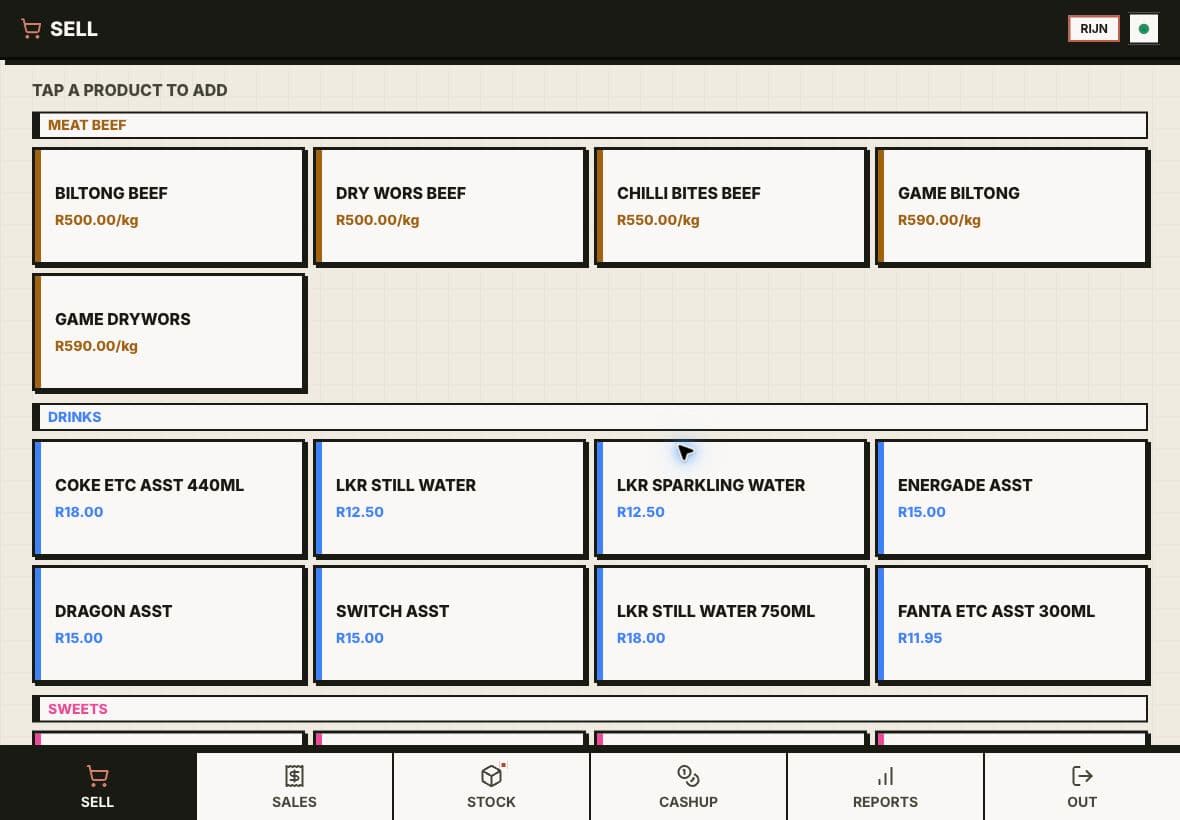
A till that works offline
The till keeps its data on the tablet and syncs in the background. A dropped connection does not stop a sale.
Screen from Custom Point of Sale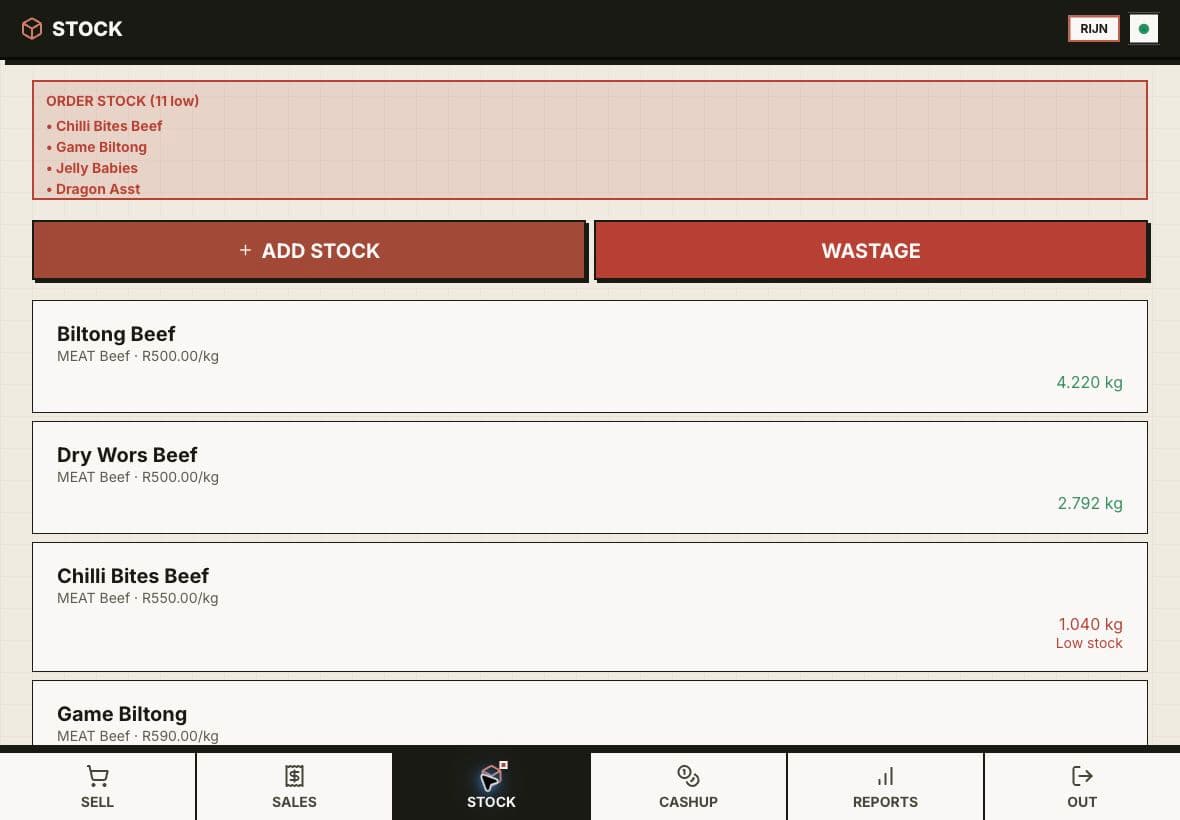
Stock that follows sales
Every sale moves the stock, and low stock is flagged. Selling past the stock needs a logged override.
Screen from Custom Point of Sale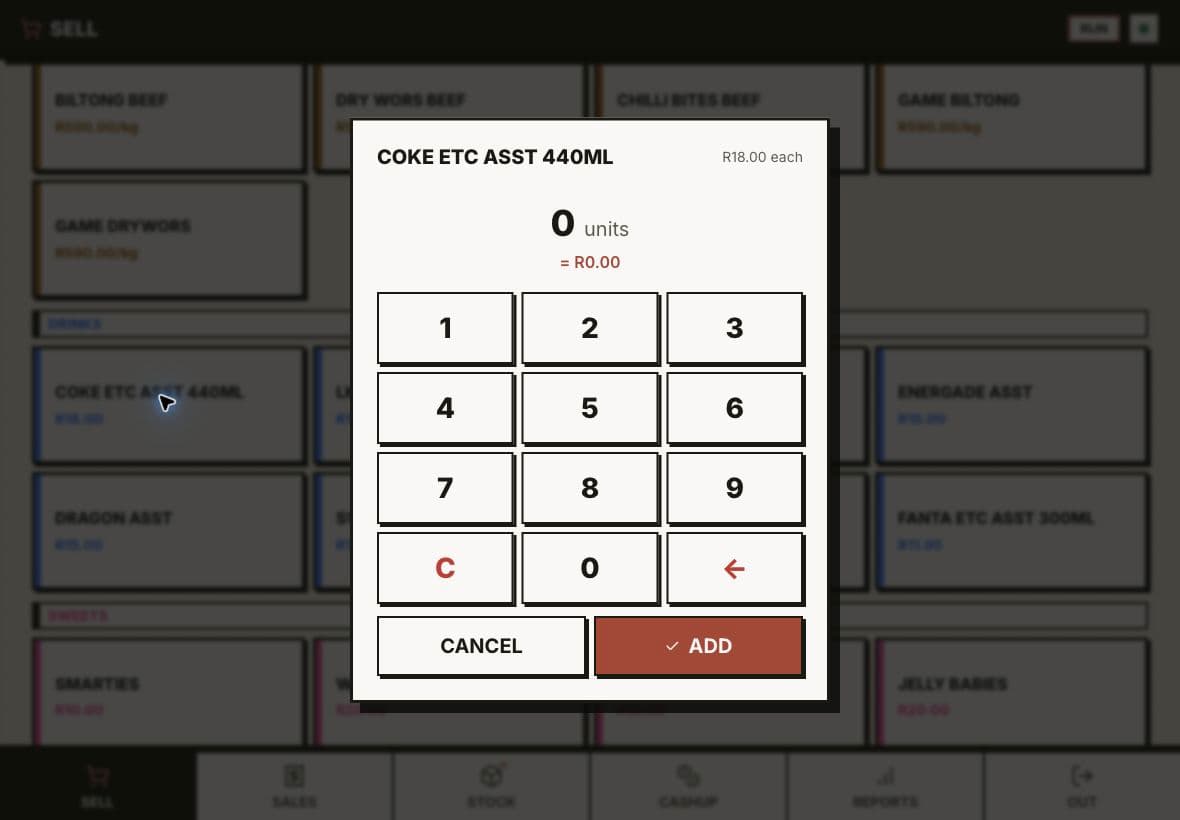
Sales by weight or unit
Staff type the weight on a large number pad and the till prices it. Unit sales and discounts work the same way, with the payment method confirmed on every sale.
Screen from Custom Point of Sale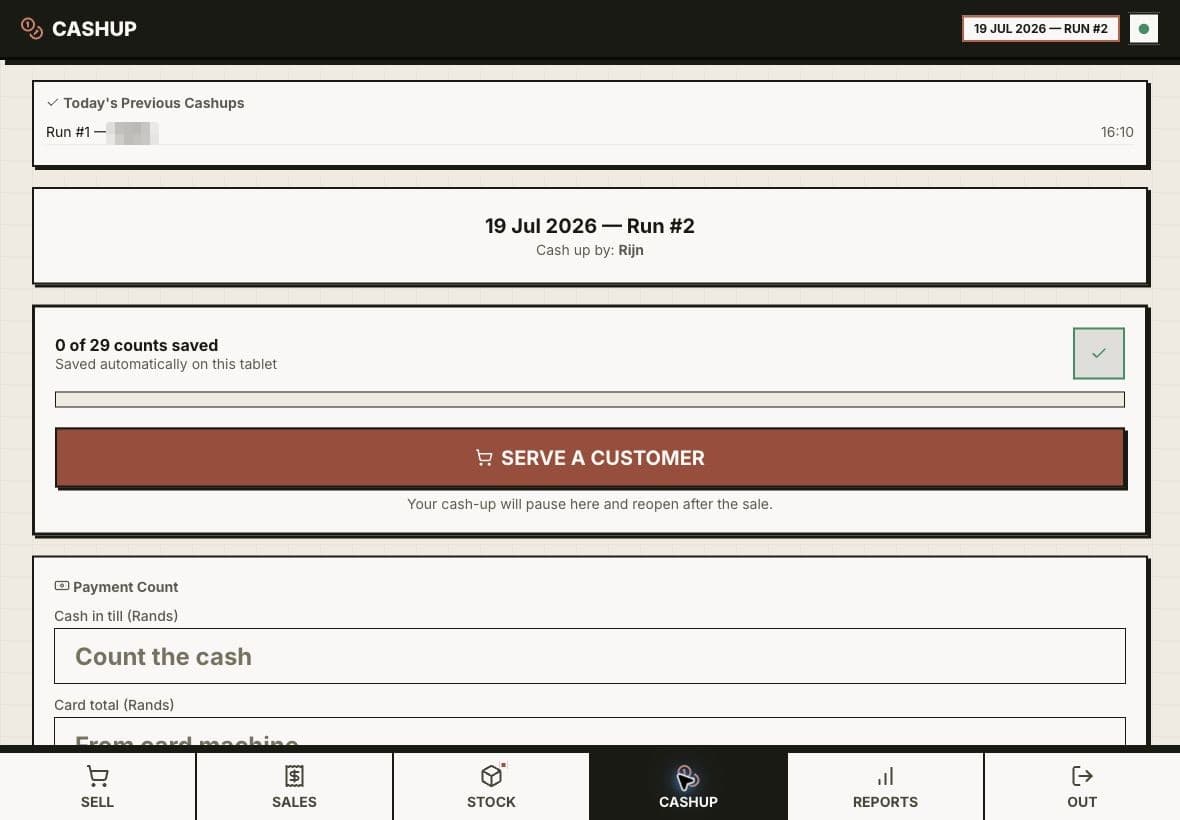
A guided cash-up
At the end of a shift, staff count the money and the stock. The till compares both with what it expected and shows any difference, money and stock apart.
Screen from Custom Point of Sale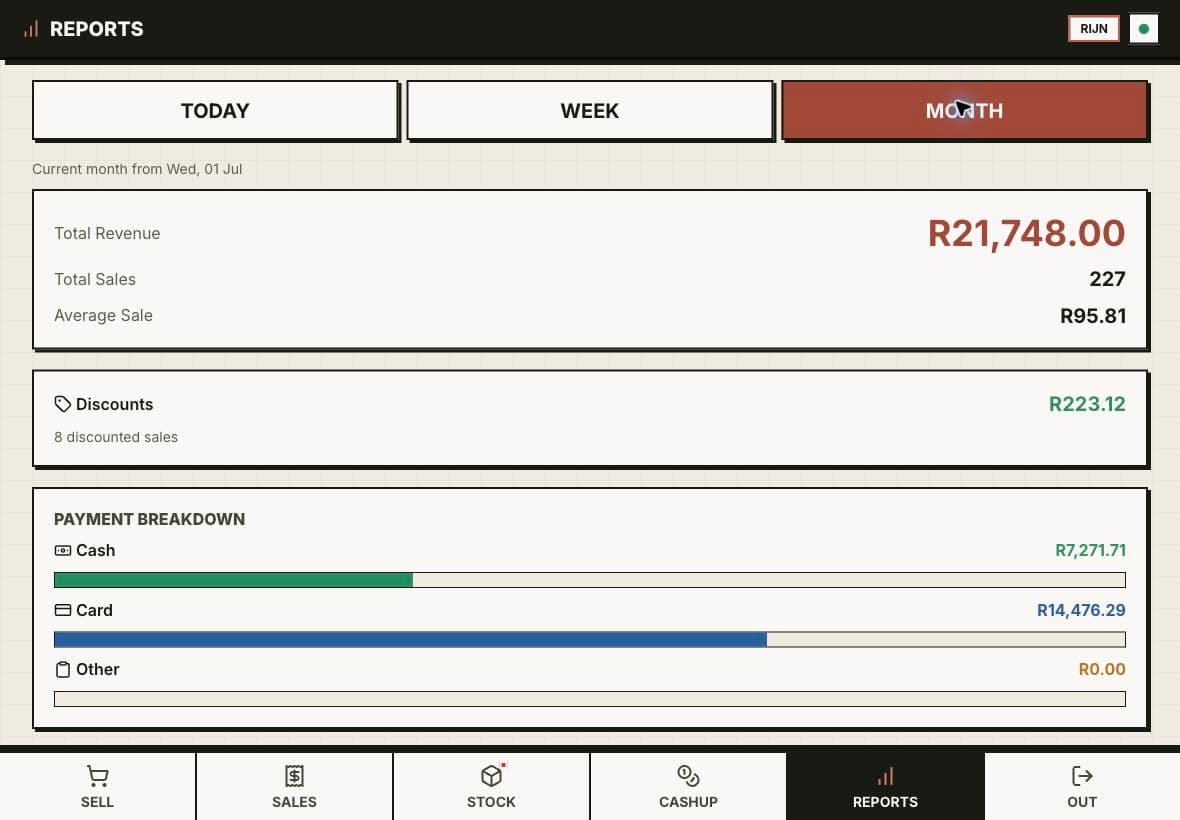
Reports by email
Daily, weekly and monthly reports arrive by email, with revenue, payment mix and sales by hour and weekday.
Screen from Custom Point of Sale
How it works.
Start
Step 1: A call
Who uses it, what they need to do and the rules behind it. Bring the spreadsheet, the paper form or the idea.
Before any work
Step 2: Brief and fixed price
A short brief, then a proposal with a fixed price for the first version. Anything that can wait goes on a list for later.
Day 0
Step 3: Agreement and deposit
You sign and pay the deposit. We set up the accounts, data and sign-in first.
About a week later
Step 4: First working version
A working version on a preview link, with real screens to click through.
While we build
Step 5: Build in stages
Feedback by voice note, screenshot or doc. Changes are cheap while we are still building, and simple ones often ship the same day.
On your date
Step 6: Tested and live
AI agents test every flow, from sign-up to payment, on phone and desktop. You pick the launch date.
Then, your choice.
Once it's live, you pick how it carries on. You can change your mind later.
Fair questions.
Start with a call.
After a call and a short written brief, you get a proposal with a fixed price for the agreed first version. Hosting and third-party fees are listed separately. A monthly plan for hosting and support is optional.
Start a conversationBuy one if a standard till fits how you sell. It is cheaper, and we will tell you so. Build your own when the standard product fails at a rule that matters to you. For the biltong shop in our case study, those rules were selling by weight, a connection that drops and a cash-up that checks money and stock separately.
It depends on how you sell, how stock is counted, how many people use the till and what the owner needs to see. After a call and a written brief, you get a fixed price for the agreed first version. Hosting, third-party services and any monthly plan are priced separately.
You usually get a working version to click through about a week after the deposit. From there we build in stages with your feedback, and you pick the date it goes onto the shop floor. A bigger build gets its own timeline in the proposal.
Yes, in the system we built. The till keeps its data on the tablet, records each sale and moves the stock while the Wi-Fi is down, then syncs in the background when it is back. It runs on Android tablets in a shop where the connection drops now and then.
The system in our case study runs one shop that sells over a counter. Several branches, or a restaurant with a shop attached, would be a bigger first version, and the brief would say exactly what is in it. It is a retail till and stock system. It is not a dispensing system and does not cover pharmacy compliance.